
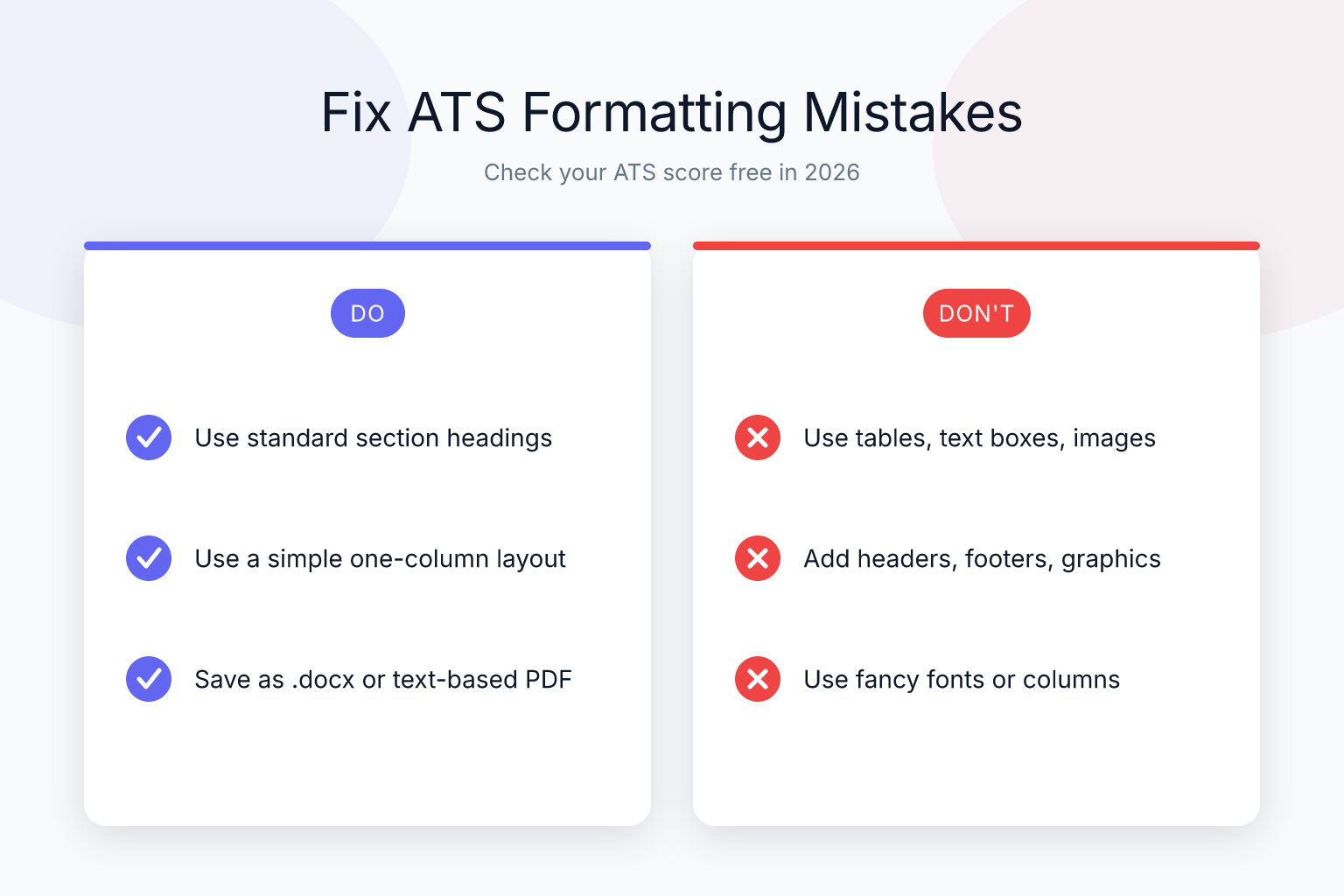
ATS Formatting Mistakes That Kill Your Resume (And How to Fix Them)
Your resume can be packed with the right experience and keywords, but if it’s riddled with ATS formatting mistakes, it may never reach a human recruiter. According to a study by TheLadders, recruiters spend an average of just 6 seconds on an initial resume scan — but before that, an applicant tracking system (ATS) has already decided whether your resume gets seen at all. Jobscan reports that over 98% of Fortune 500 companies use an ATS to filter candidates. A single formatting slip can scramble your data, drop entire sections, or rank you so low you’re automatically rejected. The good news: these mistakes are easy to fix once you know what to look for.
| What to Do | Why It Matters | Time |
|---|---|---|
| Use a clean, single-column layout | Prevents parsing errors and keeps reading order intact | 10 minutes |
| Stick to standard fonts like Arial or Calibri | Ensures every ATS can read your text without character corruption | 5 minutes |
| Save as a text-based PDF (not scanned) | Avoids file rejection and guarantees extractable text | 2 minutes |
| Remove images, logos, and graphics | Keeps all critical info in machine-readable text | 5 minutes |
| Tailor keywords to the job description | Boosts your ranking inside the ATS so you appear in searches | 15 minutes per application |
The ATS Formatting Mistakes That Instantly Reject Your Resume
An ATS doesn’t “see” your resume the way a person does. It parses the document into plain text, then sorts that text into categories like work history, education, and skills. When formatting gets in the way, the parser can’t do its job. You might have 10 years of relevant experience, but if the ATS reads your dates as gibberish or misses your contact information entirely, you’re out of the running before anyone reads a word. This is why even highly qualified candidates get rejected silently — the machine never passed their resume to a human. The problem is widespread: a 2024 analysis by ResumeLab found that 75% of resumes never reach a recruiter’s eyes due to ATS filtering, and formatting errors are a leading cause. The system isn’t trying to be unfair; it’s just rigid. It expects clean, predictable structure. When you use images, fancy layouts, or non-standard headings, the parser gets confused and either drops data or misclassifies it. The result? Your application lands in the digital trash, not the “yes” pile. Most ATS formatting mistakes fall into a few predictable patterns. Below, you’ll find the eight that cause the most rejections — and exactly how to fix each one so your resume sails through the screen.
1. Using Images, Graphics, or Logos Instead of Text
An ATS cannot read images. If you put your name inside a stylized logo, use icon bullets for your contact details, or add a headshot, that information is invisible to the parser. I’ve seen candidates who embedded their entire name as a graphic — the ATS extracted a blank field, and the resume was discarded as “incomplete.” Even a small company logo in the header can cause the parser to skip the entire top section, leaving your name and phone number unread. The same goes for graphical skill bars, photo icons, or decorative dividers that contain text. ATS software is designed to extract characters, not pixels. When it encounters an image, it either ignores it or outputs a placeholder like “[IMAGE]” — which doesn’t help your candidacy. This mistake is especially common among designers and creative professionals who want their resume to stand out visually, but it backfires because the ATS sees a blank space where critical data should be.
Fix it:
- Replace every image, logo, and icon with plain text.
- For contact info, write “Phone: 555-123-4567” instead of a phone icon next to the number.
- If you want visual polish, use simple lines or subtle color accents that don’t carry data — but never let design elements replace words.
- A quick test: open your resume in a basic text editor like Notepad. If your name, phone number, or email doesn’t appear as selectable text, the ATS won’t find it either. You can also upload your resume to ResumeMate’s free ATS score checker to see exactly what text gets extracted.
2. Relying on Tables and Columns for Your Layout
Tables and multi-column layouts are a gamble. Some modern ATS can parse simple tables, but many still read left-to-right, top-to-bottom without understanding cell relationships. That means your job title might end up paired with the wrong date, or your skills column could merge with your education section into an unreadable block. For instance, a resume with a left column for dates and a right column for job descriptions might be read as “2018-2020 Marketing Manager 2015-2018 Sales Associate” — losing the association between each role and its timeframe. Even when the ATS attempts to parse columns, it often flattens them into a single stream of text, mixing content from different sections. This can turn a carefully organized resume into a jumbled mess that no recruiter can decipher. The risk is higher with nested tables or complex grid designs. We tested two-column resumes against several ATS — the results and safer alternatives are in our full guide on two-column resumes: ATS tests, workarounds, and examples.
Fix it:
- Use a single-column layout. It’s the safest choice for every ATS.
- If you must present information side-by-side (like skills), use simple tab stops or bullet lists, not a table grid.
- Most ResumeMate templates are single-column and designed to parse cleanly — you can build one in minutes with the free resume builder.
3. Choosing the Wrong File Format (Scanned PDFs, DOCX When Not Required)
A scanned PDF — the kind you get from photographing a paper resume — is just an image. The ATS sees a blank page. Always generate a text-based PDF directly from a word processor or resume builder. Modern ATS (Workday, Greenhouse, Lever, iCIMS) parse clean, text-based PDFs reliably. DOCX is a fallback only when a specific job portal explicitly asks for it. Submitting a scanned PDF is one of the fastest ways to get rejected: the parser extracts zero text, so your application appears empty. Even if a human eventually looks at it, they’ll see a low-quality image that looks unprofessional. Some job portals auto-reject image-based files before they even reach the ATS. On the other hand, DOCX files can introduce their own issues — fonts may not embed correctly, and complex formatting like text boxes can break. For the full breakdown of when to use PDF vs DOCX, read PDF vs DOCX for resumes: what recruiters and ATS really prefer.
Fix it:
- Save your resume as a PDF using “Save As” in Word or Google Docs, or export from a resume builder. Never use a scan or photo.
- Before submitting, open the PDF and try to select and copy text. If you can’t, it’s not text-based.
- ResumeMate exports clean, ATS-safe PDFs by default — no extra steps needed.
4. Using Decorative or Uncommon Fonts
Fonts like Brush Script, Papyrus, or even some custom web fonts may not be embedded in your PDF or recognized by the ATS. When the parser encounters an unknown font, it can substitute random characters, turning “Project Manager” into “P r o j e c t M a n a g e r” or worse. This happens because ATS software relies on a limited set of system fonts to interpret text. If your resume uses a font that isn’t in that set, the parser may map it to a default like Courier or, in some cases, replace letters with symbols or blank boxes. Even if the font is embedded in the PDF, some ATS ignore embedded fonts and fall back to their own library. The result is garbled content that can’t be parsed correctly. For a tested list of fonts that pass every ATS, see our guide on best resume fonts for ATS readability.
Fix it:
- Stick to universally available fonts: Arial, Calibri, Helvetica, Times New Roman, Georgia.
- Use 10–12 pt for body text and 14–16 pt for section headings.
- Avoid using more than two font families in one resume.
- Bold and italics are fine, but don’t rely on all-caps for entire sections — some parsers struggle with excessive capitalization.
5. Missing or Non-Standard Section Headings
ATS software looks for conventional headings like “Work Experience,” “Education,” and “Skills” to categorize your information. If you label your experience section “Where I’ve Made an Impact” or your skills as “My Toolbox,” the parser may dump everything into a generic “Other” bucket — or miss it entirely. The ATS is programmed to recognize a predefined set of section labels. While some systems are flexible enough to understand “Professional Experience” or “Employment History,” creative titles like “Career Journey” or “What I Bring” are almost never recognized. This means the parser won’t know where your work history ends and your education begins, leading to misclassification. Even slight variations like “Work Background” can cause problems. The safest approach is to use the exact terms the ATS expects. You can still show personality in your bullet points and summary — just keep the section labels boring and machine-friendly.
Fix it:
- Use standard, predictable headings:
- Work Experience (or Professional Experience)
- Education
- Skills
- Certifications
- Projects
- If you add custom sections like “Volunteer Experience” or “Publications,” use clear, descriptive labels that mirror common ATS categories.
- Keep heading formatting consistent (same font, size, and style) so the parser recognizes them as structural markers.
6. Embedding Critical Info in Headers, Footers, or Text Boxes
Many ATS ignore content placed in document headers, footers, or floating text boxes. If your name, phone number, or email lives in a header, the parser may extract a blank contact field — and your application gets trashed before it’s even reviewed. This is because headers and footers are often treated as separate document layers that the ATS doesn’t scan. Similarly, text boxes (often used for sidebars or callout quotes) are frequently skipped or read out of order. I’ve seen resumes where the entire contact section was in a header, and the ATS output showed no name or email — the candidate was rejected instantly. Even page numbers in footers can confuse some parsers, though that’s less critical. The rule is simple: if it’s not in the main body flow, assume the ATS won’t see it.
Fix it:
- Move all contact information into the main body of the document, right at the top.
- Avoid text boxes entirely. If you used them for sidebars or callout quotes, convert those to plain paragraphs.
- After making changes, run your resume through ResumeMate’s score checker to confirm your contact details are being captured.
7. Ignoring ATS Keywords and Job Description Tailoring
Even a perfectly formatted resume will rank low if it doesn’t contain the keywords the ATS is programmed to look for. These keywords come straight from the job description — skills, certifications, software names, and industry terms. If the posting asks for “Tableau” and your resume only says “data visualization tools,” the ATS may not match you. ATS systems often rank candidates by keyword density and relevance. They compare your resume against a list of required and preferred terms. Missing a critical keyword can drop your score below the threshold for human review. This is why tailoring each resume to the specific job is essential. It’s not enough to have the right experience; you must use the exact language the employer used. For a step-by-step tailoring method, see our guide on how to tailor a resume to a job description.
Fix it:
- Mirror the exact language of the job description. If it says “project management,” use that phrase — not “managed projects.”
- Include both acronyms and full terms: “Certified Public Accountant (CPA).”
- Use a word cloud tool on the job description to spot repeated terms, then make sure those appear naturally in your resume.
- Avoid keyword stuffing; integrate terms seamlessly into your experience bullets.
8. Over-Designing with Charts, Graphs, and Progress Bars
Visual skill ratings — like “Python: 4/5 stars” shown as a bar chart — are popular on creative templates, but they’re a disaster for ATS. The parser sees either an image (which it ignores) or a string of meaningless characters. A candidate once used a pie chart to display skill breakdowns; the ATS extracted zero skills, and the resume was rejected despite 15 years of experience. Even text-based progress bars (e.g., “Python: ████████░░ 80%”) can be parsed as garbage because the block characters aren’t recognized as meaningful data. The ATS might interpret them as random symbols or strip them out entirely, leaving you with “Python: 80%” — which still doesn’t convey proficiency in a way the system can categorize. Recruiters also find these graphics confusing because they lack context. What does 4/5 stars really mean? It’s far better to use words that clearly state your level.
Fix it:
- Describe proficiency in words: “Expert in Python” or “Advanced: SQL, Tableau.”
- If you want to show levels, use simple text like “Fluent in Spanish” or “Intermediate French.”
- Never rely on a graphic to convey a qualification.
FAQ
Q: What is the most common ATS formatting mistake?
A: Using images or graphics to display critical information like your name or contact details. Because ATS can’t read images, that data goes missing, and your application is often rejected as incomplete. Always use plain text for every piece of information.
Q: Can ATS read two-column resumes?
A: Some modern ATS can parse simple two-column layouts, but many still scramble the reading order or merge columns incorrectly. A single-column layout is the safest choice and works reliably across all systems. If you want to test a two-column design, use an ATS score checker first.
Q: Is PDF or DOCX better for ATS?
A: A text-based PDF is the preferred format for most applications in 2026. Modern ATS parse clean PDFs without issues. DOCX is a safe fallback only when a job portal explicitly requires it. Never submit a scanned or image-based PDF.
Q: Do I need to remove all formatting to pass an ATS?
A: No. You can keep bold text, bullet points, and simple lines. The goal is to avoid elements that confuse the parser: images, tables, text boxes, headers/footers, and decorative fonts. A clean, well-structured document with standard headings will parse perfectly.
Q: How can I check if my resume is ATS-friendly?
A: Use a free ATS resume checker like ResumeMate’s score checker. Upload your resume and you’ll get a section-by-section report showing exactly what the ATS sees, what’s missing, and how to fix it.
Q: Will using a template from ResumeMate help avoid ATS mistakes?
A: Yes. ResumeMate’s templates are built with ATS parsing in mind — most use single-column layouts, standard fonts, and clean text-based exports. You can create a resume in minutes and export a PDF that’s ready for any ATS.
Q: What if I already submitted a resume with formatting mistakes?
A: If you haven’t heard back, it’s worth fixing the issues and reapplying with a corrected version — especially if the job is still open. Many ATS allow updated applications. Use the score checker to identify problems, fix them, and resubmit.
Track Every Application While You Job Hunt
Stop losing track of where you’ve applied. The ResumeMate Job Tracker is a free Chrome extension that tracks every application, deadline, and follow-up in one place — right from your browser.
