
Boolean Search Strings for Job Boards: Examples and How to Use Them
Boolean search strings for job boards are the fastest way to cut through thousands of irrelevant listings and find jobs that actually match your skills, experience, and preferences. Instead of typing a single keyword like “marketing” and scrolling through hundreds of results, you can combine terms with operators like AND, OR, and NOT to tell the job board exactly what you want — and what you don’t. In this guide, you’ll learn how Boolean search works, see ready-to-use examples for common job scenarios, and get platform-specific tips for LinkedIn, Indeed, and Google. By the end, you’ll be able to build your own search strings and set up alerts so the right jobs come to you.
Key Takeaways
- Boolean search uses operators like AND, OR, NOT, parentheses, and quotation marks to combine keywords and filter job listings with precision.
- On most job boards, you can type strings like
("project manager" OR "program manager") AND (remote OR hybrid) NOT internto narrow results instantly. - Platform-specific syntax — such as
title:on LinkedIn orintitle:on Indeed — lets you target keywords in job titles rather than entire postings. - Save your best Boolean strings and set up job alerts to automate your search and never miss a new matching role.
Summary Table
| What to Do | Why It Matters | Time |
|---|---|---|
| Learn the five core operators (AND, OR, NOT, quotes, parentheses) | Prevents irrelevant results and saves hours of scrolling | 10 minutes |
| Build 3–5 job-specific Boolean strings for your target roles | Finds hidden jobs that generic searches miss | 20 minutes |
| Test your strings on LinkedIn, Indeed, and Google | Each platform has slightly different syntax; testing ensures accuracy | 15 minutes |
| Save strings and set up job alerts | Automates your search so new jobs come to you | 5 minutes |
What Are Boolean Search Strings for Job Boards? (With Examples)
A Boolean search string is a combination of keywords and operators that tells a search engine exactly how to filter results. On job boards, Boolean search lets you combine job titles, skills, locations, and exclusions in a single query. For example, instead of searching “software engineer” and getting every entry-level, senior, contract, and internship posting, you could search:
("software engineer" OR "software developer") AND (remote OR hybrid) AND (Python OR Java) NOT intern
This string returns only remote or hybrid software engineering roles that mention Python or Java and excludes internships. Most major job boards — including LinkedIn, Indeed, and many niche sites — support Boolean syntax in their search bars, even if they don’t advertise it. The key is knowing which operators to use and how to structure your query.
The Core Boolean Operators You Need to Know
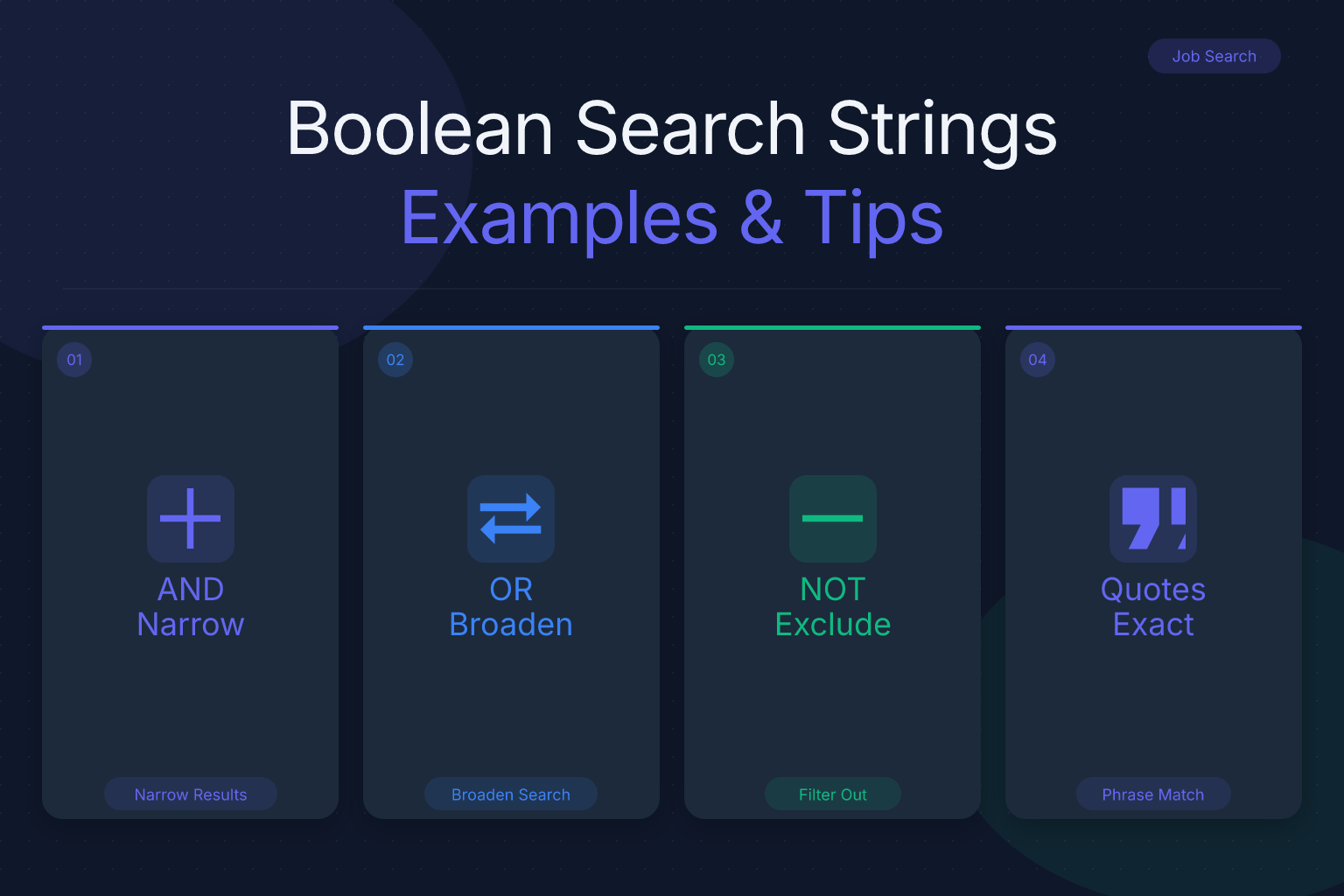
Boolean search relies on five main operators. Here’s what each one does, with job search examples.
AND — Narrows results by requiring all connected terms to appear. Use it to combine a job title with a required skill or location.
Example:"data analyst" AND SQL AND remoteOR — Broadens results by including any of the connected terms. Use it to capture synonyms or variations of a job title.
Example:"customer support" OR "client success" OR "account manager"NOT (or the minus sign
-on some platforms) — Excludes terms you don’t want. Use it to filter out internships, contract roles, or unrelated industries.
Example:"project manager" NOT intern NOT constructionQuotation marks
" "— Groups multiple words into an exact phrase. Use it for job titles or skills that are more than one word.
Example:"machine learning"instead ofmachine learning(which might return results with both words separately)Parentheses
( )— Groups terms together to control the order of operations, just like in math. Use them to combine OR groups with AND or NOT.
Example:("frontend developer" OR "front-end engineer") AND (React OR Vue) NOT junior
Always type operators in uppercase (AND, OR, NOT) so the job board recognizes them as commands rather than regular words. Some platforms also accept symbols like + for AND and - for NOT, but uppercase words are the most universal.
How to Build a Boolean Search String for Your Target Job
Follow these steps to create a search string that matches your exact job target.
List your core job titles. Write down every title you’d accept, including variations and synonyms. For example, if you’re a UX designer, you might include “UX designer,” “user experience designer,” “product designer,” and “interaction designer.”
Add required skills or technologies. Identify the must-have skills from job descriptions you’ve seen. For a data role, that might be SQL, Python, or Tableau.
Specify location or work arrangement. Decide if you want remote, hybrid, on-site, or a specific city. Use terms like
remote,hybrid, or"New York".Exclude what you don’t want. Think about common irrelevant results. If you’re senior-level, exclude
junior,intern, orentry-level. If you want full-time only, excludecontractorpart-time.Combine everything with operators. Put OR groups in parentheses, then connect them with AND. Add NOT exclusions at the end.
Here’s a filled-in template for a mid-level product manager targeting remote roles in tech:
("product manager" OR "senior product manager") AND (SaaS OR software) AND remote NOT intern NOT contract
Test the string on your preferred job board. If you get too many results, add another AND term. If you get too few, remove an exclusion or broaden an OR group.
Boolean Search Examples for Common Job Scenarios
Use these ready-made strings as starting points. Adjust the keywords to match your industry and preferences.
Remote software engineer with specific stack:
("software engineer" OR "backend developer") AND (Python OR Go) AND remote NOT internEntry-level marketing role in a specific city:
("marketing coordinator" OR "marketing assistant") AND ("New York" OR NYC) AND entry-levelSenior project manager excluding contract work:
"senior project manager" AND (PMP OR Agile) NOT contract NOT temporaryData analyst with visualization tools:
"data analyst" AND (Tableau OR "Power BI") AND (SQL OR Python) NOT seniorCustomer success role in SaaS:
("customer success manager" OR "client success") AND SaaS AND remoteHR generalist excluding recruiting-only roles:
"HR generalist" AND (benefits OR onboarding OR compliance) NOT recruiter
Remember that job titles vary by company. If a string returns too few results, add more synonyms to your OR groups.
Platform-Specific Boolean Search Tips
Different job boards handle Boolean search slightly differently. Here’s how to get the most out of the major platforms.
LinkedIn: LinkedIn’s job search supports Boolean operators in the search bar. You can also use field-specific operators like
title:to search only job titles,company:to target specific employers, andlocation:for geographic filters. For example:title:("data scientist" OR "machine learning engineer") AND (remote OR hybrid). Note that LinkedIn sometimes ignores NOT if you place it at the beginning, so put exclusions at the end.Indeed: Indeed supports Boolean search, including
intitle:to search job titles only. For example:intitle:("registered nurse" OR RN) AND (ICU OR emergency) NOT travel. Indeed also allows the minus sign-as a NOT alternative, but using the word NOT is clearer.Google: You can use Google to search across multiple job boards at once. Use
site:to limit results to specific domains. For example:site:linkedin.com/jobs ("product manager" OR "program manager") AND remote. Google also supports wildcards and other advanced operators, but job-specific results may be less structured.ResumeMate Job Board: The ResumeMate job board lets you filter by role, location, and remote status, and you can combine those filters with Boolean-style keywords in the search box. It’s a good place to test your strings and find roles that match your criteria.
Always test your string on each platform because syntax support varies. What works on LinkedIn might not work on Indeed, and vice versa.
Common Mistakes to Avoid When Using Boolean Search
Even experienced job seekers make these errors. Avoid them to get better results.
Forgetting parentheses. Without parentheses,
"project manager" OR "program manager" AND remoteis ambiguous. The job board might interpret it as("project manager") OR ("program manager" AND remote), which returns all project managers regardless of remote status. Always group OR terms in parentheses.Not capitalizing operators. Some platforms treat lowercase
andororas regular words, which breaks your search. Use uppercase AND, OR, NOT.Overcomplicating the string. A string with ten AND terms and five OR groups may return zero results. Start simple, then add terms one at a time to see how results change.
Ignoring synonyms. If you only search “software engineer,” you’ll miss “software developer,” “backend engineer,” and “full-stack developer.” Use OR to capture variations.
Not testing on each platform. Boolean support differs. A string that works on LinkedIn might fail on a niche job board. Test and adjust.
Forgetting to exclude common noise. If you’re not interested in internships, contract roles, or specific industries, add NOT terms to filter them out.
How to Combine Boolean Search with Job Alerts and Tracking
Once you’ve built a few strong Boolean strings, don’t stop there. Set up job alerts so new matching postings come to you automatically. Most job boards let you save a search and receive email or push notifications when new jobs match. On LinkedIn, click “Create job alert” after running a search. On Indeed, use the “Get new jobs for this search by email” option.
But finding jobs is only half the battle. You also need to track where you’ve applied, follow up on deadlines, and tailor your resume for each role. That’s where the ResumeMate Job Tracker comes in. This free Chrome extension tracks every application, deadline, and follow-up in one place, right from your browser. When you find a job through a Boolean search, you can log it instantly and never lose track of your pipeline.
And when you’re ready to apply, make sure your resume matches the keywords you used in your search. If you searched for “data analyst AND SQL AND Tableau,” your resume should highlight those exact skills. Use the ResumeMate resume builder to create a clean, ATS-friendly PDF that mirrors the language from the job description. For more on tailoring your resume, check out our guide on choosing the best resume builder template for your job search. For more ways to streamline your search, see our guide on using AI tools to speed up your job search.
Advanced Boolean Search Techniques
Once you’re comfortable with the basics, try these advanced operators to fine-tune your results.
Wildcards: Some platforms support
*to match partial words. For example,manag*returns “manager,” “management,” “managing.” Not all job boards support this, so test it.Proximity operators: A few platforms (like Google) support
AROUND(n)orNEARto find terms within a certain distance of each other. For example,"project" AROUND(3) "manager"finds phrases where “project” and “manager” appear close together. This is rare on job boards, but useful on Google.Field-specific operators: Beyond
title:andintitle:, some platforms let you search within company names, locations, or salary ranges. On LinkedIn,company:"Google"targets a specific employer. On Indeed,company:"Acme Corp"does the same.Exact match with quotes: Always use quotes for multi-word job titles or skills.
"machine learning"is very different frommachine learningwithout quotes.
These advanced techniques can help you find very specific roles, but they’re not necessary for most job searches. Start with the core operators, and add advanced ones only if you need more precision.
FAQ
Q: What is a Boolean search string for job boards?
A: A Boolean search string is a query that uses operators like AND, OR, NOT, parentheses, and quotation marks to combine keywords and filter job listings. For example, ("software engineer" OR "developer") AND remote NOT intern returns only remote software engineering roles and excludes internships.
Q: How do I use Boolean search on LinkedIn?
A: Type your Boolean string directly into LinkedIn’s job search bar. Use uppercase operators, parentheses for OR groups, and field-specific operators like title: to search only job titles. For example: title:("data analyst" OR "business analyst") AND (SQL OR Python) AND remote.
Q: What are the best Boolean operators for job searching?
A: The five core operators are AND (narrows results), OR (broadens with synonyms), NOT (excludes terms), quotation marks (exact phrases), and parentheses (grouping). Use them together to build precise queries like ("project manager" OR "program manager") AND (PMP OR Agile) NOT contract.
Q: Can I use Boolean search on Indeed?
A: Yes, Indeed supports Boolean search, including intitle: to search job titles only. For example: intitle:("registered nurse" OR RN) AND (ICU OR emergency) NOT travel. You can also use the minus sign - as an alternative to NOT.
Q: How do I exclude certain job titles from my search?
A: Use the NOT operator (or minus sign on some platforms) followed by the term you want to exclude. For example, "marketing manager" NOT intern NOT social media removes internships and social media roles from your results.
Q: What is the difference between AND and OR in Boolean search?
A: AND requires all connected terms to appear in a result, which narrows your search. OR includes any of the connected terms, which broadens your search. For example, "data analyst" AND SQL returns only data analyst jobs that mention SQL, while "data analyst" OR "business analyst" returns jobs with either title.
Q: How do I search for remote jobs using Boolean strings?
A: Add the word remote (or hybrid) as an AND term, and optionally exclude on-site terms. For example: ("software engineer" OR "developer") AND remote NOT onsite. Some job boards also have a remote filter you can combine with your Boolean string.
Track Every Application While You Job Hunt
Stop losing track of where you’ve applied. The ResumeMate Job Tracker is a free Chrome extension that tracks every application, deadline, and follow-up in one place — right from your browser.
