
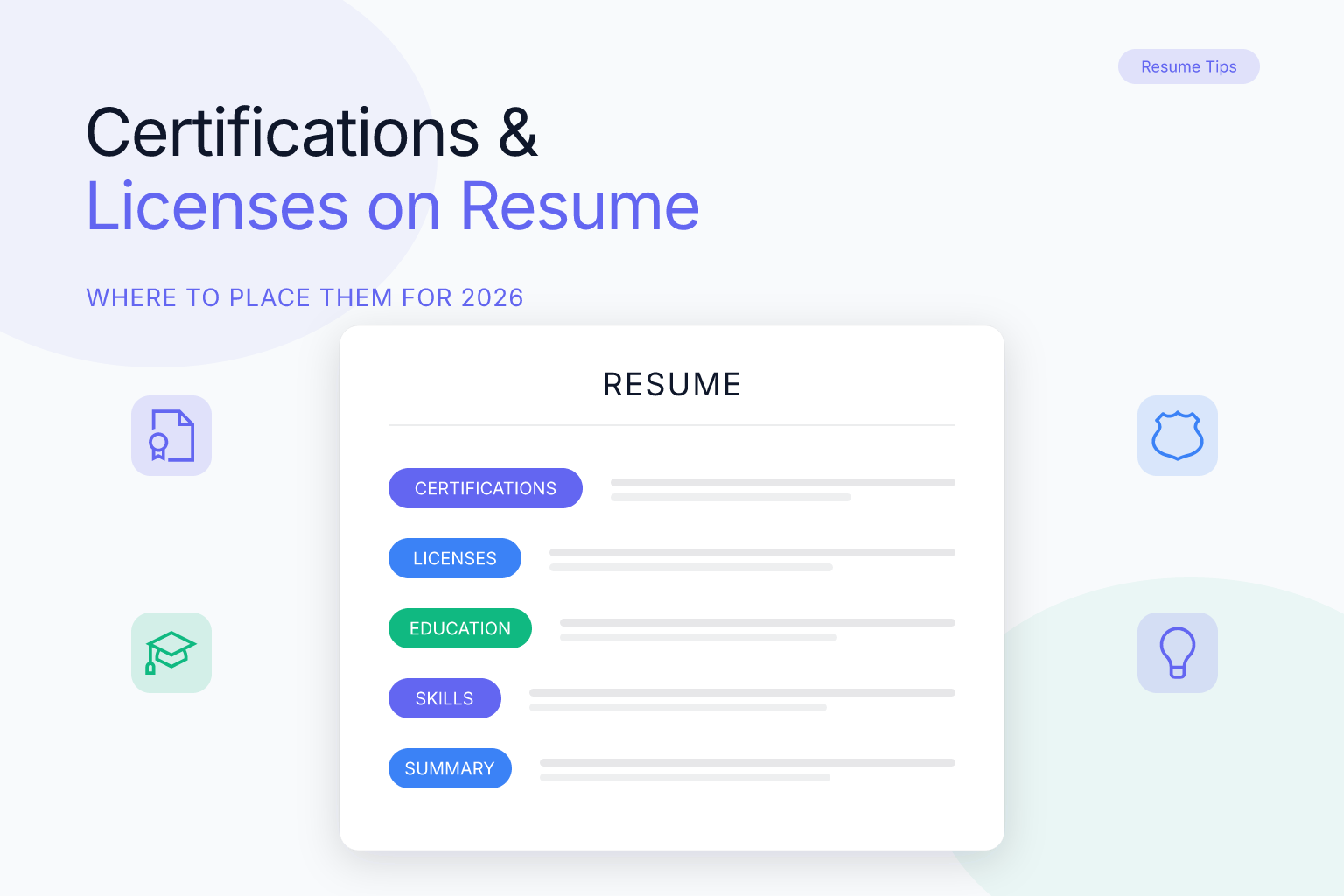
How to Add Certifications & Licenses to Your Resume: 2026 Guide (Free List)
Certifications on resume play a vital role in showcasing your professional qualifications, especially in regulated or technical fields. Properly listing and positioning certifications and licenses can boost your ATS score and impress hiring managers in 2025.
| What to Do (Short Checklist) |
|---|
| Include certifications relevant to your target job |
| List certifications in a dedicated section |
| Provide certification name, issuing organization, and date earned |
| Highlight certifications with industry recognition |
| Customize certifications based on the job description |
Who This Guide Is For
This guide assists professionals across all experience levels, particularly in technical, regulated, and specialized industries such as IT, healthcare, finance, and engineering. Whether you’re adding certifications for the first time or updating your resume, these tips and examples help maximize impact.
If you’re an entry-level candidate, certifications can compensate for limited work experience by proving you’ve invested in relevant skills. For career changers, they signal commitment to a new field. And for seasoned professionals, they keep your resume competitive in an ATS-driven hiring landscape where 75% of resumes are never seen by human eyes unless they pass automated filters.
Remote workers, freelancers, and gig-economy professionals also benefit greatly from certifications. Without a traditional employer to vouch for your abilities, a verified credential from a recognized body serves as instant social proof. Platforms like Upwork and Toptal often highlight certified freelancers in search results, making certifications a direct revenue driver.
Certifications & Licenses on a Resume — Definition & Purpose
Certifications and licenses prove your competency and compliance with industry standards, often essential for certain roles. Displaying them clearly on your resume signals credibility and readiness for specific job requirements.
Licenses are government-issued credentials that grant legal permission to practice a profession (e.g., Registered Nurse, Real Estate Agent, Commercial Driver’s License). They are mandatory for the role and often come with a license number and expiration date. Certifications, on the other hand, are typically awarded by professional organizations or vendors to validate specialized knowledge (e.g., PMP, AWS Solutions Architect, Google Analytics). While not always legally required, they demonstrate expertise and can be the deciding factor between two otherwise equal candidates.
Both types of credentials serve as third-party endorsements of your abilities. Recruiters and ATS software scan for them because they instantly confirm you meet baseline qualifications — saving time and reducing hiring risk.
Best-Practice Rules (Do / Don’t)
| Do | Don’t |
|---|---|
| Create a separate “Certifications” or “Licenses” section | List outdated or irrelevant certifications |
| Use official certification titles and abbreviations | Use vague terms or omit issuing organizations |
| Include expiration or renewal dates if applicable | Overcrowd section with non-pertinent credentials |
| Order certifications by relevance or recency | Place certifications randomly within work history |
Following these rules ensures your credentials are scannable in the 6–7 seconds a recruiter typically spends on a first-pass resume review. A clean, well-organized certifications section can be the difference between landing an interview and being overlooked.
From an ATS perspective, simple bulleted lists parse far more reliably than tables or columns. Many applicant tracking systems strip formatting and read left-to-right, top-to-bottom. If you embed certifications inside a multi-column layout, the ATS may jumble the text or skip it entirely. Stick to one certification per line, and you’ll never lose a keyword match to a formatting glitch.
Examples by Level & Industry
IT Professional
- Certified Information Systems Security Professional (CISSP), ISC2, 2024
- AWS Certified Solutions Architect, Amazon Web Services, 2023
In IT, certifications often carry as much weight as a degree. The CISSP is globally recognized for cybersecurity leadership, while AWS certifications validate cloud expertise — both are frequently listed as “required” or “preferred” in job postings.
Healthcare
- Registered Nurse (RN), State License #12345678, Expires 2026
- CPR and First Aid Certification, American Red Cross, 2025
Healthcare roles demand clear separation of licenses (legally required) and certifications (supporting skills). Always include your license number and expiration date to avoid delays during credential verification.
Finance
- Chartered Financial Analyst (CFA) Level II Candidate
- Certified Public Accountant (CPA), California Board of Accountancy, 2024
Finance certifications signal rigorous training and ethical standards. If you’re still pursuing a credential, note your candidate status — it shows ambition and progress.
Project Management
- Project Management Professional (PMP), PMI, 2024
- Agile Certified Practitioner (ACP), PMI, 2025
Project management certifications are often the gatekeepers for senior roles. The PMP, in particular, is known to increase earning potential by up to 16% according to PMI’s salary survey.
Entry-Level / Career Changer
- Google Data Analytics Professional Certificate, Coursera, 2024
- CompTIA A+, CompTIA, 2023
For those with less direct experience, industry-recognized certificates from platforms like Coursera or edX can fill gaps and show hands-on initiative. Pair them with a brief note about the skills gained if space allows.
How to Customize Certifications to a Job Description
- Identify certifications the employer prioritizes or requires.
- Highlight certifications that set you apart or match role demands.
- Include supporting certifications relevant to industry trends.
- Remove or de-emphasize expired or unrelated credentials.
To do this effectively, scan the job description for exact certification names and acronyms. Many ATS systems are programmed to look for these exact matches. For example, if a posting asks for “Certified ScrumMaster (CSM),” listing “Scrum certification” may not trigger a match. Use our ATS Resume Keywords for 50+ Jobs guide to learn how to align your entire resume with job-specific keywords.
Real-world example: Imagine you’re applying for a Senior Project Manager role that lists “PMP required, CSM preferred, and experience with Jira.” Your certifications section should lead with “Project Management Professional (PMP), PMI, 2024” because it’s a hard requirement. Next, add “Certified ScrumMaster (CSM), Scrum Alliance, 2023” to match the preferred qualification. If you hold a Jira-related badge (e.g., Atlassian Jira Project Administrator), include it third. Any other certifications — like a Six Sigma Green Belt — can follow if space permits, but they shouldn’t push the required ones down. This ordering tells both the ATS and the recruiter that you’ve read the job description carefully and possess exactly what they need.
Formatting Tips (ATS + Readability)
- Use a clear header like “Certifications” or “Licenses.”
- List each certification on a separate line for clarity.
- Include the full certification name, certifying body, and date.
- Avoid abbreviations without explanation, especially lesser-known certs.
- Maintain a simple font and layout consistent with the rest of your resume.
For maximum ATS compatibility, avoid embedding certifications inside tables, text boxes, or graphics. Stick to plain text and standard bullet points. If you’re using a template, make sure it’s designed to pass ATS scans — our ATS-Friendly Resume Templates (2026) are built with these rules in mind and can save you hours of formatting guesswork.
Additional formatting do’s:
- Use a standard font like Arial, Calibri, or Helvetica at 10–12 pt. Fancy fonts can confuse older ATS parsers.
- Avoid italics for certification names; bold is safer if you need emphasis.
- Never place certifications in the header or footer of a Word document — many ATS systems ignore those areas entirely.
- If you have more than five certifications, consider grouping them under subheadings like “Technical Certifications” and “Professional Certifications” to improve scanability.
Checklist & Templates
| Certifications Section Checklist |
|---|
| Is the section clearly labeled and easy to find? |
| Are certification names and issuing bodies correct? |
| Are dates included when relevant? |
| Is the list tailored for the job application? |
| Is formatting consistent and ATS-friendly? |
Fill-in-the-Blank Template (Certification):
“[Certification Name], [Issuing Organization], [Year Earned or Expiration Date]”
Fill-in-the-Blank Template (License):
“[License Title], License #[Number], [Issuing State/Board], Expires [Date]”
Example using the template:
“Certified Information Systems Security Professional (CISSP), ISC2, 2024”
“Registered Nurse (RN), License #12345678, California Board of Registered Nursing, Expires 2026”
If you hold a large number of certifications, you can adapt the template by grouping them into categories. For instance:
Technical Certifications
- AWS Certified Solutions Architect, Amazon Web Services, 2023
- CompTIA Security+, CompTIA, 2024
Professional Certifications
- Project Management Professional (PMP), PMI, 2024
- Certified ScrumMaster (CSM), Scrum Alliance, 2023
This approach keeps the section tidy and helps recruiters quickly find the credentials most relevant to the role.
Where to Place Certifications on Your Resume
The placement of certifications depends on how central they are to the role you are applying for.
Dedicated “Certifications” section: The most common and recommended placement. Create a standalone section after Education or Skills. This works well for roles where credentials are frequently checked, such as IT, healthcare, and finance.
Within the Skills section: Works for professionals with just one or two certifications that double as skills. For example, a Google Analytics certification can sit naturally alongside technical skills.
Near the top (below Summary): If a certification is a hard requirement for the role — like a PMP for a project management role or an RN license for nursing — move it up close to the top so recruiters see it immediately.
In the Education section: Appropriate for academic-style credentials such as postgraduate diplomas or university-affiliated certificates.
Hybrid approach: For maximum visibility, you can mention the most critical certification in your professional summary and list it again in a dedicated section. This reinforces the keyword without being redundant.
A good rule of thumb: the more critical the certification to the job, the closer to the top it should appear.
Common Mistakes to Avoid
Many candidates undermine strong credentials by making avoidable formatting and content errors.
- Listing acronyms without spelling them out: Writing “CISSP” without clarifying “Certified Information Systems Security Professional” confuses recruiters who may not be familiar with the abbreviation. Always spell out the full name at least once.
- Forgetting expiration dates: Licenses and certifications like CPR, PMP, or state-issued licenses have renewal cycles. Omitting expiration dates (or renewal status) can make it look like you are hiding something.
- Including irrelevant credentials: A food handler certificate on a software engineering resume adds noise, not value. Only list credentials that are relevant or that demonstrate transferable skills.
- Mixing licenses and certifications together without clear labels: Licenses carry legal standing (a nursing license, for example) and should be clearly separated from voluntary certifications to avoid misrepresentation.
- Outdated certifications listed without a note: If a certification expired but you are actively renewing, add “(Renewal in progress)” to signal continued commitment.
- Not providing context for lesser-known certifications: If a certification is niche, add a one-line description in parentheses so recruiters immediately understand its value (e.g., “HubSpot Inbound Marketing Certification (covers content strategy, SEO, and lead nurturing)”).
Step-by-Step Guide: Building Your Certifications Section
Follow these steps to build a polished certifications section from scratch.
- List all credentials you hold — write them down without filtering first. Include everything: online courses, workshops, vendor-specific badges, and in-progress certifications. A master list prevents you from forgetting a valuable credential later.
- Match against the job description — identify which certifications the employer mentions as required or preferred. Print the job posting and highlight every certification keyword. This visual exercise makes it obvious which credentials belong at the top.
- Check for expiry — confirm which credentials are current, which are expired, and which are in progress. Note that some certifications (like CompTIA A+ earned before 2011) are lifetime and don’t expire, while others require continuing education units (CEUs) to maintain.
- Sort by relevance — place the most job-relevant certifications first, then secondary ones. If two certifications are equally relevant, put the more recent one first.
- Format each entry consistently — use the structure: Certification Name, Issuing Organization, Year (and expiry if applicable). For licenses, add the license number and issuing body.
- Remove unrelated credentials — cut anything that does not serve the application. Keep the removed items in your master list; they may be useful for a different role.
- Review for ATS compliance — use plain text, avoid tables within the certifications section if possible, and spell out acronyms. Paste the section into a plain text editor (Notepad or TextEdit) to see how an ATS would read it. If anything looks garbled, simplify the formatting.
FAQ
Q: Where should certifications be placed on a resume?
A: Preferably in a dedicated “Certifications” or “Licenses” section, usually after education or skills. If a certification is a hard requirement for the role, move it closer to the top.
Q: Should I include expired certifications?
A: Generally no, unless the certification is considered lifetime or very relevant. If you are actively renewing, note that with “Renewal in progress.”
Q: How do I list certifications that are in progress?
A: Use “In progress” or “Expected [month/year]” next to the certification name.
Q: Can certifications help me get past ATS?
A: Yes, certifications often contain keywords scanned by ATS and validate your qualifications. Spell out full certification names so the ATS can match them to job description keywords.
Q: Should I list every certification I have ever earned?
A: No. Prioritize relevance. Include certifications that align with the role, demonstrate required competency, or show industry commitment. Omit irrelevant, very old, or entry-level credentials that do not add value for the position.
Q: Do I need to include the certification number or badge ID?
A: Not always, but for licensed professions (nursing, law, real estate) including a license number is standard practice and signals legitimacy. For voluntary certifications, a badge ID is optional unless the employer requests verification.
Q: How do I list certifications on a resume example?
A: A typical entry looks like: “Project Management Professional (PMP), Project Management Institute, 2024.” Always include the full name, issuing body, and year. If it’s a license, add the license number and expiration date.
Q: What is the best format for a certification section on a resume?
A: Use a clean, bulleted list under a clear heading. Each line should contain the certification name, organization, and date. Avoid tables or graphics that can confuse ATS software. For more formatting guidance, see our ATS-Friendly Resume Templates.
Q: Should I include a certification/license name on my resume if it’s not required?
A: Yes, if it’s relevant to the job or demonstrates a valuable skill. Even optional certifications can set you apart from other applicants and show a commitment to professional development.
Q: How to write certifications in resume?
A: Write them in a dedicated section using the formula: “Certification Name, Issuing Organization, Year.” For licenses, add the license number and expiration. Keep the formatting consistent and tailor the list to each job application.
Q: What’s the difference between certifications and licenses on a resume?
A: Licenses are government-issued and legally required to perform a job (e.g., nursing license). Certifications are voluntary credentials from professional bodies that validate expertise (e.g., PMP). On a resume, licenses should be clearly labeled and often include a license number.
Q: Can I list online course certificates on my resume?
A: Yes, especially if they are from recognized platforms (Coursera, edX, LinkedIn Learning) and relevant to the job. Place them in a “Certifications” or “Professional Development” section, and include the course title, platform, and completion year.
Q: How many certifications should I list on a resume?
A: There’s no fixed number, but aim for 3–5 of the most relevant and impressive credentials. Listing too many can dilute the impact and make the section look cluttered. Quality over quantity always wins.
Q: How do I list certifications on a CV versus a resume?
A: The format is largely the same: a dedicated section with certification name, issuing body, and date. However, CVs (common in academia, research, and international applications) often allow more space, so you can include brief descriptions of each certification’s focus. On a resume, keep it concise; on a CV, you can add a one-line explanation if the credential is niche.
Q: Should I mention certifications in my resume summary?
A: Yes, if the certification is a hard requirement or a major differentiator. For example, “PMP-certified project manager with 10 years of experience” immediately signals qualification. Mentioning it in the summary and again in a dedicated section reinforces the keyword without being redundant.
Build, Score & Track Your Job Search with ResumeMate
Resume Builder → — Create an ATS-ready resume in minutes.
Resume Score Checker → — See how your resume scores against ATS systems instantly.
Job Board → — Browse jobs matched to your resume.
Job Tracker Chrome Extension → — Track every application, deadline, and follow-up in one place — free.
