
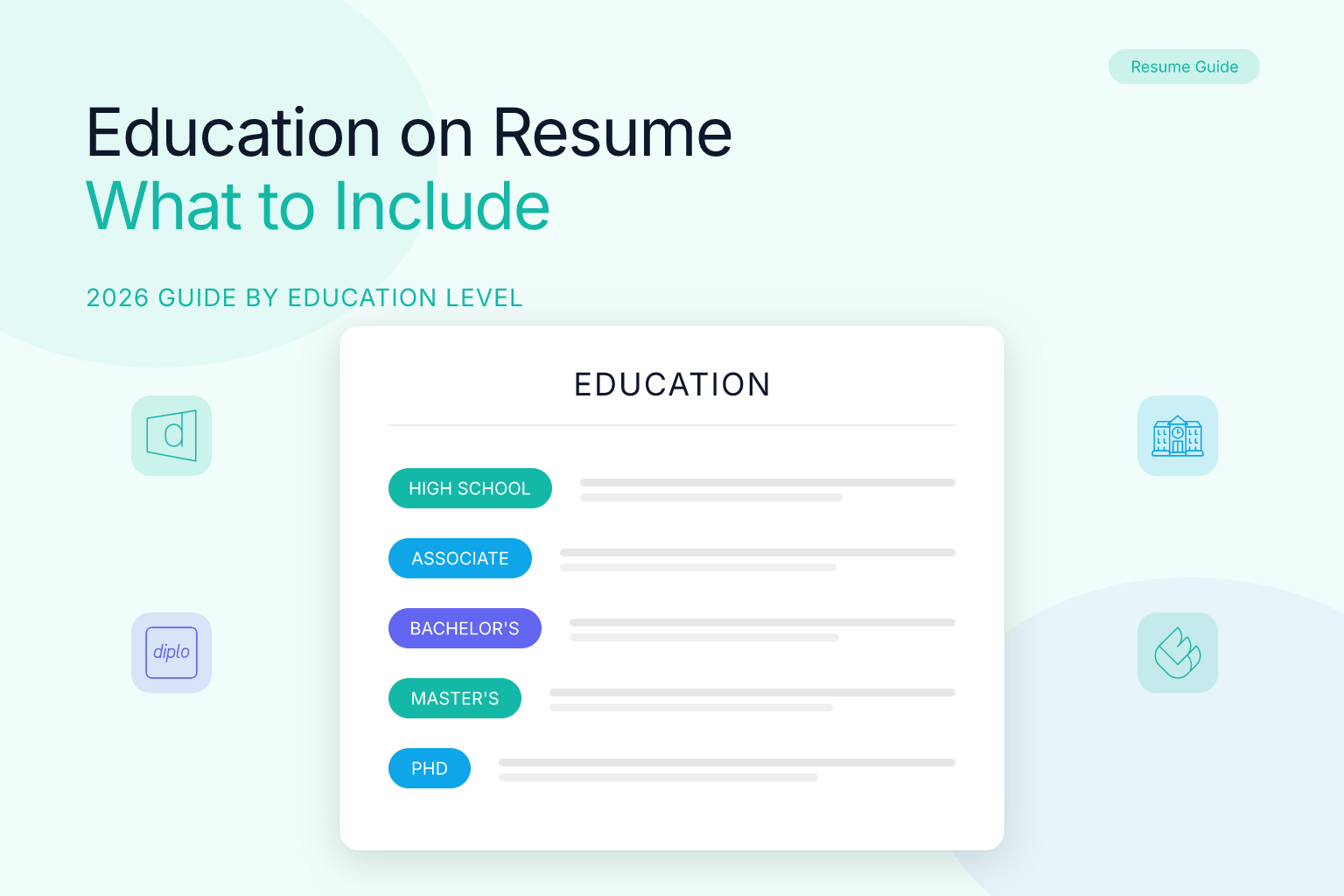
Education on Resume: What to Include by Experience Level (2026 Guide)
The education section on a resume showcases your academic background and credentials. It helps recruiters and Applicant Tracking Systems (ATS) quickly understand your qualifications. Knowing what to include — tailored to your experience level — is key to making this section effective in 2025 job markets.
| What to Do (Short Checklist) |
|---|
| Include degree(s) earned, institution name, and dates |
| Add honors, certifications, or relevant coursework |
| Tailor content for your career stage (entry vs senior) |
| Keep formatting clean and ATS-friendly |
| Avoid unnecessary details like high school for experienced candidates |
Who This Guide Is For
This guide supports students, recent graduates, mid-career professionals, and career changers. Whether you’re crafting your first resume or updating your education section, these tips and examples help build a strong academic profile for recruiters and ATS. If you’re still in college, switching industries, or returning to work after a gap, you’ll find specific guidance for your situation below.
Education on a Resume — Definition & Purpose
The education section lists your formal schooling and certifications. It provides context for your skills and career goals and can be critical for fields requiring specific degrees or licenses.
What Does “Level of Education” Mean?
When a job application or resume template asks for your level of education, it’s asking for the highest credential you’ve completed. The standard levels, in ascending order, are:
- High school diploma or GED — the baseline credential
- Associate’s degree — typically a 2-year program (A.A., A.S., A.A.S.)
- Bachelor’s degree — a 4-year undergraduate degree (B.A., B.S., B.F.A., etc.)
- Master’s degree — a graduate degree (M.A., M.S., MBA, M.Ed., etc.)
- Doctorate — the highest academic credential (Ph.D., Ed.D., M.D., J.D., etc.)
- Professional certifications and licenses — credentials like CPA, PMP, RN, or trade licenses
Tertiary education is a term you may encounter on international job applications. It simply means any education beyond high school — so associate’s, bachelor’s, master’s, and doctoral degrees all count as tertiary education. If a form asks for your tertiary education, list your college and university credentials, not your high school.
Best-Practice Rules (Do / Don’t)
| Do | Don’t |
|---|---|
| Include degree name, school, location, and dates | List high school if you have a college degree |
| Mention relevant coursework, honors, or GPA if recent graduate | Add irrelevant or outdated education |
| Use consistent formatting with clear headings | Use complex layouts that confuse ATS |
| Tailor education details to the job requirements | Overcrowd this section with excessive info |
| Add certifications/licenses related to the role | Include non-professional or unrelated training |
Education or Experience First? How to Decide
One of the most common questions job seekers ask is whether to put education or experience first on a resume. The answer depends on where you are in your career:
Put education first when:
- You’re a current student or recent graduate (within 1–2 years of graduating)
- Your degree is the strongest qualification you have
- You’re applying to academic, research, or highly credential-driven roles (healthcare, law, engineering)
- You’re a career changer whose new degree or certificate is more relevant than your old work history
Put experience first when:
- You have 3+ years of relevant professional experience
- Your work history is more impressive than your academic credentials
- You’re applying to roles where practical skills matter more than degrees (sales, trades, creative fields)
Does professional experience include education? No — professional experience and education are separate resume sections. Professional experience covers paid jobs, internships, and sometimes significant volunteer roles. Education covers degrees, diplomas, certificates, and licenses. Keep them distinct so ATS systems can parse each section correctly.
Education Section Examples by Experience Level
Current Student (Still in College)
Bachelor of Science in Computer Science (In Progress)
University of Michigan, Ann Arbor, MI | Expected Graduation: May 2026
- GPA: 3.8/4.0 | Dean’s List (2023–2025)
- Relevant coursework: Data Structures, Algorithms, Database Design
- Academic project: Built a full-stack task management app (link to GitHub)
When you’re still in college, write “Expected graduation [Month Year]” or “In progress” instead of a completion date. Place this section near the top of your resume, right after your summary, since your education is currently your primary qualification.
Entry-Level / Recent Graduate
Bachelor of Science in Computer Science
University of Michigan, Ann Arbor, MI | Graduated May 2024
- Dean’s List (2022-2024), Relevant coursework: Data Structures, Machine Learning
Associate’s Degree Holder
Associate of Applied Science in Nursing
Community College of Denver, Denver, CO | Graduated December 2023
- Clinical rotations: 600+ hours across med-surg, pediatrics, and ICU
- NCLEX-RN eligible
An associate’s degree is a legitimate credential and should be listed with the same formatting as any other degree. If you’re pursuing a bachelor’s on top of it, list both — the associate’s first if it’s your most recent completed credential.
Mid-Level Professional
Master of Business Administration (MBA)
Harvard Business School, Boston, MA | Completed 2018
Bachelor of Arts in Economics
University of California, Berkeley, CA | Graduated 2012
Career Changer
Certificate in Digital Marketing
Google Digital Garage | Completed 2023
Bachelor of Science in Biology
State University | Graduated 2010
For career changers, the new credential goes first — even if it’s a certificate rather than a degree — because it’s the most relevant to your target role. Your older degree stays on the resume but takes a back seat. If you’re navigating a title change or interim role during your transition, see our guide on how to list acting roles on a resume.
How to Customize Education to a Job Description
- Highlight degrees or certifications relevant to the job role.
- Include coursework, projects, or honors matching the employer’s needs.
- Remove outdated education unrelated to your career goals.
- Mention ongoing education if pertinent to the job.
- Mirror the language from the job posting. If the posting asks for a “B.S. in Computer Science or equivalent,” write your degree exactly that way so ATS keyword matching picks it up.
- For licensed professions, include your license number and state — recruiters in healthcare, law, and finance check these first.
Formatting Tips (ATS + Readability)
- Use a simple, consistent layout with bolded degree titles and clear dates.
- Include city and state of institutions.
- Avoid tables or columns in the education section to ensure ATS compatibility.
- Place this section prominently if education is a key qualification (e.g., recent grads).
- For experienced professionals, place education after work experience.
- Stick to standard section headings. Use “Education” — not “Academic Background” or “My Credentials” — because ATS systems are programmed to look for the standard label.
- Use plain text formatting. Bold and italics are fine, but avoid text boxes, graphics, or unusual symbols that can break parsing.
- Test your resume’s ATS compatibility. Before submitting, run your resume through a free resume score checker to see how well your education section — and the rest of your resume — parses in ATS systems.
Checklist & Templates
| Education Section Checklist |
|---|
| Are degree(s) and institution(s) clearly listed? |
| Are dates and locations included? |
| Is irrelevant or outdated education excluded? |
| Are relevant coursework and honors added as needed? |
| Is formatting ATS-friendly and consistent with resume? |
| Is the section labeled “Education” (not a creative alternative)? |
| Are licenses and certifications included if relevant? |
Fill-in-the-Blank Template (Completed Degree):
“[Degree] in [Field of Study] | [School Name], [City, State] | Graduated [Month Year]”
Optional: “Relevant coursework: [Course 1], [Course 2]. Honors: [Honor]”
Fill-in-the-Blank Template (In Progress):
“[Degree] in [Field of Study] (In Progress) | [School Name], [City, State] | Expected Graduation: [Month Year]”
Optional: “GPA: [X.X]/4.0. Relevant coursework: [Course 1], [Course 2]”
Fill-in-the-Blank Template (No Degree — Some College):
“[Field of Study] coursework | [School Name], [City, State] | [Years Attended]”
Optional: “Completed [X] credit hours toward [Degree]”
FAQ
Q: What does “level of education” mean on a resume?
A: Your level of education is the highest credential you’ve completed — high school diploma, associate’s degree, bachelor’s degree, master’s degree, or doctorate. On a resume, list the highest level you’ve earned, with the most recent or most relevant credential first.
Q: What is tertiary education, and how do I list it on a resume?
A: Tertiary education means any formal education beyond high school — college, university, trade school, or professional certification programs. On a resume, list your tertiary credentials (degrees, diplomas, certificates) in the education section, starting with the highest or most recent.
Q: Does professional experience include education?
A: No. Professional experience covers paid jobs, internships, and significant volunteer work. Education is a separate section for degrees, diplomas, certificates, and licenses. Keeping them separate helps ATS systems parse your resume correctly and makes it easier for recruiters to scan.
Q: Should education or experience come first on my resume?
A: Put education first if you’re a current student, recent graduate, career changer with a new credential, or applying to a credential-driven field. Put experience first if you have 3+ years of relevant work history. The section that best sells your qualifications goes on top.
Q: What should I put for education on a job application?
A: List your highest completed degree (or in-progress degree if you’re a student), the institution name, location, and graduation date (or expected date). Add GPA if it’s 3.5+ and you’re early in your career, plus relevant coursework, honors, or certifications if they strengthen your application.
Q: How do I list education on my resume if I’m still in college?
A: Write your degree as “In Progress” or “In Progress — Expected Graduation [Month Year].” Include your GPA if it’s strong, relevant coursework, and any academic projects or honors. Place the education section near the top of your resume since it’s currently your primary qualification.
Q: How do I mention my educational qualification in a resume?
A: Use the standard format: degree name, field of study, institution, location, and date. For example: “Bachelor of Science in Computer Science | University of Michigan, Ann Arbor, MI | Graduated May 2024.” Bold the degree title and keep the formatting consistent across all entries.
Q: What education should I put on my resume if I have multiple degrees?
A: List degrees in reverse-chronological order — highest or most recent first. Include all degrees that are relevant to your target role. If you have an MBA and a bachelor’s, list the MBA first. Omit degrees that are outdated or unrelated to your career goals.
Q: Should I include high school in my education section?
A: Only if you don’t have a college degree or it’s specifically requested. Once you’ve completed any post-secondary education, remove high school entirely — it takes up space and signals inexperience.
Q: Do I need to list GPA?
A: List GPA if it’s above 3.5 and you’re early in your career; omit if experienced or if lower.
Q: How do I list ongoing education?
A: Use “Expected graduation [Year]” or “In progress” for current studies.
Q: Should I include certifications here or in a separate section?
A: Certifications highly relevant to the job can be included here or in a dedicated certifications section.
Q: What if I attended college but did not graduate?
A: List the institution, your field of study, and the years attended. You can write “Completed 60 credit hours toward B.S. in Nursing” or simply omit the graduation date. Never fabricate a degree you did not earn.
Q: Should I list a minor or concentration?
A: Yes, if it strengthens your candidacy. A Computer Science major with a minor in Statistics is worth noting when applying to data-focused roles. Keep it to one line — “Minor: Statistics” appended after your major is enough.
Role-Specific Examples: What to Feature and What to Cut
How you present your education depends on the industry and the seniority level of the role you are targeting. Here are three concrete scenarios.
Software Engineering — Entry-Level
A new CS graduate applying to a junior developer role should place education near the top, right after the summary. Include GPA if 3.5 or above, relevant coursework such as Algorithms, Operating Systems, and Database Design, and any academic projects with links to GitHub repositories. Capstone projects and hackathon wins belong here if you have limited work experience.
Marketing — Mid-Level (5+ Years Experience)
A marketing professional with five years on the job should move education below work experience. List the degree and institution only — no GPA, no coursework. If you hold a Google Analytics or HubSpot certification, add it in a separate Certifications section rather than cluttering the education block.
Healthcare / Nursing — Licensed Professional
Licensure is the first thing a healthcare recruiter checks. Lead with your highest degree, then add your license number and state below it in the same section. Example:
Bachelor of Science in Nursing | State University | Graduated May 2020
RN License #123456 — State of California | Active
Finance — MBA Candidate
Business school programs are strong signals for finance roles. List your MBA before your undergraduate degree (reverse-chronological order), and include your concentration if relevant — “MBA, Finance Concentration” reads better than just “MBA” when applying to investment banking positions. For more tailored guidance on finance and accounting resumes, see our accountant resume examples with CPA and GAAP skills.
Accounting — First Internship
If you’re an accounting student targeting your first internship, your education section carries most of the weight. List your degree, expected graduation date, GPA (if 3.0+), relevant coursework like Financial Accounting and Auditing, and any software proficiency (Excel, QuickBooks). Check out our accounting resume examples for landing your first internship for full templates.
Before & After: Weak vs. Strong Education Section
Before (vague, missing key details):
Education
University of Texas
Graduated 2021
After (clear, ATS-ready, and impactful):
Bachelor of Science in Computer Science
University of Texas at Austin, Austin, TX | Graduated May 2021
GPA: 3.7/4.0 | Dean's List (Fall 2019, Spring 2020, Spring 2021)
Relevant Coursework: Machine Learning, Cloud Computing, Software Engineering
The “after” version gives recruiters and ATS exactly what they need: degree name, institution, location, date, performance indicators, and relevant context — all in a scannable format.
Common Mistakes to Avoid
1. Listing high school when you have a college degree. Unless you are applying to a role that specifically asks for it, remove your secondary school education entirely. It takes up space and signals inexperience to recruiters.
2. Omitting graduation dates. Many candidates drop dates to hide gaps or mask their age, but most ATS require a date field and recruiters assume the omission is deliberate. If you graduated long ago, include the year — it is less suspicious than a blank field.
3. Inflating GPA or inventing honors. Writing “GPA: 3.9” when your actual GPA was 2.9 is a common form of resume fraud. Background checks frequently verify academic records, and a single discrepancy can result in immediate disqualification or termination after hire.
4. Using a tiny font to cram in everything. Your education section should be as readable as the rest of your resume. Maintain the same font size and spacing. If content does not fit, cut it — do not shrink it.
5. Forgetting online degrees and boot camps. An accredited online degree carries the same weight as an in-person degree and should be listed normally. For boot camps and intensive programs such as General Assembly or Flatiron School, list them in a separate “Training” or “Certifications” subsection unless the program is your primary qualification.
6. Listing irrelevant continuing education. A weekend cooking class or a general interest online course does not belong on a professional resume. Only include education that directly supports your qualifications for the target role.
7. Using creative section labels. Calling your education section “Academic Journey” or “My Credentials” may look stylish, but ATS systems are programmed to recognize the word “Education.” Stick to the standard label so your credentials don’t get missed during automated screening.
8. Mixing education and professional experience in one section. Some candidates blend internships, part-time jobs, and coursework into a single “Experience & Education” block. This confuses both ATS and human readers. Keep the two sections separate.
Step-by-Step: Building Your Education Section from Scratch
- Gather your credentials. Write down every degree, certificate, and license you hold, including the full institution name, city, state, and the month and year you completed it.
- Rank by relevance and recency. The most recent and most relevant credential goes first. For most candidates, that is the highest degree earned.
- Decide what supporting details to include. Ask yourself: is this GPA, honor, or coursework detail something a hiring manager for this specific role would care about? If yes, include it. If you are unsure, leave it out.
- Apply consistent formatting. Bold the degree title, follow with institution and location on the same line, and put the date at the right margin or immediately after a separator such as a pipe character.
- Run an ATS check. Copy your education section into a plain text editor. If it reads cleanly in plain text, it will parse cleanly in most ATS systems. For a more thorough check, use a free resume score checker to see how your full resume performs against ATS criteria.
- Trim before you submit. Read the section one final time. If a line does not directly support your application, delete it.
- Build it cleanly. If you’re starting from scratch, use a free AI resume builder to generate an ATS-safe education section and full resume in minutes — no formatting guesswork required.
Related articles:
- What Contact Information to Include on a Resume (2025 Guide)
- How to List Volunteer Work on a Resume with No Experience
- Accountant Resume Examples with CPA and GAAP Skills
- Accounting Resume Examples: Land Your First Internship
Build, Score & Track Your Job Search with ResumeMate
Resume Builder → — Create an ATS-ready resume in minutes.
Resume Score Checker → — See how your resume scores against ATS systems instantly.
Job Board → — Browse jobs matched to your resume.
Job Tracker Chrome Extension → — Track every application, deadline, and follow-up in one place — free.
