
Feed-Driven Creative: How to Use Job Feeds to Build Tailored Resumes Faster
Feed-driven creative is a strategy that uses real-time data feeds to automatically generate personalized content — and it’s not just for ad campaigns. Job seekers can borrow the same approach to turn job listing feeds into tailored resumes, cover letters, and application trackers. Instead of manually rewriting your resume for every role, you set up a pipeline: job feeds supply the requirements, you extract the keywords and priorities, and an AI-powered builder assembles a version of your resume that speaks directly to that opening. The result is a faster, more consistent, and more targeted job search.
| What to Do | Why It Matters | Time Saved |
|---|---|---|
| Aggregate job listings into a single feed | You stop hunting across 10 tabs and see patterns in what employers want | 30–60 min/day |
| Extract hard skills and soft skills from each listing | Your resume passes ATS screens and speaks the hiring manager’s language | 15–20 min per application |
| Use an AI resume builder to remix your content | You get a unique, keyword-optimized resume in minutes, not hours | 30–45 min per application |
| Track every application in one dashboard | No more forgotten follow-ups or double submissions | 10–15 min/day |
What Is Feed-Driven Creative (and How It Applies to Your Job Search)
In digital advertising, feed-driven creative is a method where a product feed — a structured file with images, prices, and descriptions — automatically generates thousands of unique ad variations. A retailer’s inventory feed, for example, can populate display ads with the exact product a user browsed, without a designer touching each version.
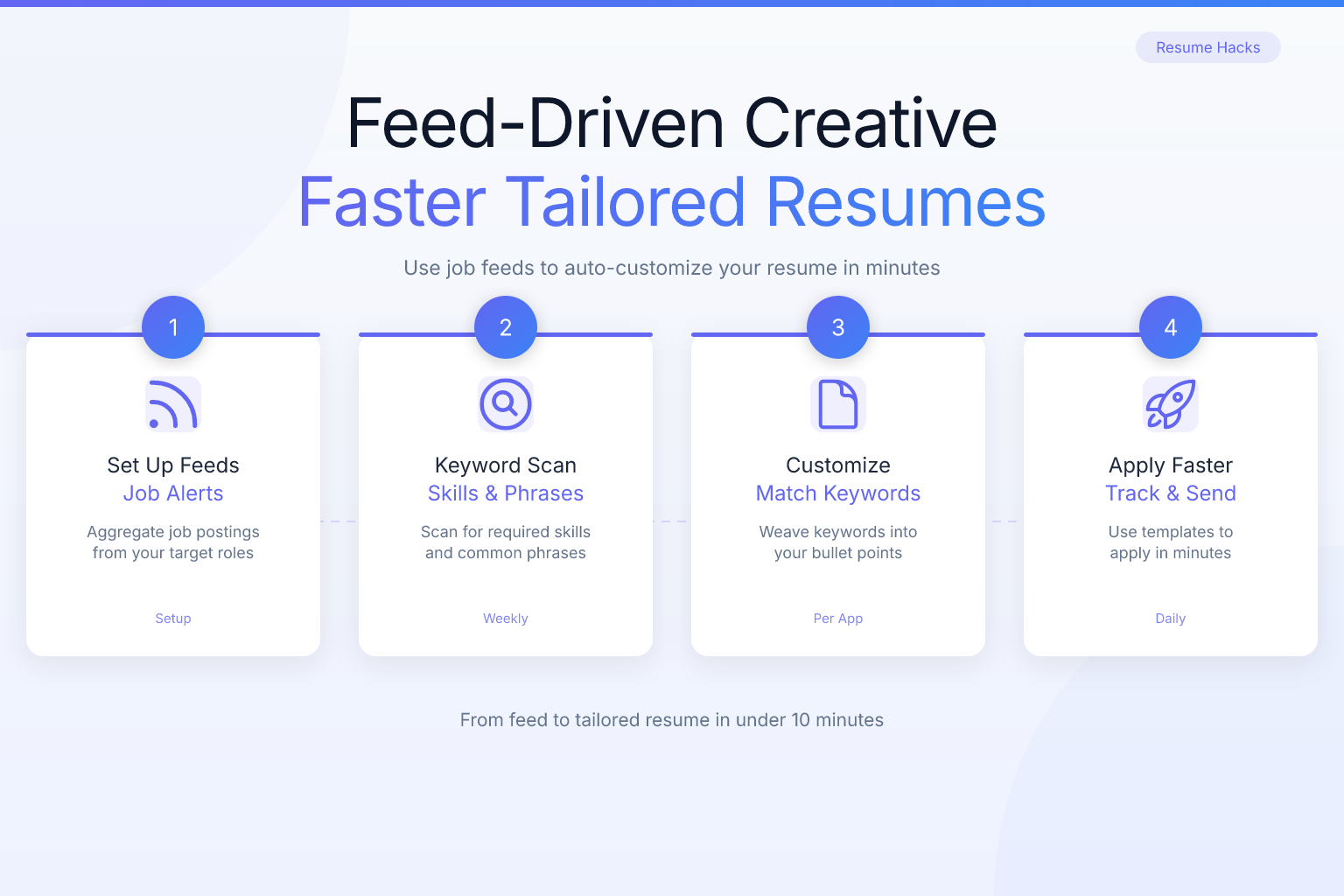
For job seekers, the “feed” is the stream of job listings you’re interested in. The “creative” is the resume, cover letter, and LinkedIn profile tweaks you produce for each application. Instead of starting from scratch every time, you build a system that:
- Pulls job descriptions from multiple sources (job boards, company career pages, RSS feeds, email alerts).
- Extracts the keywords, required skills, and preferred qualifications.
- Maps those requirements to your master resume and experience bank.
- Generates a tailored resume and cover letter that match the job’s language and priorities.
This isn’t about spamming identical resumes. It’s about using data to make every application feel hand-crafted — without the hand-crafting time. When you apply a feed-driven creative mindset, you treat each job listing as a data source that drives the content of your application.
Why a Feed-Driven Approach Beats Manual Tailoring
Most job seekers know they should tailor their resume, but few do it consistently. The reasons are predictable: it’s slow, it’s tedious, and after the fifth rewrite of your “Professional Summary,” you start cutting corners. A feed-driven approach solves all three problems.
1. You stop guessing what the employer wants. Job descriptions are explicit data feeds. They list required skills, preferred qualifications, and often hint at company culture. When you extract keywords directly from the listing, you’re not guessing — you’re mirroring the language the ATS and recruiter are already using.
2. You build a repeatable system. Once you have a master resume with all your experiences, achievements, and skills, you can treat it like a content library. Each job feed tells you which pieces to pull forward, which to trim, and which keywords to add. The system works the same way every time, so you never miss a step.
3. You apply to more roles with higher quality. Speed and quality usually trade off. Feed-driven creative breaks that trade-off. You can apply to 10 roles in a morning and each resume will be genuinely tailored — not just a find-and-replace of the company name.
4. You learn what the market wants. When you aggregate dozens of job feeds for your target role, patterns emerge. You’ll notice that 80% of listings for product managers ask for “stakeholder management” but only 20% ask for “JIRA.” That tells you which skills to emphasize across all your applications and which to develop further.
Setting Up Your Job Feed Pipeline
Before you can generate feed-driven resumes, you need a steady stream of relevant job listings. Here’s how to build your pipeline in under an hour.
Step 1: Choose Your Feed Sources
Pick 3–5 sources that consistently list roles in your target industry and location. Mix general and niche platforms:
- General job boards: LinkedIn Jobs, Indeed, Glassdoor. These have the most volume and often support email alerts.
- Niche boards: Stack Overflow for developers, Behance for designers, Idealist for nonprofit roles.
- Company career pages: Identify 10–20 target companies and bookmark their careers pages. Many let you subscribe to RSS feeds or email notifications for new openings.
- Aggregators: Google Jobs pulls from multiple sources and lets you set up email alerts with specific keywords and locations.
Step 2: Centralize Your Listings
Don’t check each source manually. Use tools to funnel everything into one place:
- RSS reader (Feedly, Inoreader): If a company career page or niche board offers an RSS feed, add it. You’ll see all new listings in a single stream.
- Email filters: Create a dedicated email folder and set up rules so all job alert emails land there automatically. Check it once or twice a day.
- Job tracker extension: The ResumeMate Job Tracker captures job details directly from the listing page as you browse. It saves the title, company, location, and full description — effectively building your feed as you go.
Step 3: Set a Daily Review Cadence
Spend 15–20 minutes each morning scanning your centralized feed. Flag the roles you’ll apply to that day. The goal isn’t to read every listing; it’s to quickly identify the 3–5 best matches and move them into your application workflow.
Extracting Keywords and Requirements from Job Feeds
Once you have a target job listing, the next step is to pull out the data that will drive your resume. This is the “feed” part of feed-driven creative: the listing becomes a structured input.
What to Extract
For each job, create a quick document or note with these fields:
- Hard skills: Tools, technologies, certifications, and methodologies explicitly named (e.g., “Python,” “CPA,” “Agile Scrum”).
- Soft skills: Communication, leadership, problem-solving — but only if the listing uses those exact words.
- Experience requirements: Years of experience, specific domains (e.g., “B2B SaaS,” “healthcare compliance”).
- Action verbs: The verbs the employer uses to describe the role (e.g., “manage,” “develop,” “optimize”). These should appear in your resume bullets.
- Priority signals: Phrases like “must have,” “strongly preferred,” or “bonus points.” These tell you what to emphasize.
How to Extract Quickly
Manual extraction works for a few applications, but it’s slow. Two faster methods:
- Copy-paste into a keyword tool. Paste the job description into a free word-cloud generator or keyword density tool. The most frequent terms are your high-priority keywords. Cross-reference with your skills list.
- Use an AI assistant. Tools like ChatGPT or Claude can extract structured data from a job description in seconds. Prompt: “Extract the top 10 hard skills, 5 soft skills, and 3 most important experience requirements from this job description. Return them as a bullet list.”
For a deeper dive on keyword strategy, see our guide on ATS resume keywords for 50 jobs — it includes copy-paste lists organized by role.
Using AI to Generate Tailored Resumes from Feed Data
This is where feed-driven creative delivers its biggest payoff. You have a master resume with all your experience. You have a structured feed of keywords and requirements from the job listing. Now you use an AI resume builder to merge them into a tailored resume in minutes.
Step 1: Build Your Master Resume Once
Create a comprehensive “everything” resume that includes every role, achievement, project, certification, and skill you possess. Don’t worry about length — this is your source document, not what you’ll submit. Organize it clearly with sections for:
- Professional summary (a long-form version)
- Work experience (all roles with 5–8 bullet points each)
- Skills (categorized by hard, soft, and tools)
- Education and certifications
- Projects, publications, or volunteer work
Step 2: Feed the Job Data to an AI Builder
Open the ResumeMate AI resume builder and start a new resume. Paste your master resume content into the builder. Then, in the job description field, paste the full listing you’re targeting. The AI will:
- Identify which experiences and skills from your master resume match the job.
- Reorder and prioritize bullet points so the most relevant achievements appear first.
- Inject the exact keywords and phrases from the job description into your summary and experience sections.
- Trim or de-emphasize content that isn’t relevant to this specific role.
You’ll get a tailored draft in under a minute. Review it, make any personal tweaks, and export as a clean, ATS-safe PDF.
Step 3: Validate with a Score Check
Before submitting, run the tailored resume through the ResumeMate score checker. It analyzes your resume against ATS criteria and gives section-by-section feedback. If the score flags missing keywords or weak formatting, you can adjust immediately — still within your feed-driven workflow.
Automating Cover Letters with Feed-Driven Creative
Cover letters benefit from the same approach. A feed-driven cover letter uses the job listing’s language to show you’ve read the description carefully and understand what the role requires.
The Feed-Driven Cover Letter Structure
- Opening paragraph: Name the role and company. Use one sentence that mirrors the company’s mission or a recent achievement you found in your feed research.
- Body paragraph 1: Pull the top 2–3 hard skills from your keyword extraction. For each, give a one-sentence example of how you’ve used that skill with a measurable result.
- Body paragraph 2: Address the top soft skill or cultural value the listing emphasizes. Tie it to a specific situation.
- Closing: Reiterate interest and reference a detail from the job feed that excites you (e.g., “I’m particularly drawn to your team’s focus on accessibility-first design, mentioned in the listing.”).
You can generate this structure by feeding the job description and your master experience bullets into an AI tool with a cover letter prompt. For role-specific templates, check out our cover letter examples by role.
Tracking Applications with a Feed-Driven System
A feed-driven approach doesn’t stop at submission. You need to track what you’ve sent, to whom, and when to follow up. Otherwise, your pipeline breaks down.
What to Track for Each Application
- Company name and role title
- Date applied
- Resume version used (link to the file or note which master sections you emphasized)
- Cover letter version
- Source of the job listing (which feed it came from)
- Follow-up date (7–10 days after application if no response)
- Status (applied, phone screen, interview, offer, rejected)
How to Track Without Spreadsheet Chaos
Spreadsheets work but require manual entry. A job tracker extension captures the data automatically. The ResumeMate Job Tracker saves the job title, company, location, and description with one click while you’re on the listing page. You can add notes, set follow-up reminders, and update status as you progress. It turns your job feed into a living pipeline.
Common Mistakes When Adopting a Feed-Driven Creative Approach
Even a good system can break if you fall into these traps.
Mistake 1: Over-Optimizing for Keywords
Stuffing every keyword from the feed into your resume makes it read like a robot wrote it. Use the keywords naturally. If the listing says “cross-functional collaboration,” your bullet might say “Led cross-functional collaboration between engineering and design to ship a feature 3 weeks ahead of schedule.” That’s one instance — not five.
Mistake 2: Using the Same Master Resume for Every Role Type
If you’re applying to both project manager and business analyst roles, one master resume won’t serve both well. Create separate master versions for each distinct role type. Each master emphasizes different achievements and skills. Your feed-driven process then tailors within that role family.
Mistake 3: Ignoring Formatting Consistency
When you remix your resume for each application, it’s easy to introduce formatting inconsistencies — different date formats, bullet styles, or font sizes. Always use a resume builder that enforces consistent formatting. ResumeMate’s builder keeps your template locked while you swap content, so every export looks polished.
Mistake 4: Applying to Everything in Your Feed
A feed-driven system makes applying fast. That speed can tempt you to apply to roles you’re not qualified for. Set a threshold: if the job requires a core skill you don’t have and can’t honestly reframe, skip it. Quality over quantity still wins.
Mistake 5: Forgetting to Update Your Master Resume
Your master resume is the engine of this system. Every time you complete a major project, earn a certification, or take on a new responsibility, update the master. Otherwise, your feed-driven resumes will slowly become outdated.
How Feed-Driven Creative Changes Your Job Search Mindset
Adopting this approach shifts you from reactive to systematic. Instead of dreading each application as a blank-page problem, you see it as a data-processing task: input job feed, output tailored resume. That mindset reduces decision fatigue and keeps you consistent over a long search.
You also start to think like a marketer. Marketers use feed-driven creative to scale personalization without scaling effort. You’re doing the same: scaling tailored applications without burning out. The job feed becomes your inventory, and your master resume is the product catalog. The AI builder is your creative automation tool.
FAQ
Q: What exactly is feed-driven creative in a job search context?
A: It’s a method where you use job listing feeds (from job boards, company sites, or alerts) as data inputs to automatically generate tailored resumes and cover letters. Instead of manually rewriting for each role, you extract keywords and requirements from the feed and use an AI resume builder to remix your master resume into a targeted version.
Q: Do I need technical skills to set up a job feed pipeline?
A: No. You can start with simple tools: email alerts from LinkedIn or Indeed, an RSS reader for company career pages, and a job tracker browser extension. The technical barrier is low — most of the setup involves subscribing to alerts and organizing them in one place.
Q: How is this different from just using an AI resume builder?
A: An AI resume builder is the engine; feed-driven creative is the system around it. The system ensures you have a steady stream of job listings, a structured way to extract what matters from each, and a tracking method to manage applications. The builder handles the generation step, but the feed-driven approach makes the whole process repeatable and scalable.
Q: Can I use feed-driven creative for cover letters too?
A: Absolutely. Feed the job description and your relevant achievements into an AI tool with a cover letter prompt. The output will mirror the job’s language and priorities. You can also use role-specific templates as a starting point and customize with feed data.
Q: Will my resumes sound generic if I use the same master resume for every application?
A: Not if you tailor properly. The master resume is a comprehensive library of all your experiences. The feed-driven process selects and emphasizes the most relevant pieces for each job. The language and priority of each tailored resume will differ because the input (the job feed) differs.
Q: How do I avoid ATS rejection when using feed-driven resumes?
A: Focus on clean formatting and natural keyword placement. Use a single-column layout, avoid tables and graphics, and export as a text-based PDF. After tailoring, run your resume through a score checker to catch any ATS issues. For more on safe formatting, read our guide on PDF vs DOCX for resumes.
Q: Is this approach only for tech or marketing roles?
A: No. Any role with written job descriptions can be approached this way. Whether you’re in healthcare, education, skilled trades, or finance, job listings contain keywords and requirements you can extract and mirror. The feed-driven creative concept applies universally.
Track Every Application While You Job Hunt
Stop losing track of where you’ve applied. The ResumeMate Job Tracker is a free Chrome extension that tracks every application, deadline, and follow-up in one place — right from your browser.
