
How to Ask for Feedback After Passing a Phone Screen (With Email Templates)
You passed the phone screen — congratulations. Now you’re wondering how to ask for feedback after passing a phone screen without sounding needy or jeopardizing your momentum. It’s a smart question. Most candidates never ask, which means you can stand out simply by showing you care about improving. The key is to frame the request as preparation for the next round, not as a plea for validation. Done right, you’ll get actionable insights that sharpen your answers, fix weak spots, and boost your odds in the final interviews.
Key Takeaways
- Asking for feedback after a phone screen is low-risk if you frame it as preparation for the next round, not as a request for praise.
- Send your request within 24–48 hours of the phone screen while the conversation is still fresh in the interviewer’s mind.
- Ask one or two specific questions about your performance — never a broad “how did I do?”
- Most interviewers will give you at least one actionable insight if you make it easy for them to respond in under two minutes.
- Use the feedback to adjust your answers, research, or resume before the next interview.
Summary Table
| What to Do | Why It Matters | Time |
|---|---|---|
| Send a thank-you email within 24 hours | Keeps you top of mind and opens the door for feedback | 10 minutes |
| Ask one specific question about your performance | Makes it easy for the interviewer to answer | 5 minutes |
| Frame feedback as prep for the next round | Shows professionalism and a growth mindset | 2 minutes |
| Apply feedback to your resume or answers | Improves your chances in later stages | 30–60 minutes |
Why Ask for Feedback After Passing a Phone Screen?
You already cleared the first hurdle, so why risk rocking the boat? Because a phone screen is a low-stakes checkpoint. The interviewer has already decided to move you forward, which means they’re in a positive frame of mind. That makes them more likely to share honest observations than if you were asking after a rejection.
Here’s what you stand to gain:
- Clarity on what impressed them. Knowing which answers landed well tells you what to double down on in the next round.
- Early warning on weak spots. Maybe your explanation of a past project was vague, or your salary expectations raised an eyebrow. Better to hear it now than in a final-round rejection.
- A stronger relationship with the interviewer. A thoughtful follow-up shows you’re coachable — a trait hiring managers consistently rank high.
- Material for your next interview. If the feedback reveals a gap in your technical knowledge or a missing detail on your resume, you have time to fix it before the onsite or panel interview.
One caveat: don’t ask for feedback if the phone screen was purely administrative — like a recruiter confirming logistics. Save the request for when you’ve had a substantive conversation about your skills and experience.
When to Ask: Timing Your Request
Timing matters more than you think. Ask too soon and you look impatient; ask too late and the interviewer has forgotten the details. The sweet spot is within 24 to 48 hours after the phone screen.
Here’s a simple sequence:
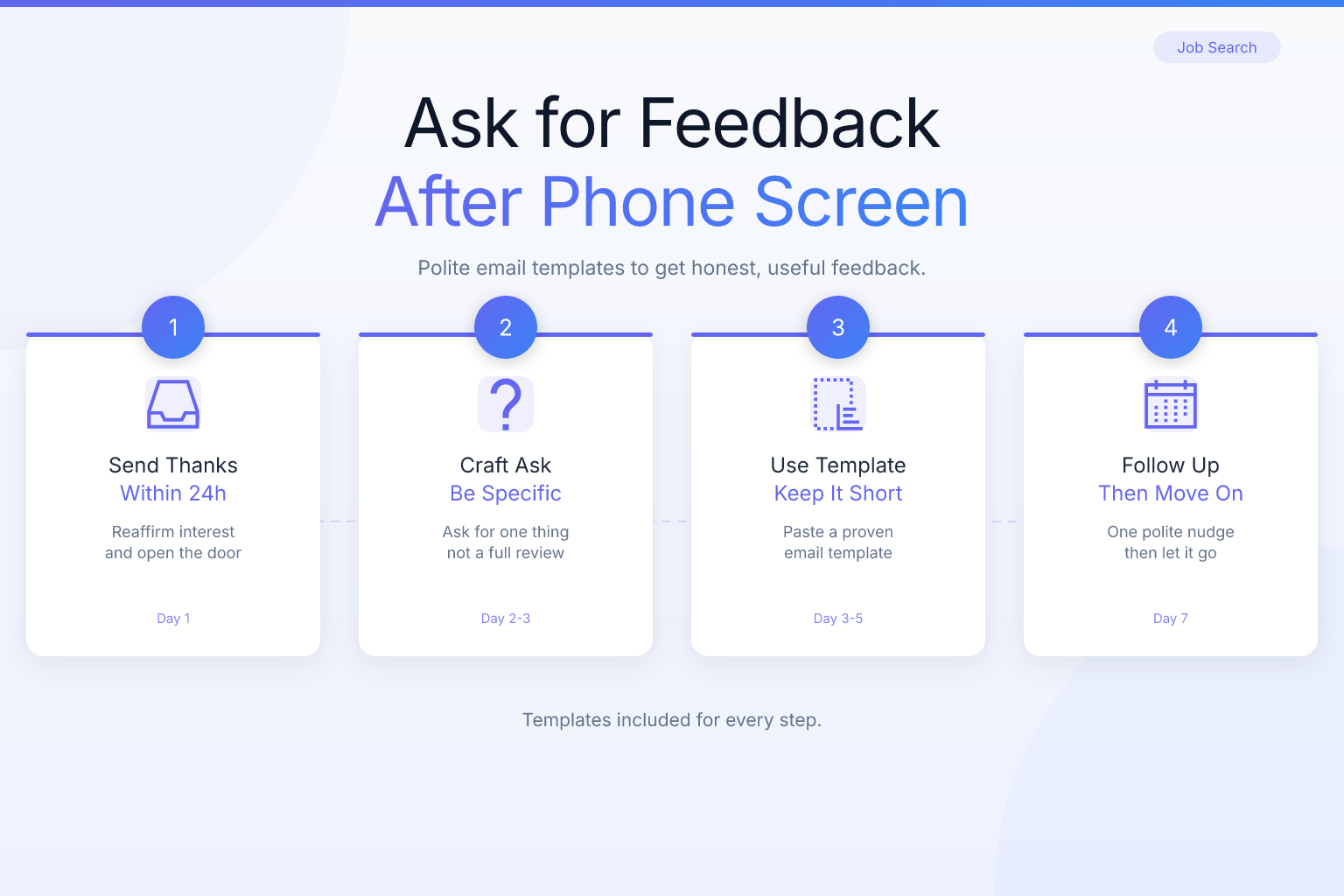
- Send a thank-you email within 24 hours. Thank the interviewer for their time, mention one specific thing you enjoyed or learned, and express enthusiasm for the next step. Do not ask for feedback in this email — it’s too early and can feel transactional.
- Wait for the recruiter to confirm the next round. Usually this happens within a few days. Once you have a date for the next interview, you have a natural opening.
- Send a short follow-up asking for feedback. Reference the upcoming interview and ask one targeted question. This timing works because you’re not asking out of the blue — you’re asking to prepare.
If the recruiter hasn’t confirmed the next round after a week, you can still send a gentle follow-up. Just keep it brief and low-pressure.
What to Ask: Specific Questions That Get Answers
The biggest mistake candidates make is asking a vague question like “Do you have any feedback for me?” That puts the burden on the interviewer to think of something useful, and most will default to “You did great, no concerns.” Instead, ask a question that’s easy to answer and gives you actionable information.
Here are five questions that work well after a phone screen:
- “Was there any part of my background or answers that you’d like me to clarify or expand on in the next round?” This invites constructive criticism without sounding insecure.
- “Based on our conversation, is there a particular skill or experience I should emphasize more when I meet the team?” This tells you what the hiring panel cares about most.
- “Did any of my answers leave you with questions about my fit for the role?” A direct but polite way to surface doubts.
- “What’s the one thing you’d recommend I prepare for before the next interview?” This gives you a concrete action item.
- “Is there anything about the role or team that I should research more deeply before the next conversation?” This shows initiative and often reveals insider context.
Avoid questions like “How did I do?” or “Did I pass?” — you already know you passed. Also avoid asking for a score or rating; that’s not how interviewers think.
How to Phrase the Request: Email Templates
Here are three templates you can adapt. Keep them short — under 150 words. The goal is to make it effortless for the interviewer to reply.
Template 1: Short and Direct (Best for Most Situations)
Subject: Quick question about next steps
Hi [Interviewer Name],
Thanks again for the phone screen on [day]. I’m excited about the [Role Title] position and looking forward to the next round.
As I prepare, I’d love one quick piece of feedback: was there any part of my background or answers that you’d recommend I clarify or expand on when I meet the team? I want to make sure I’m addressing the right things.
Thanks for your time — I really appreciate it.
Best, [Your Name]
Template 2: Slightly More Detailed (When You Had a Longer Conversation)
Subject: Preparing for the next round — one question
Hi [Interviewer Name],
Thank you again for the conversation on [day]. I enjoyed learning more about [specific project or team detail you discussed].
Since I’m scheduled for the next interview, I’d be grateful for one piece of feedback: based on our call, is there a particular skill or experience I should emphasize more when I speak with [next interviewer or team]? I want to make sure I’m highlighting what matters most to you all.
Thanks in advance — I’m looking forward to the next step.
Best, [Your Name]
Template 3: For a Recruiter (When You Don’t Have the Interviewer’s Email)
Subject: Quick prep question for the next round
Hi [Recruiter Name],
Thanks for moving me forward in the process for [Role Title]. I really enjoyed the phone screen with [Interviewer Name].
As I prepare for the next interview, would it be possible to get one quick piece of feedback from the phone screen? For example, is there anything the interviewer felt I should clarify or expand on? I want to make sure I’m putting my best foot forward.
Thanks so much for your help.
Best, [Your Name]
If you’re looking for more guidance on professional email tone, our post on how to ask for a LinkedIn referral with templates that work covers similar principles of concise, respectful outreach.
What to Do With the Feedback You Receive
Getting feedback is only half the battle. The real value comes from acting on it before your next interview. Here’s how to turn a one-sentence reply into a competitive edge:
- Categorize the feedback. Is it about your communication style, your technical depth, your resume, or your fit? Knowing the category tells you where to focus.
- Update your resume if needed. If the interviewer mentioned a missing skill or a project that wasn’t clear, revise that section. Run your updated resume through the ResumeMate score checker to see how an ATS reads it and catch any formatting or keyword gaps.
- Adjust your answer bank. If they said your explanation of a past project was vague, rewrite that story using the STAR method (Situation, Task, Action, Result) and practice it out loud.
- Research the next interviewer or team. If the feedback hinted at a specific concern — like culture fit or technical depth — dig into the company’s blog, LinkedIn, or recent news to address it proactively.
- Send a brief thank-you for the feedback. A one-line reply like “This is really helpful — I’ll make sure to address that in the next round. Thanks again!” closes the loop and reinforces your professionalism.
If the feedback reveals a gap you can’t fix quickly — like a missing certification — don’t panic. Acknowledge it honestly in the next interview and explain how you’re addressing it. Hiring managers respect self-awareness.
Common Mistakes to Avoid
Even with good intentions, it’s easy to sabotage your request. Here are the most frequent missteps and how to avoid them:
- Asking for a score or rating. Interviewers don’t think in numbers, and asking for one makes you sound like you’re gaming the system.
- Sending a long, multi-question email. One question is enough. Two at most. Anything more feels like homework.
- Asking for feedback in the thank-you email. That email should be pure gratitude. Save the feedback request for a separate follow-up.
- Sounding insecure or apologetic. Phrases like “I know I probably messed up” or “I’m worried I didn’t do well” undermine your position. You passed — act like it.
- Ignoring the feedback you receive. If an interviewer takes the time to give you a specific suggestion and you show up to the next round making the same mistake, it reflects poorly.
- Asking after a rejection using the same approach. If you didn’t pass the phone screen, the dynamics are different. Check out our guide on how to handle job rejection and ask for feedback for a tailored strategy.
What If You Don’t Get a Response?
You sent a polite, specific request and heard nothing. It happens. Interviewers are busy, and feedback requests often fall to the bottom of the inbox. Here’s how to handle it:
- Wait one week before following up. Send a brief, friendly nudge: “Hi [Name], just wanted to gently follow up on my question from last week. No worries if you’re swamped — I completely understand. Thanks again for your time.”
- If still no response, let it go. One follow-up is enough. Pushing further risks annoying the person who may still influence your candidacy.
- Look for feedback elsewhere. If you have a contact inside the company, ask them for general advice about the interview process. Or reflect on the call yourself: what questions felt shaky? What did the interviewer seem most interested in?
- Don’t take silence personally. Many companies have policies against giving feedback, even to candidates who passed. It’s not a reflection on you.
How Feedback Fits Into Your Overall Job Search
Asking for feedback after a phone screen is one piece of a larger system. To make the most of it, track every interaction and follow-up. If you’re juggling multiple applications, it’s easy to lose track of who you’ve asked for feedback, what they said, and when your next interview is.
The ResumeMate Job Tracker is a free Chrome extension that logs every application, deadline, and follow-up in one place. You can note the feedback you received, set reminders for your next interview, and see your entire pipeline at a glance. It’s especially useful when you’re in later stages with several companies and need to keep details straight.
And if the feedback you receive points to a resume issue — like a missing keyword or an unclear bullet — use the ResumeMate resume builder to make quick, ATS-safe edits and export a clean PDF before your next round.
Finally, remember that asking for feedback is a skill that compounds. The more you do it, the better you get at phrasing requests, reading between the lines of responses, and turning criticism into improvement. It’s a habit that will serve you long after this job search ends.
FAQ
Q: Is it appropriate to ask for feedback after a phone screen?
A: Yes, as long as you frame it as preparation for the next round and keep the request brief. Most interviewers appreciate a candidate who wants to improve, especially after they’ve already decided to move you forward.
Q: What if the interviewer doesn’t respond to my feedback request?
A: Wait one week, then send a single gentle follow-up. If you still hear nothing, let it go. Silence often reflects company policy or a busy schedule, not a negative judgment of you.
Q: Should I ask the recruiter or the interviewer for feedback?
A: Ask the person you spoke with directly if you have their email. If you only have the recruiter’s contact, ask the recruiter to relay a specific question to the interviewer. Recruiters are usually happy to facilitate.
Q: What specific questions should I ask after a phone screen?
A: Ask one targeted question, such as “Was there any part of my background or answers that you’d like me to clarify in the next round?” or “What’s the one thing you’d recommend I prepare for before the next interview?” Avoid broad questions like “How did I do?”
Q: How soon after the phone screen should I ask for feedback?
A: Send a thank-you email within 24 hours, then ask for feedback 24–48 hours later, ideally after the next round is confirmed. This timing keeps the conversation fresh without seeming impatient.
Q: Can asking for feedback hurt my chances?
A: Rarely, if you do it right. The risk comes from asking too many questions, sounding insecure, or pushing after a non-response. A single, specific, polite request is almost always seen as a positive.
Q: What if the feedback is negative?
A: Thank the interviewer for their honesty, then act on it. Negative feedback is a gift — it tells you exactly what to fix before the next round. Address the issue directly in your next interview and show how you’ve improved.
Track Every Application While You Job Hunt
Stop losing track of where you’ve applied. The ResumeMate Job Tracker is a free Chrome extension that tracks every application, deadline, and follow-up in one place — right from your browser.
