
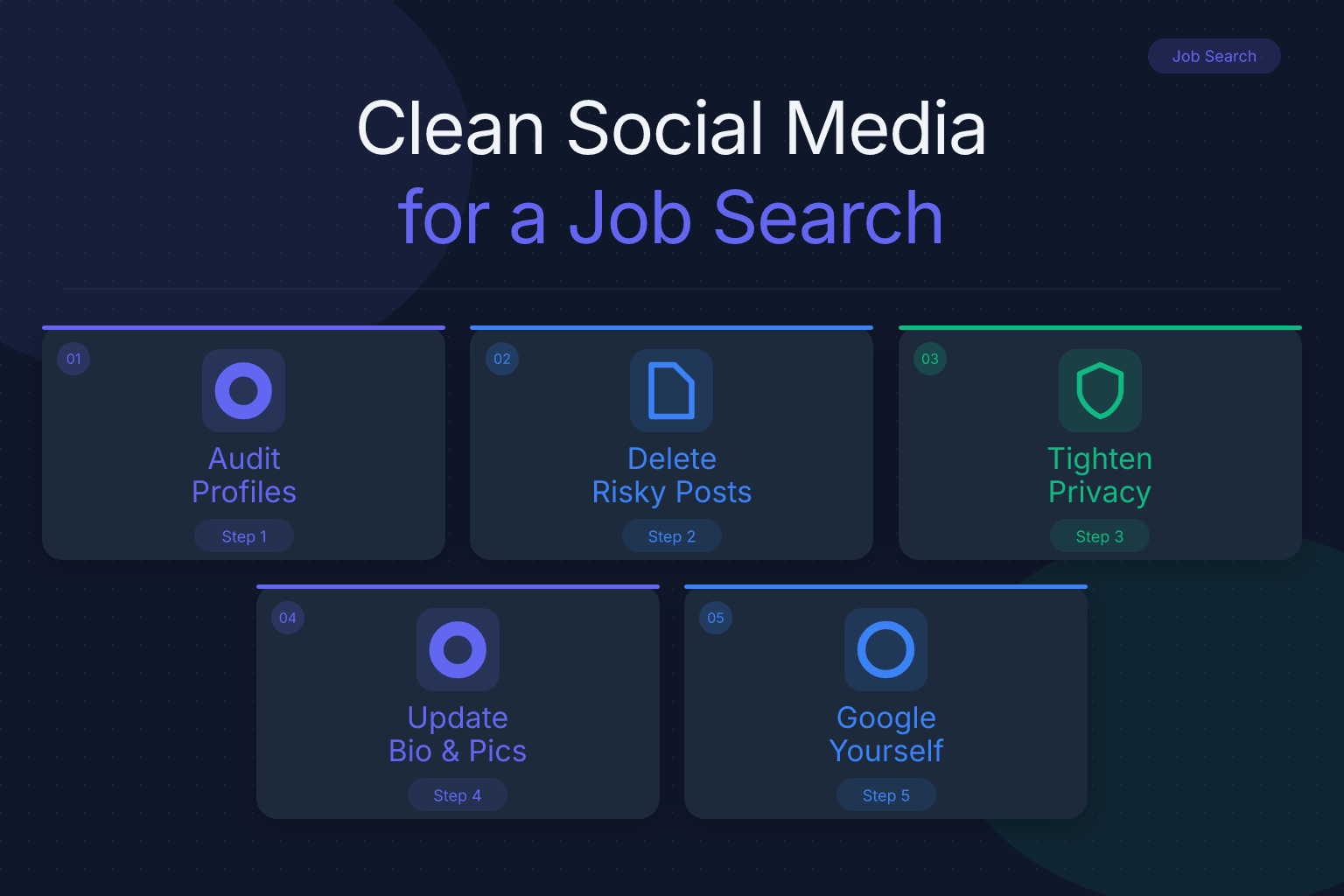
How to Clean Social Media Before a Job Search: A Step-by-Step Guide
Cleaning your social media before a job search is one of the highest-impact tasks you can do in an afternoon. Recruiters and hiring managers routinely look at candidates’ public profiles, and what they find can shape whether you get an interview. A 2018 CareerBuilder survey found that 70% of employers use social media to screen candidates during the hiring process. That number has likely held or grown as social platforms became more central to professional life.
This guide walks you through a complete cleanup: what to delete, what to make private, what to leave public, and how to build a positive online presence that supports your resume instead of undermining it.
Key Takeaways
- Delete or archive posts that show illegal activity, hate speech, confidential employer information, or excessive negativity about past jobs.
- Set personal accounts to private, but keep one professional profile (LinkedIn) public and fully updated.
- Google your name in an incognito window to see exactly what a recruiter would find.
- Replace questionable content with positive, industry-relevant posts that reinforce the skills on your resume.
- Repeat the audit on every platform you’ve used in the last 10 years, not just the big three.
| What to Do | Why It Matters | Time |
|---|---|---|
| Google yourself in incognito mode | See what recruiters actually find | 15 min |
| Audit posts, photos, likes, and comments | Remove red flags before they cost you an interview | 1–2 hours |
| Adjust privacy settings on personal accounts | Control what’s public without deleting everything | 30 min |
| Update LinkedIn and professional bios | Make a strong first impression that matches your resume | 1 hour |
| Set up Google Alerts for your name | Monitor new mentions during your search | 10 min |
How to Clean Social Media Before a Job Search: Start With a Self-Audit
The first step is not to delete everything in a panic. It’s to see what a recruiter would see. Open a private or incognito browser window, log out of all accounts, and search your own name. Use variations: your full name, your name plus your city, your name plus your most recent employer, and your name plus your college. Note every result on the first two pages.
Then list every social platform you’ve ever created an account on. That includes the obvious ones — Facebook, Instagram, X (Twitter), LinkedIn, TikTok — but also older or less obvious ones: Tumblr, Reddit, Pinterest, YouTube, Snapchat, Twitch, Discord, Quora, Medium, and any forum or blog you posted on under your real name. If you used a handle that includes your name or a consistent username, search that too.
A self-audit works best when you treat it like a recruiter would: you’re looking for anything that contradicts the professional image on your resume. That means not just obviously offensive posts, but also:
- Complaints about a former boss or coworker
- Photos of excessive drinking or partying
- Political rants that could alienate a hiring team
- Comments that reveal confidential information about a past employer
- Old posts that use language you no longer stand behind
- Public arguments or trolling
Write down what you find. You’ll use this list in the next steps.
Google Yourself the Way a Recruiter Would
Your Google results are often the first thing a recruiter sees, before they even open a specific platform. Search your name in an incognito window and review the first two pages. Look for:
- News articles or blog posts that mention you
- Public social profiles
- Images of you that appear in Google Images
- Court records, arrest records, or other public documents
- Old forum posts or comments under your real name
- Any result that makes you cringe
If you find something you can remove, remove it. If it’s on a platform you control, delete the post or change the privacy setting. If it’s on a site you don’t control — a news article, a public record, a blog comment — you may not be able to delete it. In that case, your best move is to push it down in search results by creating positive, current content that ranks for your name. We’ll cover that in the section on building a positive presence.
One practical step: set up a Google Alert for your name. You’ll get an email whenever your name appears in new search results. That helps you catch problems early during a job search, when you may be mentioned in industry publications, conference pages, or company announcements.
Audit Every Platform You’ve Ever Used
Most people focus on Facebook and Instagram and forget about the rest. But a recruiter who is thorough will check multiple platforms. Go through each account you listed in your self-audit and review:
- Posts and status updates — read them as if a hiring manager were sitting next to you.
- Photos and videos — including ones you’re tagged in, not just ones you posted.
- Likes and reactions — a public like on a controversial post can show up in search or in a recruiter’s feed.
- Comments — on your own posts and on other people’s posts.
- Bio and profile information — does it match your resume? Is there anything unprofessional?
- Follows and group memberships — public groups or pages you follow can signal your interests and values.
For each item, ask one question: Would I be comfortable explaining this in an interview? If the answer is no, delete it, archive it, or untag yourself.
A common mistake is to only clean the last year or two. Recruiters can scroll back years, and old posts don’t disappear just because you forgot about them. Go back at least five years on every platform, and ten years if the account is that old. On Facebook, use the Activity Log to filter by year and type. On X, use the advanced search to find old tweets. On Instagram, check your archive and tagged photos.
Delete, Archive, or Untag: A Decision Framework
Not everything needs to be deleted. Some content can be archived or made private, and some can stay public if it supports your professional brand. Use this framework:
Delete immediately if the post:
- Shows illegal activity or drug use
- Contains hate speech, slurs, or discriminatory language
- Reveals confidential information about a current or former employer
- Attacks a specific person by name
- Includes sexually explicit content
- Shows you in a state that could raise concerns about reliability (e.g., heavy intoxication)
Archive or make private if the post:
- Is mildly embarrassing but not harmful
- Shows you at a party or social event that could be misread
- Contains strong political or religious opinions that aren’t relevant to your work
- Is an old inside joke that doesn’t land out of context
Leave public if the post:
- Demonstrates a skill relevant to your target job
- Shows volunteer work, community involvement, or professional achievements
- Shares thoughtful commentary on your industry
- Highlights a project, portfolio piece, or publication
When you’re unsure, err on the side of removing it. You can always repost something later if you decide it was fine. But a single red flag can cost you an interview, and you won’t always get a chance to explain.
For tagged photos, untag yourself first, then ask the person who posted it to remove it or change the privacy setting. If they won’t, you can often adjust your own settings so tagged photos don’t appear on your profile.
Adjust Privacy Settings Without Looking Like You’re Hiding
There’s a difference between cleaning your social media and disappearing from it entirely. Recruiters don’t expect you to have no online presence — in fact, a completely empty or locked-down profile can raise questions. The goal is to control what’s public, not to erase yourself.
Here’s a platform-by-platform approach:
Facebook: Set your personal profile to “Friends only” for posts, photos, and friend list. Review the “Limit Past Posts” option to change old public posts to friends-only in one click. Keep your profile picture and cover photo public if they’re professional, or set them to friends-only if not.
Instagram: Switch to a private account if you use it for personal content. If you use Instagram for professional or creative work, keep it public but remove any personal posts that don’t fit your brand. Check your tagged photos and remove tags from anything questionable.
X (Twitter): X is public by default, and old tweets are easy to find. Use the advanced search to find tweets from specific years, then delete or protect your account. If you use X professionally, keep it public but clean it thoroughly.
TikTok: If your TikTok is personal, set it to private. If it’s public and you have a following, review every video for content that could be taken out of context.
LinkedIn: Keep this public and fully updated. LinkedIn is the one platform recruiters expect to find, and a strong profile can offset minor issues elsewhere. Make sure your headline, summary, and experience match your resume.
Reddit, forums, and blogs: If you posted under your real name, delete or edit those posts. If you used a pseudonym, check whether that pseudonym can be connected to you through your email address, username patterns, or linked accounts.
The key is consistency: your public profiles should tell the same story as your resume. If your resume says you’re a detail-oriented project manager, your public posts shouldn’t show you complaining about clients or missing deadlines.
Build a Positive Online Presence That Supports Your Resume
Cleaning is only half the job. Once you’ve removed the negatives, add positives that reinforce your professional brand. Recruiters who search your name should find evidence that you’re competent, engaged, and easy to work with.
Start with LinkedIn. Update your headline to include your target role and key skills. Rewrite your summary to tell a short, specific story about what you do and why you’re good at it. Add recent projects, certifications, and volunteer work. Ask a former manager or colleague for a recommendation. Then make sure your resume matches — if your LinkedIn says one thing and your resume says another, that inconsistency can hurt you. You can use a free AI resume builder to update your resume quickly, and a resume score checker to see how well it would pass an ATS screen. For more on using AI to speed up your search, see how to use AI tools to speed up your job search.
Beyond LinkedIn, post or share content that shows your expertise. That could be:
- A short post about a lesson you learned in your current role
- A link to an industry article with one thoughtful comment
- A photo from a volunteer event or professional conference
- A portfolio piece or side project you’re proud of
You don’t need to become an influencer. Two or three substantive posts per month is enough to show that you’re active and thoughtful. Just as you prepare your references before a job search, you should prepare your online presence — both are part of the same background check. For a deeper look at getting your references ready, see how to prepare your references before a job search.
What to Do About Old Accounts You Can’t Access
Almost everyone has at least one account they can’t log into anymore — an old MySpace page, a forgotten Tumblr, a Xanga blog, a forum account from college. These can still show up in search results, and they can still hurt you.
Here’s how to handle them:
- Try password recovery. Use every email address you’ve ever had. Check old email accounts for signup confirmations.
- Search for the account by username. If you remember the handle, search it in Google and on the platform itself.
- Contact the platform’s support team. Most platforms have a process for removing or deactivating accounts you can prove you own, even without the password.
- Request removal from search engines. If the account is gone but still appears in Google results, use Google’s outdated content removal tool.
- If you can’t remove it, bury it. Create enough positive, current content that the old account falls off the first page of search results.
Don’t assume an old account is harmless just because it’s old. A recruiter who finds a 2009 blog post with an offensive joke won’t know or care that you’ve changed. They’ll just move on to the next candidate.
Maintain Your Cleaned Profiles During the Job Search
Cleaning your social media is not a one-time task. During a job search, you’re more visible than usual — you may be posting about your search, connecting with new people, and appearing in company or conference pages. That means new content can appear at any time.
Set a recurring reminder to:
- Check your Google results once a month
- Review new tags and mentions on each platform
- Scan your recent posts for anything that could be misread
- Update your LinkedIn as you gain new skills or complete projects
Also be careful about what you post during the search. Avoid complaining about the job hunt, naming companies you’ve interviewed with, or sharing details about offers. A post like “Just had the worst interview of my life at [Company]” can get back to the hiring team. If you need to vent, do it privately with a friend, not publicly.
If you’re juggling multiple applications and interviews, it’s easy to let social media cleanup slide. But staying on top of it is part of staying organized. For tips on managing the emotional side of a long search, see job search burnout: how to stay motivated.
FAQ
Q: Do employers actually check social media before hiring?
A: Yes. According to a 2018 CareerBuilder survey, 70% of employers use social media to screen candidates during the hiring process. Many recruiters check LinkedIn first, then search for other public profiles. Assume anything public can be seen.
Q: Which social media platforms do recruiters check most?
A: LinkedIn is the most commonly checked platform because it’s professional by design. After that, recruiters often look at Facebook, Instagram, X (Twitter), and TikTok. They may also search your name on Google to find Reddit, forums, blogs, and other less obvious accounts.
Q: Should I delete my social media accounts entirely before a job search?
A: Usually not. A complete absence of social media can raise questions, especially for roles that involve communication, marketing, or community. Instead, clean your accounts, set personal ones to private, and keep a professional LinkedIn profile public and updated.
Q: How far back should I clean my social media history?
A: Go back at least five years on every platform, and ten years if the account is that old. Recruiters can scroll back years, and old posts don’t disappear just because you forgot about them. Use each platform’s activity log or search tools to find old content efficiently.
Q: Can private social media accounts still hurt my job search?
A: Private accounts are much safer, but they’re not a guarantee. A recruiter could see your profile picture, cover photo, or mutual connections. Also, anything you posted publicly before switching to private may still be indexed or screenshotted. Clean before you lock down.
Q: What should I do if I find embarrassing posts from years ago?
A: Delete them or archive them if they’re on your own account. If you’re tagged in someone else’s post, untag yourself and ask them to remove it. If the post is on a site you don’t control, focus on pushing it down in search results with positive, current content.
Q: Is it okay to have no social media presence at all?
A: It’s not a dealbreaker, but it can be a disadvantage. Many recruiters expect to find at least a LinkedIn profile. If you have no presence, they may wonder if you’re hiding something or if you’re out of touch with digital tools. A minimal, professional LinkedIn profile is better than nothing.
Track Every Application While You Job Hunt
Stop losing track of where you’ve applied. The ResumeMate Job Tracker is a free Chrome extension that tracks every application, deadline, and follow-up in one place — right from your browser.
