
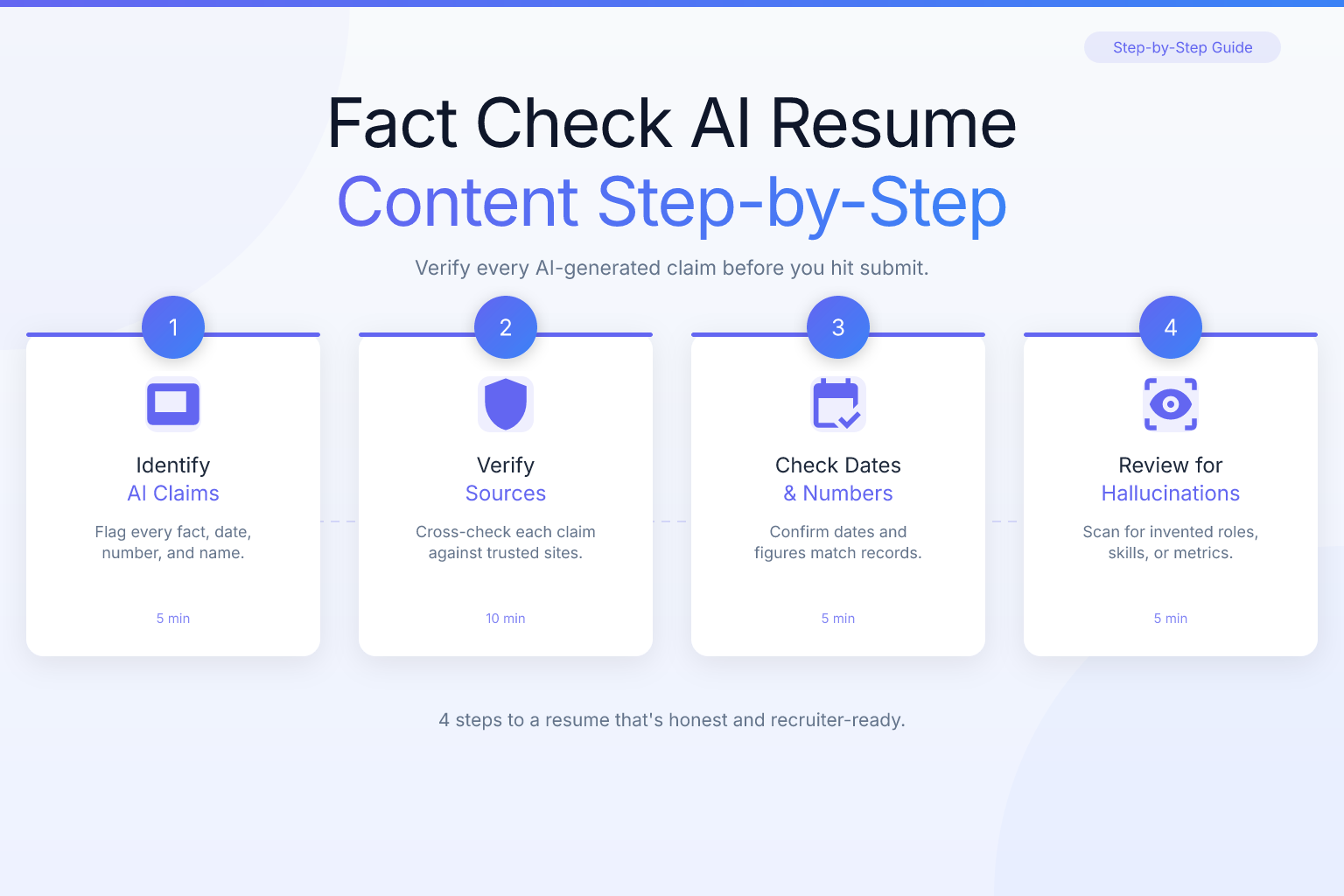
How to Fact Check AI Resume Content: A Step-by-Step Guide
Fact-checking AI resume content is the most important step between generating a draft and sending it to a recruiter. AI resume builders can save you hours, but they also introduce a real risk: hallucinated details, inflated metrics, and generic phrasing that doesn’t sound like you. A single wrong date or an unverifiable achievement can cost you an interview — or worse, a job offer after a background check flags the discrepancy. This guide walks you through a practical, repeatable process to verify every line of an AI-generated resume so you can submit with confidence.
Key Takeaways
- AI resume tools can invent or misstate employment dates, job titles, and metrics, so you must verify every factual claim against your own records before submitting.
- Cross-check each date, number, and certification with your LinkedIn profile, pay stubs, or old performance reviews — don’t trust the AI’s memory.
- Use a free resume score checker to catch formatting and ATS issues that AI-generated content may introduce, especially if the tool used tables or graphics.
- Read the final resume aloud to catch awkward phrasing or generic filler that doesn’t sound like you, then replace it with your own voice.
- Keep a master document of verified facts (dates, titles, metrics) so you never have to re-fact-check the same information twice.
Summary Table
| What to Do | Why It Matters | Time |
|---|---|---|
| Verify employment dates and job titles against LinkedIn or pay stubs | Recruiters and background checks flag mismatches immediately | 10–15 min |
| Check every metric and achievement against old performance reviews or emails | Inflated numbers are easy to spot and hard to defend in an interview | 15–20 min |
| Validate skills, certifications, and education with official records | Listing a certification you don’t have is a fast route to rejection | 10 min |
| Scan for generic or plagiarized phrases and replace with your own wording | AI often reuses common phrases that make you sound like everyone else | 10 min |
| Run an ATS compatibility check on the final PDF | Formatting errors can cause your resume to be parsed incorrectly | 5 min |
Why AI Resume Content Needs Fact-Checking
AI resume builders work by predicting the most likely next word based on patterns in training data. That’s great for generating a first draft, but it means the tool has no actual knowledge of your work history. When you prompt it with “write a resume for a marketing manager with 5 years of experience,” it fills in plausible-sounding details — dates, company names, metrics — that may or may not be true. In many cases, the AI will invent a specific number like “increased leads by 37%” because that pattern appears frequently in sample resumes, not because you actually achieved that result.
This isn’t a rare edge case. Anyone who has used an AI writing tool for more than a few minutes has seen it produce confident, specific, and completely false information. For a resume, that false information can be catastrophic. A recruiter who asks about a metric you can’t explain, or a background check that finds a two-month gap where the AI said you were employed, will erode trust instantly. Fact-checking isn’t optional — it’s the step that turns an AI draft into a document you can stand behind.
Common AI Resume Errors to Watch For
Before you start verifying line by line, know what you’re looking for. AI-generated resumes tend to fail in predictable ways:
- Fabricated metrics: “Increased sales by 45%” when you have no record of that number. The AI picked a percentage that sounded impressive.
- Wrong dates: A start date of January 2020 when you actually started in March, or an end date that overlaps with another job.
- Inflated job titles: “Senior Marketing Manager” when your actual title was “Marketing Manager.” The AI may upgrade your title to sound more impressive.
- Skills you don’t have: Listing “Python” or “SQL” because the AI inferred it from your industry, even if you’ve never written a line of code.
- Generic phrasing: “Results-driven professional with a proven track record” — a phrase that appears in thousands of resumes and tells the recruiter nothing about you.
- Plagiarized bullet points: The AI may lift a bullet point verbatim from a public resume or job description, which can be flagged by plagiarism checkers or simply sound inauthentic.
Each of these errors is fixable, but only if you catch them before you hit submit. The following steps walk you through a systematic fact-check.
Step 1: Verify Employment Dates and Job Titles
Start with the facts that are easiest to verify and most likely to be checked by a background screening company: your employment dates and job titles. Open your AI-generated resume and go through each position one by one. For every job, ask yourself:
- Is the company name spelled correctly?
- Is the start month and year accurate?
- Is the end month and year accurate (or is it marked “Present” if you still work there)?
- Is the job title exactly what your employer called it?
Cross-reference against your LinkedIn profile, old offer letters, pay stubs, or even your email signature from that time. If you don’t have records, check your tax documents or contact former HR departments. A two-month discrepancy might seem minor, but many background checks flag any mismatch, and recruiters notice when your resume says “January 2020 – March 2022” but LinkedIn says “March 2020 – February 2022.”
If the AI invented a job title, correct it to your actual title. You can still describe your responsibilities in a way that highlights your seniority, but never claim a title you didn’t hold. For example, if your title was “Marketing Coordinator” but you led a team, write “Marketing Coordinator (led a team of 3)” rather than changing the title to “Marketing Manager.”
Step 2: Check Metrics and Achievements Against Your Records
AI loves numbers. It will happily generate “increased revenue by 30%,” “reduced costs by $50,000,” or “managed a budget of $1.2 million” without any basis in your actual experience. These fabricated metrics are dangerous because they’re specific enough to sound credible but impossible to defend in an interview when the hiring manager asks, “How did you measure that 30% increase?”
Go through every bullet point that contains a number, percentage, dollar amount, or time frame. For each one, ask:
- Do I have a source for this number? (Performance review, sales report, email from a manager, project dashboard)
- Can I explain how this number was calculated if asked?
- Is the number even plausible for my role and industry?
If you can’t verify a metric, either remove it or replace it with a qualitative statement you can support. For example, instead of “increased leads by 37%,” write “consistently exceeded monthly lead generation targets” if that’s true. If you do have a real metric, make sure it’s accurate and that you can explain the context. A real number you can defend is far more powerful than an impressive-sounding number you can’t.
Step 3: Validate Skills, Certifications, and Education
AI tools often infer skills from your job title or industry. If you’re a data analyst, the AI might list “machine learning” or “Tableau” even if you’ve never used them. If you’re a project manager, it might add “PMP certification” because that’s common in the field. Listing a skill or certification you don’t have is a fast way to get caught — either in an interview when you’re asked to demonstrate it, or during a background check if the employer verifies credentials.
Go through the skills section and every mention of a certification, degree, or training program. For each item, ask:
- Have I actually used this skill in a professional or academic setting?
- Do I have a certificate, transcript, or other proof of this credential?
- Is the certification still valid, or has it expired?
If you’re unsure about a skill, remove it or qualify it. For example, instead of “Python,” write “familiar with Python (basic scripting)” if that’s accurate. For certifications, only list ones you can verify with a certificate number or issuing organization. If the AI added a degree you don’t have, delete it immediately — that’s a resume fraud issue, not just a formatting problem.
For guidance on listing skills accurately without falling into buzzword territory, see our post on how to highlight soft skills on a resume without buzzwords. And if you’re unsure how to present technical skills, check out computer skills for resume: how to list them with examples.
Step 4: Scan for Generic or Plagiarized Phrases
AI resume generators are trained on millions of public resumes, which means they often reproduce the same tired phrases: “results-driven,” “team player,” “excellent communication skills,” “proven track record.” These phrases don’t hurt you directly, but they make your resume blend in with every other AI-generated document. Worse, the AI may lift an entire bullet point from a public resume or job description, which can trigger plagiarism flags in applicant tracking systems or simply sound inauthentic to a human reader.
Read your resume out loud, line by line. Does it sound like something you would actually say? Would you describe your work as “leveraged synergistic cross-functional collaboration”? Probably not. Replace generic phrases with specific, concrete language that reflects your actual experience. For example:
- Instead of “results-driven professional,” write “increased customer retention by 15% over two years.”
- Instead of “team player,” write “collaborated with a 5-person engineering team to ship a feature on deadline.”
- Instead of “excellent communication skills,” write “presented quarterly results to C-level executives.”
If a bullet point sounds too polished or too generic, rewrite it in your own voice. The goal is a resume that reads like a human wrote it — because a human did.
Step 5: Run an ATS Compatibility Check
Even if every fact is accurate, your AI-generated resume can still fail if the formatting confuses an applicant tracking system. Many AI tools produce resumes with tables, text boxes, or multi-column layouts that older ATS software struggles to parse. The result: your resume gets scored as “no relevant experience” even though you’re perfectly qualified.
After you’ve fact-checked the content, run the final PDF through a free ATS compatibility checker. ResumeMate’s resume score checker uploads your resume and gives you a section-by-section breakdown of how well an ATS will parse your personal information, experience, education, and skills. It flags issues like missing contact info, unreadable fonts, or sections that might be skipped. This step takes five minutes and can save you from being auto-rejected before a human ever sees your resume.
If the score checker flags formatting problems, rebuild the resume using a clean, single-column template. ResumeMate’s AI resume builder exports a text-based PDF that modern ATS systems parse reliably — no tables, no graphics, no multi-column layouts that break parsing. You can paste your fact-checked content into the builder and get a clean, ATS-safe version in minutes.
Step 6: Do a Final Human Read-Through
The last step is the simplest but most overlooked: read the entire resume from top to bottom as if you were a recruiter seeing it for the first time. Look for:
- Typos and grammar errors that the AI may have introduced or that you missed during editing.
- Inconsistent verb tenses — past tense for previous jobs, present tense for your current role.
- Awkward transitions between sections or bullet points that don’t flow logically.
- Any remaining factual claims you haven’t verified, especially in the summary or skills section.
Read it out loud. If you stumble over a sentence, rewrite it. If a bullet point feels vague, add a specific detail. If the summary doesn’t sound like you, rewrite it in your own words. This final pass is your chance to catch anything the AI got wrong and to inject your personality into the document.
Once you’re satisfied, save the final version as a PDF with a clean, professional filename. For tips on naming your file correctly, see our guide on how to name your resume file for ATS and recruiters.
FAQ
Q: Can AI resume builders make up information about my work history?
A: Yes. AI tools generate text based on patterns, not facts. They can invent dates, job titles, metrics, and skills that sound plausible but have no basis in your actual experience. Always verify every factual claim against your own records before submitting.
Q: How do I know if a metric on my AI-generated resume is real?
A: Check your source documents: performance reviews, sales reports, project dashboards, or emails from managers. If you can’t find a source for a specific number, remove it or replace it with a qualitative statement you can support. Never keep a metric you can’t explain in an interview.
Q: What should I do if the AI listed a skill I don’t actually have?
A: Delete it immediately. Listing a skill you can’t demonstrate is a fast way to get caught in an interview or technical assessment. If you have partial knowledge, qualify it honestly (e.g., “familiar with Python” instead of “Python”).
Q: Can AI-generated resumes get flagged by plagiarism checkers?
A: Yes, in some cases. AI tools may reproduce phrases or entire bullet points from public resumes or job descriptions. If a bullet point sounds generic or too polished, rewrite it in your own words to avoid any plagiarism flags and to make your resume sound authentic.
Q: How do I check if my AI-generated resume will pass an ATS?
A: Use a free resume score checker like ResumeMate’s score checker. It analyzes your PDF for ATS compatibility and flags formatting issues, missing sections, or unreadable content. Fix any issues before you apply.
Q: Is it safe to use an AI resume builder at all?
A: Yes, as long as you fact-check the output. AI is a great tool for generating a first draft and organizing your thoughts, but it’s not a substitute for your own knowledge of your career. Treat the AI output as a starting point, verify every fact, and rewrite any generic phrasing in your own voice.
Related articles:
Track Every Application While You Job Hunt
Stop losing track of where you’ve applied. The ResumeMate Job Tracker is a free Chrome extension that tracks every application, deadline, and follow-up in one place — right from your browser.
