
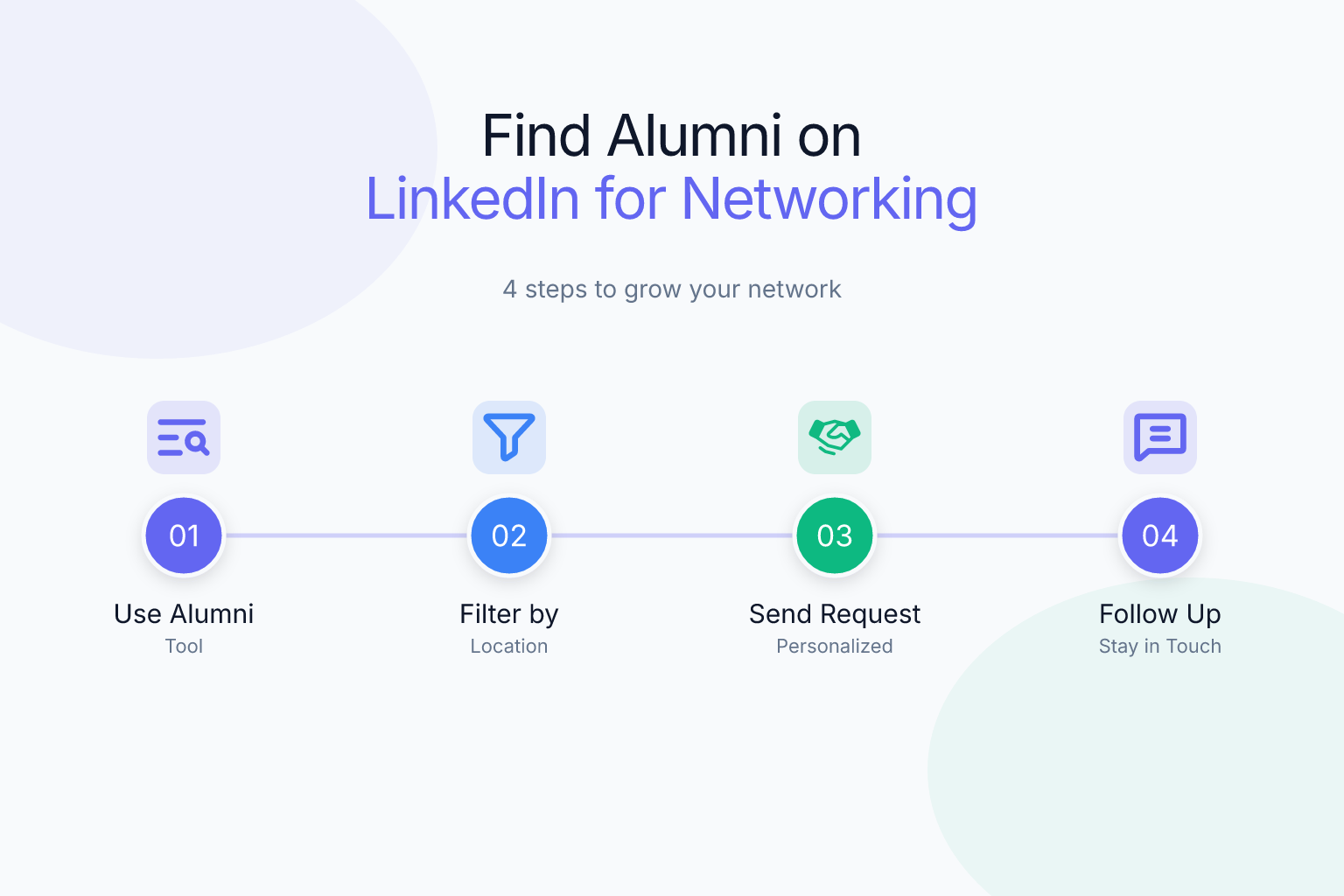
How to Find Alumni on LinkedIn for Networking: A Step-by-Step Guide
Learning how to find alumni on LinkedIn for networking can open doors to informational interviews, referrals, and hidden job opportunities that never make it to public job boards. Alumni are often more willing to help than strangers because you share a common background — the same school, the same professors, the same campus traditions. But finding the right alumni and reaching out effectively takes more than a random search. This guide walks you through every step, from using LinkedIn’s built-in alumni tool to crafting messages that actually get responses.
Key Takeaways
- Use LinkedIn’s Alumni tool to filter graduates by school, company, location, and major — it’s the fastest way to find relevant alumni in your target industry.
- Search alumni by job title and industry using the search bar with filters like “People” and “Connections of” to find second-degree connections who can introduce you.
- Personalize every connection request with a shared context (school, major, mutual group) and a specific reason for reaching out — never send the default “I’d like to add you to my network.”
- Follow up within a week if they accept, and offer value before asking for a referral or job lead.
- Track your alumni outreach and follow-ups with a simple spreadsheet or a tool like ResumeMate’s free job tracker extension so no conversation falls through the cracks.
| What to Do | Why It Matters | Time |
|---|---|---|
| Use LinkedIn’s Alumni tool | Filters by school, company, location, and major to find relevant contacts fast | 10 minutes |
| Search by job title and industry | Finds alumni in your target roles and companies, including second-degree connections | 15 minutes |
| Send personalized connection requests | Increases acceptance rate and starts a real conversation instead of a cold add | 5 minutes per request |
| Follow up and build rapport | Turns a connection into an informational interview or referral | Ongoing |
How to Find Alumni on LinkedIn for Networking: Start with the Alumni Tool
LinkedIn’s built-in Alumni tool is the most underused feature for networking. It lets you see every graduate from your school who has a LinkedIn profile, then filter them by where they live, where they work, what they do, and what they studied. Here’s how to use it:
- Go to your school’s LinkedIn page. You can find it by typing your school’s name in the search bar and selecting the “Schools” filter, or by going to your own profile and clicking on your school under the Education section.
- Click the Alumni tab on the school’s page. This opens a dashboard showing all alumni on LinkedIn.
- Use the filters at the top: Where they live, Where they work, What they do, What they studied, What they’re skilled at, and How you are connected.
- Start broad, then narrow down. For example, filter by “Where they work” = your target company, then “What they do” = your target job function (e.g., Engineering, Marketing, Product).
- Click on individual profiles to see their full experience, mutual connections, and shared groups.
The Alumni tool is especially powerful because it shows you alumni you might never find through a regular search — people who don’t have your school in their headline but list it in their education section. It also shows you how you’re connected (1st, 2nd, or 3rd degree), which helps you decide whether to ask for an introduction or reach out directly.
Search Alumni by Industry, Job Title, and Keywords
If the Alumni tool feels too broad or you want to find alumni in a very specific niche, use LinkedIn’s regular search with targeted filters. Here’s a step-by-step approach:
- Type a keyword into the search bar — for example, “product manager” or “data scientist” or even a specific company name.
- Click People in the filter bar to see only profiles.
- Click All Filters and select:
- Connections: Choose “2nd” to see alumni who are connected to someone you already know (easier to get an introduction).
- Locations: Add your target city or “Remote”.
- Current companies: Add specific employers you’re interested in.
- Industries: Pick your target industry (e.g., Software Development, Healthcare, Finance).
- Schools: Add your school to ensure you’re only seeing alumni.
- Review the results and look for profiles that mention your school in their education section, even if it’s not in the headline.
You can also use Boolean search operators. For example, searching "University of Michigan" AND "product manager" will return profiles that mention both phrases. Add NOT "intern" to exclude interns if you want more senior alumni. This method works well when you’re targeting a specific role or company and want to find alumni who are already there.
Leverage Your School’s LinkedIn Page and Alumni Groups
Your school’s LinkedIn page is more than just a place to see the Alumni tool. Many universities have active alumni groups where members share job postings, advice, and networking opportunities. Here’s how to use them:
- Join your school’s official alumni group. Search for “[Your School] Alumni” in the LinkedIn search bar and filter by Groups. Request to join — most groups approve anyone with a verified school affiliation.
- Participate in group discussions. Comment on posts, answer questions, and share relevant articles. This puts your name in front of alumni before you ever send a connection request.
- Look for regional or industry-specific alumni groups. Many schools have groups like “[School] Alumni in Tech” or “[School] Alumni in New York City.” These are goldmines for targeted networking.
- Check the school page’s “People” tab. Some schools list notable alumni or have a “Students & Alumni” section where you can browse profiles by graduation year or major.
Before you reach out to anyone, make sure your own profile is polished. Alumni will check you out before accepting your request. If your headline is vague or your summary is empty, they’re less likely to respond. If you’re also updating your resume for job applications, run it through ResumeMate’s free resume score checker to see how it would perform in an applicant tracking system — a strong resume makes you look more serious when an alumni connection asks for it.
Craft a Personalized Connection Request That Gets Accepted
The biggest mistake people make when reaching out to alumni is sending the default connection request. Alumni get dozens of generic requests, and they ignore most of them. A personalized note that mentions your shared school and a specific reason for connecting can double or triple your acceptance rate.
Here’s a template that works:
Hi [First Name], I’m a [your major/year] at [school] and found you through the alumni network. I’m really interested in [their field/company] and would love to learn more about your experience at [company]. Would you be open to connecting?
Make it even better by adding a specific detail — a project they worked on, a post they shared, or a mutual connection. For example:
Hi Sarah, I’m a 2024 grad from [school] and saw that you’re a product manager at [company]. I’m exploring product roles and was impressed by your recent post about [topic]. Would you be open to connecting? I’d love to ask a few questions about your path.
Keep it under 300 characters (LinkedIn’s limit for connection requests). Don’t ask for a job, a referral, or an informational interview in the initial request — that comes later. Your only goal is to get the connection accepted.
If you’re nervous about reaching out, check out our guide on how to network on LinkedIn without being awkward for more conversation starters and mindset tips.
Follow Up and Build a Relationship (Not Just a One-Time Ask)
Once an alumni accepts your connection request, the real work begins. Most people stop there and never send a follow-up message, which wastes the opportunity. Here’s a simple follow-up sequence:
- Send a thank-you message within 24 hours. Thank them for connecting and restate your interest in their work. Keep it short.
- Ask for a 15-minute informational interview. After a brief exchange, ask if they’d be open to a quick call or a few questions via message. Be flexible with their time.
- Prepare thoughtful questions. Ask about their career path, what they wish they knew when they were in your shoes, and what skills are most valuable in their field. Don’t ask for a job.
- Offer value in return. Share an article they might find interesting, offer to help with a project, or simply express genuine gratitude. Networking is a two-way street.
- Stay in touch periodically. Send a quick update every few months — a new job, a completed project, or a relevant article. Don’t only reach out when you need something.
If an alumni connection leads to a job application or referral, track it carefully. Use a simple spreadsheet or ResumeMate’s free job tracker Chrome extension to log the company, role, referral source, and follow-up dates. This keeps you organized and ensures you follow up at the right time.
Common Mistakes to Avoid When Reaching Out to Alumni
Even with the best intentions, many job seekers sabotage their alumni outreach with avoidable mistakes. Here are the most common ones and how to fix them:
- Sending a generic connection request. Always personalize. Mention your school, your major, or a specific reason for connecting.
- Asking for a job in the first message. Alumni are not job boards. Build a relationship first, then ask for advice or a referral.
- Not doing your homework. Before reaching out, read their profile, check their recent activity, and find a genuine point of connection. A lazy message shows you don’t care.
- Ignoring mutual connections. If you have a mutual connection, ask for an introduction instead of cold messaging. A warm intro is far more effective.
- Failing to follow up. If they accept your request, send a thank-you message. If they don’t respond to your first message, wait a week and send a polite follow-up.
- Being too formal or too casual. Match their tone. If their profile is professional, be professional. If they’re more casual, relax a bit.
- Not engaging with their content first. Before you send a request, like or comment on a few of their posts. This warms up the connection and makes your name familiar. For more on this, see our guide on how to engage with recruiter posts on LinkedIn — the same principles apply to alumni.
Turn Alumni Connections into Referrals and Job Leads
The ultimate goal of alumni networking is often a referral or a job lead. But you can’t rush it. Here’s how to transition from a casual connection to a referral request:
- Build genuine rapport first. Have at least one meaningful conversation — an informational interview, a back-and-forth message exchange, or a helpful interaction. Don’t ask for a referral out of the blue.
- Identify a specific role. When you find a job posting at their company that matches your skills, mention it. Say something like, “I saw the [role] opening at [company] and think I’d be a strong fit. Would you be comfortable referring me or passing my resume along?”
- Make it easy for them. Send your resume, a short blurb about why you’re a fit, and the job link. Don’t make them do extra work.
- Respect their answer. If they say no or don’t respond, thank them and move on. Don’t burn the bridge.
- Offer to return the favor. If you ever see an opportunity that fits them, share it. Networking is reciprocal.
For detailed referral request templates, check out our post on how to ask for a LinkedIn referral. It includes word-for-word scripts you can adapt.
Frequently Asked Questions
Q: How do I find alumni from my school on LinkedIn?
A: Use LinkedIn’s Alumni tool on your school’s page. Go to your school’s LinkedIn page, click the “Alumni” tab, and filter by location, company, job function, and major. You can also use the regular search bar with filters for “Schools” and “Connections” to find alumni in specific roles.
Q: What should I say when reaching out to an alumni on LinkedIn?
A: Personalize your connection request with your school, major, and a specific reason for connecting. For example: “Hi [Name], I’m a [year] grad from [school] and found you through the alumni network. I’m interested in [field] and would love to learn about your experience at [company].” Keep it under 300 characters and don’t ask for a job.
Q: Is it okay to message alumni I don’t know on LinkedIn?
A: Yes, as long as you’re respectful and personalized. Alumni are generally open to helping fellow graduates, but they’re more likely to respond if you share a genuine connection (school, major, mutual group) and have a clear, non-demanding ask.
Q: How many alumni should I reach out to at once?
A: Start with 5-10 well-researched alumni per week. Quality beats quantity. Personalize each message, and don’t send the same copy-paste note to everyone. Track your outreach so you can follow up appropriately.
Q: What if an alumni doesn’t respond to my connection request or message?
A: Don’t take it personally. People are busy. If they don’t accept your request, move on. If they accept but don’t reply to your follow-up, wait a week and send one polite follow-up. If still no response, let it go and focus on other connections.
Q: Can I ask an alumni for a job referral right away?
A: No. Build a relationship first through an informational interview or a few message exchanges. Once you’ve established rapport and found a specific role, you can ask if they’d be comfortable referring you. Rushing the ask usually backfires.
Track Every Application While You Job Hunt
Stop losing track of where you’ve applied. The ResumeMate Job Tracker is a free Chrome extension that tracks every application, deadline, and follow-up in one place — right from your browser.
