
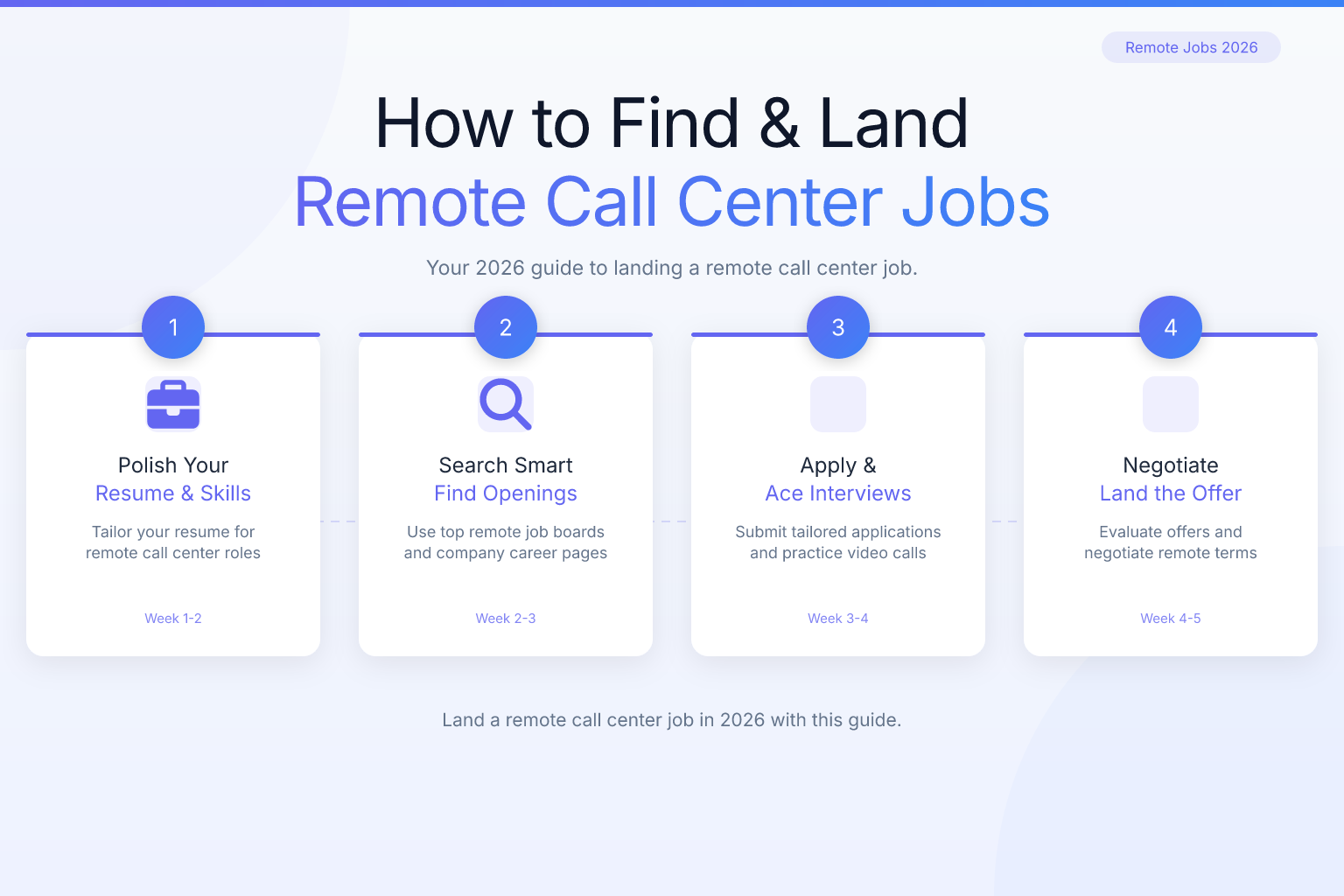
How to Find and Land Call Center Remote Jobs in 2026
If you’re looking for call center remote jobs, you’re tapping into one of the fastest-growing segments of the work-from-home economy. Companies across industries—from retail and healthcare to tech and insurance—have shifted their customer service operations to remote teams, and that trend isn’t slowing down. This guide walks you through exactly what these roles involve, the skills you need, how to build a resume that gets interviews, where to find legitimate openings, and how to avoid the scams that plague remote job boards.
| What to Do | Why It Matters | Time |
|---|---|---|
| Identify your target call center role (inbound, outbound, tech support) | Narrows your search and helps you tailor your resume to the right keywords | 30 minutes |
| Optimize your resume with call center keywords and quantifiable wins | Passes ATS filters and catches recruiter attention in seconds | 1 hour |
| Apply on niche remote job boards and company career pages | Avoids scams and surfaces legitimate, high-quality openings | Ongoing |
| Set up a quiet home office with reliable internet and a quality headset | Meets employer requirements and improves your interview performance | 1–2 days |
| Practice common interview questions for remote call center roles | Demonstrates readiness, communication skills, and remote discipline | 2 hours |
What Are Call Center Remote Jobs?
Call center remote jobs are customer service positions you perform from home instead of a physical call center. You handle phone calls, live chats, emails, or social media messages for a company—resolving issues, answering questions, processing orders, or upselling products. The work is fully remote, meaning you log into a cloud-based phone system or CRM from your own computer and headset.
These roles fall into a few main categories:
- Inbound customer service: You take calls from customers who need help. Think billing questions, order tracking, technical troubleshooting, or account changes.
- Outbound sales or surveys: You make calls to prospects or existing customers to sell a service, schedule appointments, or conduct satisfaction surveys.
- Technical support: You walk customers through product setup, diagnose software or hardware issues, and escalate complex tickets.
- Chat and email support: You handle written interactions instead of voice calls, often juggling multiple conversations at once.
Most remote call center jobs are entry-level friendly, but they demand strong communication skills, patience, and the ability to follow scripts while adapting to each caller’s tone. A typical shift might involve handling 40–60 calls, documenting each interaction in a CRM, and meeting metrics like average handle time and customer satisfaction score.
Skills and Qualifications You Need for Remote Call Center Work
You don’t need a degree for most call center remote jobs, but you do need a specific mix of hard and soft skills. Employers look for these competencies in your resume and interview:
Hard skills
- Typing speed of 35–50 WPM while talking
- Proficiency with CRM platforms (Salesforce, Zendesk, Zoho, or proprietary tools)
- Familiarity with VoIP softphones (RingCentral, Five9, Genesys)
- Basic troubleshooting for internet, headset, and computer issues
- Data entry accuracy and multitasking across screens
Soft skills
- Active listening and clear verbal communication
- Patience and empathy, especially with frustrated customers
- Problem-solving under pressure
- Self-discipline to stay productive without a supervisor in the room
- Adaptability to changing scripts, products, and policies
Some roles require bilingual fluency (English/Spanish is the most common), and a few ask for industry-specific knowledge—like health insurance terminology or banking regulations. If you have those, highlight them early in your resume.
How to Write a Resume That Gets You Hired for Remote Call Center Jobs
Most call center remote jobs receive hundreds of applications. Your resume has to pass an ATS screen and convince a hiring manager in under 10 seconds. Here’s how to build one that does both:
- Use a single-column, text-based layout. Multi-column designs and graphics can confuse older ATS. Stick to a clean format that puts your words first. ResumeMate’s free AI resume builder gives you ATS-safe templates and exports a clean PDF—exactly what modern systems like Workday and Greenhouse parse reliably.
- Lead with a targeted summary. In two sentences, name the role and your top qualification. Example: “Remote call center agent with 3 years of inbound customer service experience, 95% CSAT scores, and expertise in Zendesk and Five9. Seeking to deliver high-touch support for a fast-growing e-commerce team.”
- Build a keyword-rich skills section. Pull terms directly from the job description. Common call center keywords: inbound calls, outbound calling, customer retention, CRM, softphone, de-escalation, order processing, live chat, bilingual Spanish, average handle time, NPS, CSAT. For a full list of ATS keywords across 50 roles, see our ATS resume keywords guide.
- Quantify your experience. Instead of “Answered customer calls,” write “Handled 60+ inbound calls daily, maintaining a 4.8/5 customer satisfaction rating and reducing escalations by 15%.” Numbers make your impact concrete.
- Tailor every resume to the job description. Swap keywords, reorder bullets, and match the language the employer uses. Our guide to tailoring a resume to a job description shows you a repeatable 15-minute process.
If you’re coming from retail, hospitality, or any face-to-face service role, frame your experience in call center terms. “Assisted 100+ customers per shift” translates directly. For more role-specific examples, check out our customer service resume examples with CX, CSAT, and retention-focused bullet points.
Before you submit, run your resume through a free ATS score checker to see exactly which sections need improvement.
Where to Find Legitimate Call Center Remote Jobs
General job boards are flooded with outdated posts and scams. To find real call center remote jobs, use a mix of these sources:
- Remote-specific job boards: FlexJobs (paid but vetted), We Work Remotely, Remote.co, and JustRemote. These sites screen listings for legitimacy.
- Company career pages: Go directly to the websites of known remote-friendly employers (see the next section). Many post openings that never hit aggregators.
- Industry niche boards: For insurance call center roles, check InsuranceJobs.com. For tech support, try Dice or Built In.
- ResumeMate’s job board: The ResumeMate job board lets you filter by role, location, and remote status, pulling fresh listings from across the web.
- Staffing agencies: Firms like Kelly Services, Randstad, and Robert Half often fill remote call center contracts for large corporations.
For a complete list of 100 remote job websites, bookmark our best remote job websites guide.
Apply to 5–10 roles per week, and track every submission. A free tool like the ResumeMate Chrome extension (linked at the end) keeps deadlines and follow-ups organized so nothing slips through.
Top Companies Hiring for Remote Call Center Positions in 2026
These companies consistently hire remote call center agents across the U.S. and often internationally:
- Amazon: Virtual customer service associates handle inbound calls, chats, and emails for retail, Prime, and device support. Part-time and full-time shifts available.
- Concentrix: A global BPO that staffs remote agents for clients in healthcare, tech, and financial services. Often hires bilingual agents.
- Liveops: A gig-style platform where you contract as an independent agent, picking up shifts for brands like insurance carriers and retailers.
- TTEC: Hires remote customer service and sales agents for Fortune 500 clients. Provides paid training and equipment in many roles.
- Sitel Group: Offers work-from-home call center jobs in customer service, tech support, and sales across multiple industries.
- Alorica: Recruits remote agents for inbound customer care, often with flexible scheduling.
- Working Solutions: Another contract-based platform where you choose projects that fit your schedule and expertise.
- U-Haul, CVS Health, and Anthem: Large corporations that run their own in-house remote call centers for reservations, pharmacy support, and insurance inquiries.
Check each company’s careers page directly. Many list remote call center openings under “Customer Service,” “Virtual,” or “Work from Home” categories.
How to Ace the Remote Call Center Interview
Remote call center interviews often happen over video or phone—exactly the medium you’ll use on the job. Treat the interview as a live demo of your communication skills.
Common questions you’ll face:
- “Tell me about a time you dealt with an angry customer. What did you say, and what was the outcome?”
- “How do you stay focused and productive when working from home?”
- “Walk me through how you’d handle a call where you don’t know the answer.”
- “This role requires sitting for long periods and handling back-to-back calls. How do you manage that?”
- “What’s your typing speed, and how comfortable are you navigating multiple screens?”
How to prepare:
- Use the STAR method (Situation, Task, Action, Result) for behavioral questions. Have 3–4 stories ready from past jobs, volunteer work, or even school projects.
- Test your tech beforehand. Join the video call 5 minutes early with your headset on, camera at eye level, and a quiet, neutral background.
- Demonstrate remote readiness. Mention your dedicated workspace, backup internet plan (mobile hotspot), and experience with self-management tools.
- Ask smart questions: “What metrics do you use to evaluate agent performance?” or “What does a typical training week look like?”
After the interview, send a thank-you email within 24 hours. Reference one specific topic you discussed to show you were listening.
Setting Up Your Home Office for Call Center Success
Most remote call center employers have minimum technical requirements. Meeting them isn’t just about getting hired—it’s about performing well once you start.
Hardware checklist:
- Computer: Windows 10/11 or macOS with at least 8GB RAM. Chromebooks are often not supported.
- Headset: USB noise-canceling headset (wired is more reliable than Bluetooth). Look for models from Jabra, Plantronics, or Logitech.
- Internet: Hardwired Ethernet connection preferred. Minimum speeds: 10 Mbps download, 3 Mbps upload. Have a mobile hotspot as backup.
- Webcam: Built-in or external 720p+ for training and team meetings.
Environment must-haves:
- A door that closes. Background noise from pets, kids, or street traffic can get you disqualified during the interview and flagged on calls.
- Ergonomic chair and desk. You’ll be seated for hours; invest in lumbar support and a monitor at eye level.
- Dual monitors (optional but helpful). One screen for your softphone/CRM, the other for knowledge bases and chat.
Test your setup by recording a mock call. Listen for echo, keyboard clicks, or muffled audio. Fix those before your first day.
Avoiding Scams: Red Flags in Remote Call Center Job Postings
Remote job scams are rampant, and call center roles are a favorite target. Protect yourself by spotting these warning signs:
- You’re asked to pay for training, equipment, or a “background check.” Legitimate employers cover these costs. Never send money.
- The job description is vague. Real postings name the company, list specific duties, and state pay clearly. “Work from home, earn $30/hr, no experience needed” is a classic bait.
- The interview happens only over text or messaging apps. Real companies use phone or video interviews. Text-only “interviews” are almost always scams.
- They send a check to “set up your home office.” This is a fake check scam. You deposit it, buy equipment from their “vendor,” and the check bounces—leaving you on the hook.
- The email domain doesn’t match the company. If a recruiter claims to be from Amazon but emails from @gmail.com, it’s a fraud.
Verify every opportunity. Look up the company on LinkedIn, check Glassdoor reviews, and call their main phone number to confirm the job exists. If something feels off, walk away.
FAQ
Q: What equipment do I need for a remote call center job?
A: You’ll typically need a Windows or Mac computer (not a Chromebook), a USB noise-canceling headset, a wired internet connection with at least 10 Mbps download speed, and a quiet, door-closed workspace. Some employers provide equipment; others require you to use your own. Always check the job listing for specific tech requirements before applying.
Q: Do remote call center jobs pay well?
A: Pay ranges from $12 to $22 per hour for entry-level roles, with bilingual or technical support agents often earning on the higher end. Contract-based platforms like Liveops pay per talk minute or completed call, so earnings depend on your efficiency. Full-time W-2 positions usually include benefits like health insurance and paid training.
Q: How can I tell if a remote call center job is a scam?
A: Legitimate employers never ask you to pay for training, equipment, or background checks. Watch for vague job descriptions, text-only interviews, email addresses that don’t match the company domain, and offers that seem too good to be true. Always verify the company through LinkedIn, Glassdoor, and a direct phone call to their official number.
Q: What are the best companies for remote call center work?
A: Top companies hiring remote call center agents in 2026 include Amazon, Concentrix, Liveops, TTEC, Sitel Group, Alorica, Working Solutions, and in-house teams at CVS Health, Anthem, and U-Haul. Check each company’s careers page directly for the most current openings.
Q: Do I need experience to get a remote call center job?
A: Many remote call center jobs are entry-level and provide paid training. However, any customer-facing experience—retail, food service, hospitality—strengthens your application. Frame that experience in call center language on your resume, emphasizing communication, problem-solving, and handling high volumes of interactions.
Q: What are the typical hours for remote call center jobs?
A: Hours vary widely. Some roles offer fixed daytime shifts, while others require evening, overnight, or weekend availability. Contract platforms let you choose your own schedule in blocks. The job posting will specify shift requirements; flexibility often increases your chances of getting hired.
Related articles:
- Find Hidden Jobs: 7 Strategies for Unadvertised Market
- Phone Interview Tips: Ace Screening Call & Land Next Round
- Business Analyst Jobs: 2026 Guide to Roles, Skills, Landing
Track Every Application While You Job Hunt
Stop losing track of where you’ve applied. The ResumeMate Job Tracker is a free Chrome extension that tracks every application, deadline, and follow-up in one place — right from your browser.
