
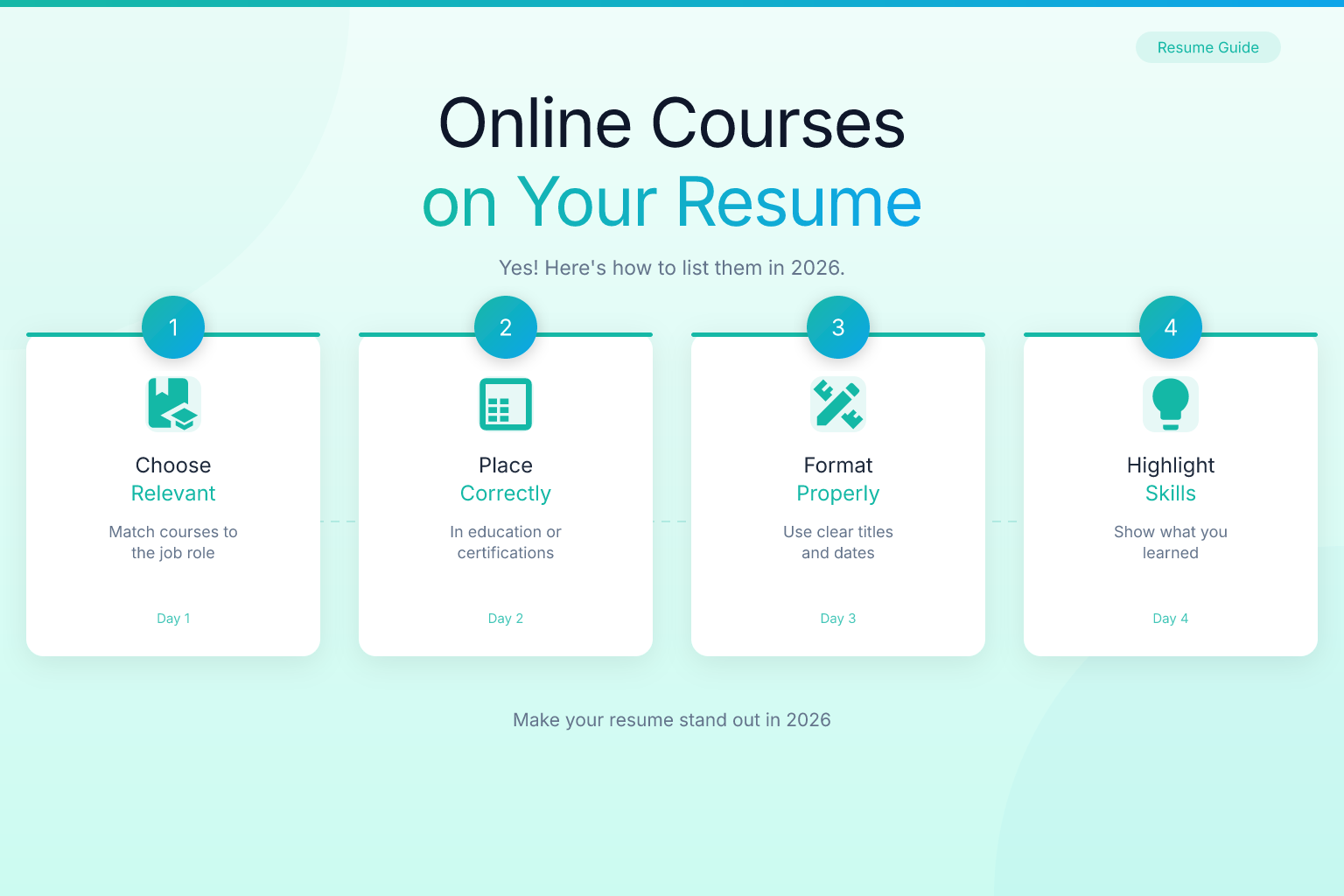
Can You Put Online Courses on a Resume? Yes—Here’s How to List Them
Knowing how to list online courses and MOOCs on a resume can be the difference between looking like a self-starter and looking like someone who just binged a few videos. You’ve put in the hours, completed the assignments, and maybe even earned a certificate — but if you bury that work in a cluttered education section or leave it off entirely, hiring managers won’t see it. This guide shows you exactly where and how to feature your online learning so it strengthens your application, not weakens it.
Key Takeaways
- Place online courses in a dedicated “Professional Development” or “Certifications” section — not under your degree — unless the course is part of a formal program.
- List the course title, platform, and completion date; add the instructor or university if it adds credibility (e.g., “Yale University via Coursera”).
- Only include courses that are relevant to the job, completed, and from reputable platforms like Coursera, edX, Udacity, or LinkedIn Learning.
- If you lack traditional experience, a well-placed “Relevant Coursework” section can bridge the gap and show you have the skills.
- Use the ResumeMate score checker to see if your online courses are helping or hurting your ATS readability.
| What to Do | Why It Matters | Time |
|---|---|---|
| Create a separate “Professional Development” section | Keeps your degree section clean and highlights continuous learning | 5 minutes |
| List only job-relevant courses | Recruiters scan for keywords; irrelevant courses dilute your message | 2 minutes per application |
| Include the platform and completion date | Shows you finished the course and how recent the knowledge is | 1 minute per course |
| Add a “Relevant Coursework” subsection under Education if you lack experience | Fills gaps and proves you’ve built skills outside of work | 5 minutes |
| Skip courses that are too basic or from unknown providers | Protects your credibility and avoids looking like resume padding | 1 minute |
Why Employers Care About Online Courses and MOOCs
Recruiters don’t just look at your degree anymore. They want proof you can do the job today. A 2024 survey by LinkedIn found that 64% of learning and development professionals say the half-life of a technical skill is less than five years. That means what you learned in a traditional classroom may already be outdated.
Online courses and MOOCs (Massive Open Online Courses) show you’re actively closing that gap. They signal initiative, curiosity, and a willingness to learn without being told. When a hiring manager sees a relevant Coursera specialization or an edX MicroMasters on your resume, it tells them you’re not waiting for an employer to train you — you’re already training yourself. Employers value candidates who take ownership of their professional growth. Listing relevant online courses is a direct way to demonstrate that mindset.
But there’s a catch: you have to present them the right way. A long list of unrelated courses looks like you’re collecting certificates for fun. A short, targeted list of courses that match the job description looks like you’re serious about the role.
Where to Put Online Courses on Your Resume
Where you place your online courses depends on your career stage and how central the courses are to the job you want. Here are the three most common placements, ranked by how often you should use them.
1. Dedicated “Professional Development” or “Certifications” Section
This is the best option for most people. It keeps your formal education section clean and gives your self-directed learning its own spotlight. Use this if:
- You have a degree and work experience, and the courses are supplementary.
- You’ve completed multiple MOOCs or earned a specialization certificate.
- The courses are directly relevant to the job but not part of a degree program.
Example format:
Professional Development
Data Science Specialization — Johns Hopkins University via Coursera (2024)
Machine Learning — Stanford University via Coursera (2023)
Advanced SQL for Data Analysis — Udemy (2024)
If you only have one or two courses, you can fold them into a “Certifications” section instead. The certifications section on your resume can include both traditional certifications and verified MOOC certificates.
2. “Relevant Coursework” Subsection Under Education
This works well if you’re a recent graduate, career changer, or someone with limited work experience. You can list online courses alongside your formal coursework to show you’ve built skills beyond the classroom.
Example:
Education
Bachelor of Arts in Communications — University of Texas at Austin (2023)
Relevant Coursework: Digital Marketing Strategy (Coursera), Google Analytics Certification, SEO Fundamentals (Moz Academy)
Be careful not to mix degree coursework with MOOCs in a way that implies the MOOCs were part of your degree. Keep them clearly labeled with the platform name.
3. Within a “Skills” Section
If the course is less about the credential and more about the skill you gained, you can embed it in your skills section. This works for technical skills where the course name itself is a recognized keyword.
Example:
Skills: Python (Google IT Automation with Python), SQL, Tableau, A/B Testing
This approach is subtle but effective for ATS optimization because it places the skill and the course name in a section that both humans and algorithms scan.
How to Format Online Courses on Your Resume
Consistency matters. Recruiters spend an average of six to seven seconds on an initial resume scan, according to a study by TheLadders. If your formatting is inconsistent, they’ll skip right over your courses.
Follow this structure for each course:
Course Title — Platform (or Institution via Platform), Year Completed
If the course is part of a specialization or professional certificate, list the umbrella program first, then the individual courses if they’re relevant.
Example — Specialization:
Google Data Analytics Professional Certificate — Coursera (2024)
Covered data cleaning, visualization, SQL, and R programming. Completed capstone project analyzing real-world sales data.
Example — Individual Course:
Financial Markets — Yale University via Coursera (2023)
When listing multiple courses, group them by topic or platform. This makes the section scannable and shows depth in a particular area.
Grouped by topic:
Data Science & Machine Learning
- Machine Learning — Stanford University via Coursera
- Data Science Specialization — Johns Hopkins University via Coursera
- Python for Everybody — University of Michigan via Coursera
Business & Management
- Business Foundations Specialization — Wharton via Coursera
- Leading People and Teams — University of Michigan via Coursera
Additional formatting tips:
- Use reverse chronological order (most recent first) within each group.
- If you have a verified certificate, consider adding a small “(Verified Certificate)” note or a link to the credential URL in digital resumes.
- Keep descriptions to one line unless the course included a significant project; then add a brief bullet point.
- Avoid using all caps for course titles; sentence case is easier to scan.
Which Online Courses Should You Actually List?
Not every course you’ve ever taken belongs on your resume. Use this filter:
- Is it relevant to the job? If the course teaches a skill mentioned in the job description, include it. If it’s a personal interest course (e.g., “History of Ancient Rome”) and you’re applying for a software engineering role, leave it off.
- Did you complete it? Only list courses you finished. In-progress courses can be listed if they’re highly relevant and you’re close to finishing — but label them clearly (see the next section).
- Is the platform reputable? Stick to well-known platforms: Coursera, edX, Udacity, Udemy, LinkedIn Learning, FutureLearn, and official university extension programs. A course from an unknown website with no verification carries little weight.
- Is it recent? Skills change fast. A course from 2019 on a topic like social media marketing may be outdated. Prioritize courses completed within the last two to three years.
If you’re unsure whether a course adds value, run your resume through the ResumeMate score checker. It analyzes your content and flags sections that might confuse an ATS or dilute your message.
Best Online Courses to Add to Your Resume (by Field)
If you’re wondering what are the best online courses to add to a resume, the answer depends on your target role. Here are some high-value, widely recognized courses and certificates that employers frequently see as credible:
Data & Analytics
- Google Data Analytics Professional Certificate (Coursera)
- IBM Data Science Professional Certificate (Coursera)
- SQL for Data Analysis (Mode, Udemy)
Software & IT
- Google IT Support Professional Certificate (Coursera)
- AWS Certified Cloud Practitioner (Amazon)
- Meta Front-End Developer Professional Certificate (Coursera)
Business & Management
- Google Project Management Professional Certificate (Coursera)
- Business Foundations Specialization (Wharton via Coursera)
- Leading People and Teams (University of Michigan via Coursera)
Marketing
- Google Digital Marketing & E-commerce Professional Certificate (Coursera)
- Meta Social Media Marketing Professional Certificate (Coursera)
- HubSpot Inbound Marketing Certification (free)
Accounting & Finance
- Financial Accounting Fundamentals (Coursera)
- Introduction to Financial Accounting (Wharton via Coursera)
- QuickBooks Online Certification (Intuit)
For more field-specific examples, see our accountant resume examples with CPA and GAAP skills and accounting resume examples for first internships. These guides show how to integrate certifications and coursework into resumes for accounting roles.
Remember: the best course is one that directly matches a skill in the job description. Always tailor your list to the specific application.
How to List In-Progress Online Courses
You don’t have to wait until you finish to mention a course. If you’re actively working on a certification that’s directly relevant to the job, list it with a clear status. This shows initiative and that you’re already building the skills the employer needs. However, be strategic: only include in-progress courses if you’re at least halfway through or have a realistic completion date within the next month or two. Label them clearly with “In Progress” and an expected completion date. For example:
Format:
Google Project Management Certificate — Coursera (In Progress, Expected Completion June 2026)
If you’ve completed a significant portion, you can add a brief note about what you’ve covered so far, such as “Completed modules on project planning and risk management.” This gives the employer a sense of your current knowledge. Avoid listing multiple in-progress courses; one or two at most. A long list of unfinished courses can signal a lack of follow-through. Instead, focus on the one that’s most relevant to the job. Once you finish, update your resume immediately to reflect the completed status. This keeps your application current and shows you deliver on your commitments.
How to List MOOC Certificates vs. Free Courses
Many MOOCs offer a free audit option and a paid certificate. Employers generally value the verified certificate more because it proves you passed the assessments. If you paid for the certificate, list it confidently.
If you audited the course for free and didn’t earn a certificate, you can still list it — but be honest. Use phrasing like:
Introduction to Psychology — Yale University via Coursera (Audited, 2024)
Or simply list the course without claiming a certificate. The knowledge is still real, and for some roles, that’s enough.
For paid, verified certificates, you can add a link to the credential URL if you’re submitting a digital resume or portfolio. Many platforms like Coursera and edX provide a unique verification link you can include.
Common Mistakes to Avoid
Even well-intentioned job seekers make these errors. Here’s what to watch out for:
- Listing every course you’ve ever taken. A resume is a marketing document, not a transcript. Curate ruthlessly.
- Putting MOOCs under your degree as if they were part of it. This can look like you’re trying to inflate your education. Keep them separate.
- Using inconsistent formatting. If one course says “Coursera” and another says “coursera.org,” it looks sloppy.
- Including outdated or basic courses. A “Microsoft Word 2010” course in 2026 signals you’re behind the times.
- Forgetting to tailor the list for each application. The courses you highlight for a marketing role should differ from those for a data analyst role.
- Claiming a certificate you didn’t earn. If you audited a course, don’t list it as a verified certificate. Honesty matters; background checks can uncover discrepancies.
Resume Examples with Online Courses
Here are two full resume snippets showing how online courses fit into different career situations.
Example 1: Career Changer with No Direct Experience
Professional Development
Google UX Design Professional Certificate — Coursera (2025)
Completed 7 courses covering user research, wireframing, prototyping, and usability testing. Designed three portfolio projects including a mobile app redesign.
Figma for UX Design — Udemy (2025)
Education
Bachelor of Arts in Psychology — University of Oregon (2022)
Relevant Coursework: Human-Computer Interaction (Coursera), Design Thinking (edX)
Example 2: Experienced Professional Upskilling
Certifications & Professional Development
AWS Certified Solutions Architect — Associate — Amazon Web Services (2025)
Machine Learning Engineering for Production (MLOps) — DeepLearning.AI via Coursera (2024)
Advanced SQL for Data Engineers — DataCamp (2024)
Education
Master of Science in Computer Science — Georgia Tech (2020)
Notice how the experienced professional doesn’t need a “Relevant Coursework” subsection. The courses stand alone as proof of continued learning.
For more examples of how to structure resumes in specific fields, check out our accountant resume examples or accounting internship resume examples.
How to Talk About Online Courses in an Interview
Listing the course is step one. Step two is being ready to discuss it. When an interviewer asks, “Tell me about this Coursera specialization,” you need a strong answer.
Prepare a short story for each course on your resume:
- Why you took it: “I noticed our team was struggling with data visualization, so I wanted to build that skill.”
- What you learned: “The course covered Tableau, data storytelling, and dashboard design.”
- How you applied it: “Afterward, I rebuilt our monthly report in Tableau, and leadership started using it in board meetings.”
If you haven’t applied the skill yet, describe a practice project you completed during the course. The key is to show you didn’t just watch videos — you did something with the knowledge.
ATS Considerations for Online Courses
Most applicant tracking systems parse the education and skills sections of your resume. If you place your online courses in a “Professional Development” section, the ATS will likely read them as additional qualifications — which is fine.
To maximize ATS compatibility:
- Use a single-column layout. Multi-column resumes can confuse older ATS, though modern systems handle them better. When in doubt, single-column is safest.
- Avoid embedding course names in images or graphics. The ATS can’t read text inside images.
- Export your resume as a clean, text-based PDF. ResumeMate’s builder creates ATS-friendly PDFs that parse correctly in systems like Workday, Greenhouse, and Lever.
- Include keywords from the job description in your course descriptions. If the job asks for “SQL,” and your course covered SQL, mention it explicitly.
For more on ATS-friendly formatting, see our guide on ATS resume formatting.
Before you submit, use the ResumeMate score checker to see how an ATS interprets your resume. It gives you a section-by-section breakdown so you can fix issues before a recruiter sees them.
When to Skip Online Courses Entirely
There are times when listing online courses can hurt more than help. Skip them if:
- You have extensive, directly relevant work experience. A senior software engineer with 10 years of experience doesn’t need to list an introductory Python course.
- The course is from a provider that looks spammy or unverifiable.
- The course is so basic it raises questions about your competence (e.g., “Introduction to Email” for an office job).
- You’re applying to a highly traditional field where self-directed learning isn’t valued as much as formal credentials. In that case, focus on your degree and any accredited certifications.
When in doubt, ask yourself: “Does this course make me look more qualified, or does it look like I’m padding my resume?” If it’s the latter, cut it.
How to Build a Resume That Highlights Your Learning
If you’ve invested in online courses, your resume should make that investment obvious. Start with a professional summary that mentions your commitment to continuous learning. For example: “Data analyst with a Google Data Analytics Certificate and a passion for turning data into insights.” Then, place your courses in a dedicated “Professional Development” or “Certifications” section, as described earlier. Use bullet points to highlight key projects or skills gained from each course, not just the title. This shows employers you can apply what you learned. Tailor the list for each job application, prioritizing courses that match the job description. A clean, single-column layout ensures both ATS and human readers can quickly find your qualifications. For more on structuring your resume, see our resume sections guide.
The ResumeMate AI resume builder lets you add custom sections like “Professional Development” or “Certifications” with one click. You can drag and drop entries, reorder sections, and choose a template that keeps everything clean and ATS-friendly.
Once your resume is ready, don’t forget to track where you send it. The ResumeMate Job Tracker Chrome extension logs every application, deadline, and follow-up so you never lose track of a promising opportunity.
Frequently Asked Questions
Q: Should I put Coursera courses on my resume?
A: Yes, if they’re relevant to the job and you completed them. List them in a “Professional Development” or “Certifications” section with the course title, platform, and completion year. Avoid mixing them with your formal degree unless they’re part of a “Relevant Coursework” subsection.
Q: How do you list Udemy courses on a resume?
A: List Udemy courses the same way you’d list any other online course: course title, “Udemy,” and the year completed. Because Udemy courses vary widely in quality, only include those that teach a specific, job-relevant skill and that you’ve fully completed.
Q: Can I list edX courses under education?
A: Only if you create a “Relevant Coursework” subsection under your degree. Do not list edX courses as if they were part of your formal education. Instead, place them in a separate “Professional Development” section or a “Certifications” section if you earned a verified certificate.
Q: How many online courses should I list on my resume?
A: There’s no fixed number, but quality beats quantity. Three to five highly relevant courses are better than a list of 15. If you have many, group them by topic and only include the most recent and impressive ones for each application.
Q: Do employers take MOOCs seriously?
A: Many do, especially when the MOOC is from a recognized platform and teaches a skill the employer needs. A 2023 survey by Coursera found that 86% of learners who completed a course reported career benefits. The key is to present the course as proof of a skill, not just a line on a resume.
Q: Should I include free online courses without a certificate?
A: You can, but be transparent. List the course and note that you audited it. The knowledge is still valid, but a verified certificate carries more weight. If the course is highly relevant and you can discuss what you learned, it’s worth including.
Q: Where do I put LinkedIn Learning courses on my resume?
A: Treat LinkedIn Learning courses like any other online course. Place them in a “Professional Development” section. If you earned a certificate, you can also list it in a “Certifications” section. Avoid cluttering your LinkedIn profile’s “Licenses & Certifications” section with every course — curate just as you would on your resume.
Q: Can you put free online courses on your CV?
A: Yes, you can put free online courses on your CV, but be clear about whether you earned a certificate or just audited the course. Free courses from reputable platforms like Coursera, edX, or Google’s free certifications can be just as valuable as paid ones if they teach a relevant skill. List them in a “Professional Development” section with the course title, platform, and year, and note “(Audited)” if you didn’t receive a certificate.
Q: Can non-degree online course certificates help you get hired?
A: Absolutely. Non-degree certificates, especially professional certificates from Google, IBM, Meta, or AWS, are designed to prepare you for specific job roles and are increasingly recognized by employers. They demonstrate practical, job-ready skills and can be especially powerful for career changers or those without a traditional degree in the field. Pair them with a strong portfolio or project examples to maximize impact.
Q: How do you say “online training” on a resume?
A: Instead of using the vague term “online training,” use specific, professional language. Refer to the course by its exact title and platform, such as “Google Data Analytics Professional Certificate — Coursera.” If you need a section header, use “Professional Development,” “Certifications,” or “Continuing Education.” Avoid generic phrases like “online training” or “e-learning” that don’t convey what you actually learned.
Q: What are the best online courses to add to a resume?
A: The best courses are those that directly match the skills in the job description. For data roles, Google Data Analytics or IBM Data Science certificates are strong. For IT, Google IT Support or AWS certifications. For marketing, Google Digital Marketing or HubSpot certifications. Always prioritize courses from recognized platforms and those that result in a verifiable certificate. See the “Best Online Courses to Add to Your Resume” section above for a detailed list by field.
Track Every Application While You Job Hunt
Stop losing track of where you’ve applied. The ResumeMate Job Tracker is a free Chrome extension that tracks every application, deadline, and follow-up in one place — right from your browser.
Install ResumeMate Free on Chrome →
And if you’re still building or refining your resume, use the ResumeMate AI resume builder to create a clean, ATS-friendly resume in minutes — free.
