
Are Indeed Jobs Scams? 7 Red Flags to Spot and Avoid Them in 2026
Learning how to spot job scams on Indeed and LinkedIn is a non-negotiable skill for every job seeker in 2026. Fraudsters have become increasingly sophisticated, creating fake company pages, impersonating real recruiters, and posting listings that look legitimate at first glance. While both platforms actively remove fraudulent content, scammers still slip through the cracks — and the cost of falling for one can be devastating, from stolen identity to drained bank accounts. This guide walks you through the red flags, verification steps, and reporting actions you need to protect yourself.
Key Takeaways
- Legitimate employers never ask you to pay for training, equipment, background checks, or “onboarding fees” — any request for money is an immediate red flag.
- Scammers often use generic email addresses (Gmail, Yahoo, Outlook), pressure you to act fast, and offer salaries that are unrealistically high for the role.
- Always verify the company by checking its official website, LinkedIn company page, and employee profiles before applying or responding.
- Never share your Social Security number, bank details, or copies of your ID until you have a formal written offer and have verified the employer through independent channels.
- Report suspicious postings to Indeed or LinkedIn immediately, and keep a record of every application using a job tracker so you can spot patterns and protect your personal data.
| What to Do | Why It Matters | Time |
|---|---|---|
| Check the company’s official website and domain | Scammers often use look-alike domains or have no web presence at all | 5 minutes |
| Search for the recruiter’s name and email on LinkedIn | Legitimate recruiters have verifiable profiles with connections and activity | 3 minutes |
| Never pay for anything or share sensitive data | Real employers don’t charge applicants, and early requests for SSN or bank info signal fraud | Instant |
| Report suspicious postings to Indeed or LinkedIn | Helps protect other job seekers and gets the scam removed faster | 2 minutes |
| Track every application in a spreadsheet or tool | You can spot repeated scam patterns and have a record if you need to report | 5 minutes per application |
How to Spot Job Scams on Indeed and LinkedIn: The Core Red Flags
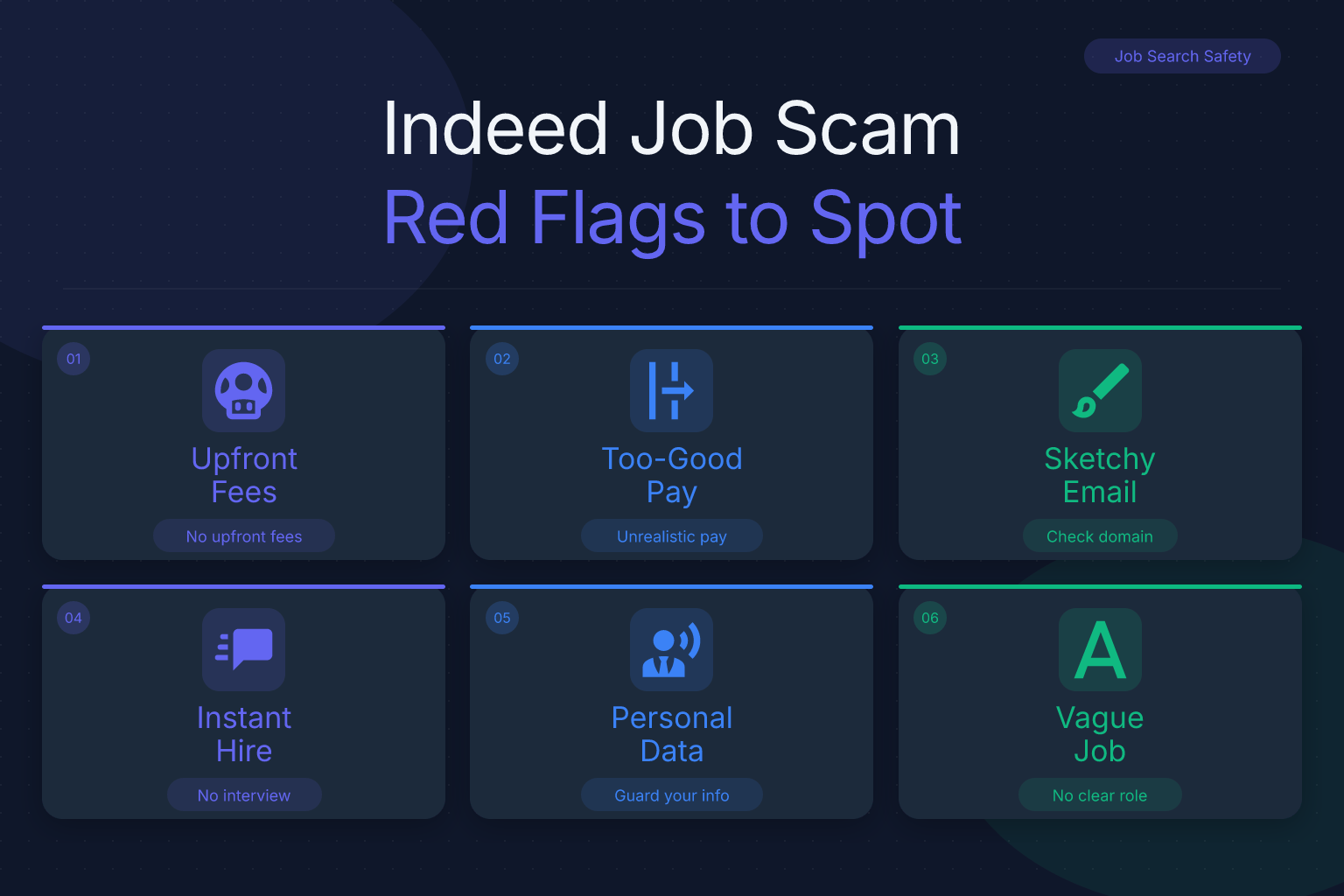
Most job scams share a predictable set of warning signs. Once you know what to look for, you can filter out fraudulent postings in seconds. Here are the most common red flags on both Indeed and LinkedIn:
- Requests for money upfront. Any employer that asks you to pay for training materials, software, a background check, or “equipment” before you start is running a scam. Legitimate companies cover these costs themselves.
- Too-good-to-be-true salary or benefits. A data entry job paying $40/hour with no experience required? A remote role offering $100k for 10 hours a week? Scammers use inflated compensation to override your skepticism.
- Vague or copy-pasted job descriptions. If the posting doesn’t list specific responsibilities, required skills, or a clear company mission, it may be a template used across dozens of fake listings.
- Immediate job offer without an interview. Real hiring processes involve at least one conversation. If you’re “hired” after a single email or text exchange, walk away.
- Requests for personal information early. No legitimate employer needs your Social Security number, bank account details, or a copy of your driver’s license before extending a formal offer and initiating a background check with your written consent.
- Unprofessional communication. Emails full of typos, messages sent at odd hours, or recruiters who refuse to speak by phone or video are all warning signs.
- Generic email domains. A recruiter from “Google” who emails you from
googlejobs@gmail.comis not from Google. Real companies use their own domain (e.g.,@google.com). - Pressure to act immediately. Scammers create urgency — “This offer expires in 24 hours” or “We need your bank details today to secure your spot” — to prevent you from doing due diligence.
If a posting or message triggers even one of these flags, proceed with extreme caution. If it triggers two or more, it’s almost certainly a scam.
Verify the Company Before You Apply
Before you submit an application or respond to a recruiter, take five minutes to verify that the company actually exists and is hiring. Here’s a step-by-step process:
- Search the company name plus the word “scam” or “review.” A quick Google search like
[Company Name] scamor[Company Name] reviewsoften surfaces complaints from other job seekers. - Check the official website. Does the company have a professional site with a real domain (e.g.,
companyname.com)? Look for a physical address, a phone number, and a careers page. If the site is missing, poorly designed, or uses a free domain likecompanyname.weebly.com, that’s a red flag. - Look at the LinkedIn company page. Legitimate companies have a LinkedIn page with a logo, a description, employee count, and recent posts. A page with zero followers, no employees listed, and no activity is suspicious.
- Search for employees on LinkedIn. Do real people list this company as their employer? Click on a few profiles — do they have connections, endorsements, and a history that makes sense? Scammers often create fake profiles with stock photos and no activity.
- Check the domain age. Use a free WHOIS lookup tool to see when the domain was registered. A company that claims to have been in business for 10 years but registered its domain last month is lying.
- Find the job on the company’s own careers page. If the posting exists on Indeed or LinkedIn but not on the company’s official site, that’s a major red flag. Legitimate employers post openings on their own career portals first.
This verification process takes less than 10 minutes and can save you from weeks of stress and potential financial loss.
Scrutinize the Job Posting Itself
Even if the company checks out, the specific posting could still be fraudulent — scammers sometimes impersonate real companies. Here’s how to evaluate the listing itself:
- Read the entire description carefully. Look for grammatical errors, inconsistent formatting, or language that doesn’t match the company’s industry. A legitimate posting from a tech company won’t be riddled with typos.
- Check for specific details. Real job postings include concrete responsibilities, required qualifications, and a location (even for remote roles, they usually specify a country or region). Vague phrases like “various tasks” or “work from anywhere” are common in scams.
- Look for contact instructions. Legitimate postings direct you to apply through the platform or the company’s ATS. If the posting asks you to email a Gmail address, text a phone number, or message someone on WhatsApp or Telegram, it’s almost certainly a scam.
- Beware of “verification” badges. Indeed and LinkedIn do verify some employers, but the badge is not a guarantee. Scammers can create fake company pages that pass initial checks, and badges can be spoofed in screenshots. Always verify independently.
- Compare with other postings from the same company. If the company has multiple openings, do they look consistent in tone and format? A single odd posting among many legitimate ones could be a hijacked account or a copycat.
If you’re using job alerts to find new postings, make sure you’re only following verified companies. Our guide on how to use job alerts effectively walks you through setting up filters that reduce your exposure to scams.
Beware of These Common Job Scam Types on Indeed and LinkedIn
Scammers use a variety of schemes, each with a slightly different angle. Knowing the most common types helps you recognize them faster:
- Fake check scams. You’re “hired” for a remote job and sent a check to purchase equipment. You deposit the check, buy supplies from a specific vendor (who is actually the scammer), and then the check bounces. You’re out the money you spent.
- Reshipping scams. You receive packages at your home and are asked to repackage and forward them to another address. The goods are often purchased with stolen credit cards, and you become an unwitting accomplice to fraud.
- Data entry or “processing” scams. These promise easy money for simple tasks but require you to pay a “registration fee” or provide your bank details for “direct deposit.” The job doesn’t exist.
- Phishing for personal information. A fake recruiter asks for your Social Security number, date of birth, or a copy of your ID “for a background check” before you’ve even interviewed. They use this information to steal your identity.
- Fake recruiter scams. Someone claims to be a recruiter from a well-known company, often using a real employee’s name and photo scraped from LinkedIn. They conduct a fake interview via text or email and then ask for money or personal data.
- Work-from-home assembly or craft scams. You pay for a starter kit to assemble products at home, but the finished products are never accepted, and you never get paid.
- Premium-rate phone number scams. You’re asked to call a number for an “interview,” but the number charges exorbitant per-minute fees.
Remote jobs are particularly vulnerable to these schemes because the entire process happens online. If you’re searching for remote work, our guide on how to find and land call center remote jobs in 2026 includes additional tips for vetting remote employers.
How to Verify a Recruiter or Hiring Manager
Even if the company and posting look legitimate, the person contacting you might be an impersonator. Here’s how to verify the individual:
- Check their LinkedIn profile. Does the profile have a real photo, a complete work history, and connections? Look for endorsements, recommendations, and activity. A profile created last week with no connections and a stock photo is a red flag.
- Search their name plus the company. A quick Google search should surface their professional presence — a company bio, a Twitter account, or a conference speaking engagement. If nothing comes up, be suspicious.
- Ask for a company email address. Legitimate recruiters will happily send you an email from their company domain. If they insist on communicating only through personal email, text, or messaging apps, that’s a problem.
- Call the company’s main line. Look up the company’s official phone number (not one provided by the recruiter) and ask to be transferred to the person who contacted you. If the receptionist has never heard of them, you have your answer.
- Request a video interview. Scammers often avoid face-to-face contact because it’s harder to maintain a fake identity. A legitimate recruiter will agree to a video call.
Networking can also help you verify employers. If you have connections at the company, reach out and ask if the recruiter is real. Our guide on how to network on LinkedIn without being awkward offers practical scripts for these conversations.
What to Do If You Suspect a Job Scam
If you’ve identified a scam — or even if you just have a bad feeling — take these steps immediately:
- Stop all communication. Do not reply to further messages, click any links, or download any attachments. Block the sender’s email address and phone number.
- Do not send money or personal information. If you’ve already sent money, contact your bank or payment provider right away to dispute the transaction. If you’ve shared personal information, place a fraud alert on your credit reports and monitor your accounts closely.
- Report the posting to the platform. On Indeed, click the “Report” button on the job posting. On LinkedIn, click the three dots on the job or the recruiter’s message and select “Report.” Both platforms have dedicated teams that review reports and remove fraudulent content.
- Report to the FTC. In the United States, you can file a complaint with the Federal Trade Commission at ReportFraud.ftc.gov. If you’re outside the U.S., report to your local consumer protection agency.
- Warn others. If the scam involved a fake company page, leave a review on sites like Glassdoor or the Better Business Bureau. Share your experience on LinkedIn to alert your network.
Remember: reporting a scam takes only a few minutes, but it can prevent dozens of other job seekers from falling victim.
Protect Yourself During the Application Process
Prevention is the best defense. Here are practical steps you can take to reduce your risk from the start:
- Use a dedicated email address for job searching. This keeps your primary inbox clean and makes it easier to spot phishing attempts. If a scammer gets your job-search email, you can simply abandon it.
- Don’t include your full home address on your resume. A city and state are sufficient. Scammers can use your address for identity theft or even show up at your door.
- Use a Google Voice number instead of your personal cell. This gives you a layer of separation and lets you screen calls. If a scammer starts harassing you, you can change the number without affecting your real phone.
- Never share your Social Security number, bank details, or ID until you have a formal written offer. Legitimate employers only need this information after you’ve accepted an offer and authorized a background check — and they’ll provide a secure portal for you to submit it.
- Keep a record of every application. Use a spreadsheet or a dedicated tool to log the company name, job title, date applied, contact person, and any communications. This helps you spot patterns (e.g., the same “recruiter” contacting you about different fake jobs) and provides evidence if you need to report a scam.
The ResumeMate Job Tracker is a free Chrome extension that automatically tracks every application you submit from your browser, including the job posting URL, date, and status. Having this record makes it much easier to identify suspicious activity and report it accurately.
How ResumeMate Can Help You Stay Safe
While ResumeMate can’t guarantee that every job you find is legitimate, our tools are designed to support a safer, more organized job search:
- The ResumeMate job board aggregates postings from verified sources, reducing your exposure to fraudulent listings. You can filter by role, location, and remote status to find legitimate opportunities.
- The free AI resume builder helps you create a clean, professional resume that you can send to verified employers. A polished resume also makes you less likely to fall for “too good to be true” offers, because you’ll have a realistic sense of your market value.
- The Chrome extension tracks every application, deadline, and follow-up in one place. If a scammer contacts you about a job you never applied to, you’ll know immediately because it won’t be in your tracker.
By combining these tools with the verification steps in this guide, you can job hunt with confidence and avoid the financial and emotional toll of a scam.
FAQ
Q: What are the most common job scams on Indeed and LinkedIn?
A: The most common scams include fake check scams, reshipping scams, phishing for personal information, fake recruiter impersonation, and work-from-home assembly schemes. All of them share a common thread: they ask for money or sensitive data before you’ve been formally hired.
Q: How can I tell if a job posting on Indeed is fake?
A: Look for red flags like requests for upfront payment, vague job descriptions, generic email addresses, immediate job offers without an interview, and pressure to act quickly. Always verify the company’s website and LinkedIn page independently before applying.
Q: Do legitimate employers ever ask for money during the hiring process?
A: No. Legitimate employers never ask job applicants to pay for training, equipment, background checks, or any other expense. If you’re asked to pay anything, it’s a scam.
Q: What should I do if I already gave my personal information to a scammer?
A: Immediately place a fraud alert on your credit reports, monitor your bank and credit card accounts for unauthorized activity, and consider freezing your credit. Report the scam to the FTC and the platform where you encountered it.
Q: Can I get my money back if I fell for a job scam?
A: It depends on how you paid. If you used a credit card, you can dispute the charge. If you wired money or used gift cards, recovery is unlikely. Contact your bank or payment provider as soon as possible to report the fraud.
Q: How do I report a job scam on LinkedIn or Indeed?
A: On Indeed, click the “Report” button on the job posting. On LinkedIn, click the three dots on the job or message and select “Report.” You can also file a complaint with the FTC at ReportFraud.ftc.gov.
Q: Are remote jobs more likely to be scams?
A: Remote jobs are a common target for scammers because the entire process happens online, making it easier to hide. However, many legitimate remote jobs exist. Always verify the employer and never pay for anything, and you’ll be able to separate real opportunities from frauds.
Related articles:
- How to Find Alumni on LinkedIn for Networking
- How to Engage Recruiter Posts on LinkedIn (Get Noticed)
Track Every Application While You Job Hunt
Stop losing track of where you’ve applied. The ResumeMate Job Tracker is a free Chrome extension that tracks every application, deadline, and follow-up in one place — right from your browser.
