
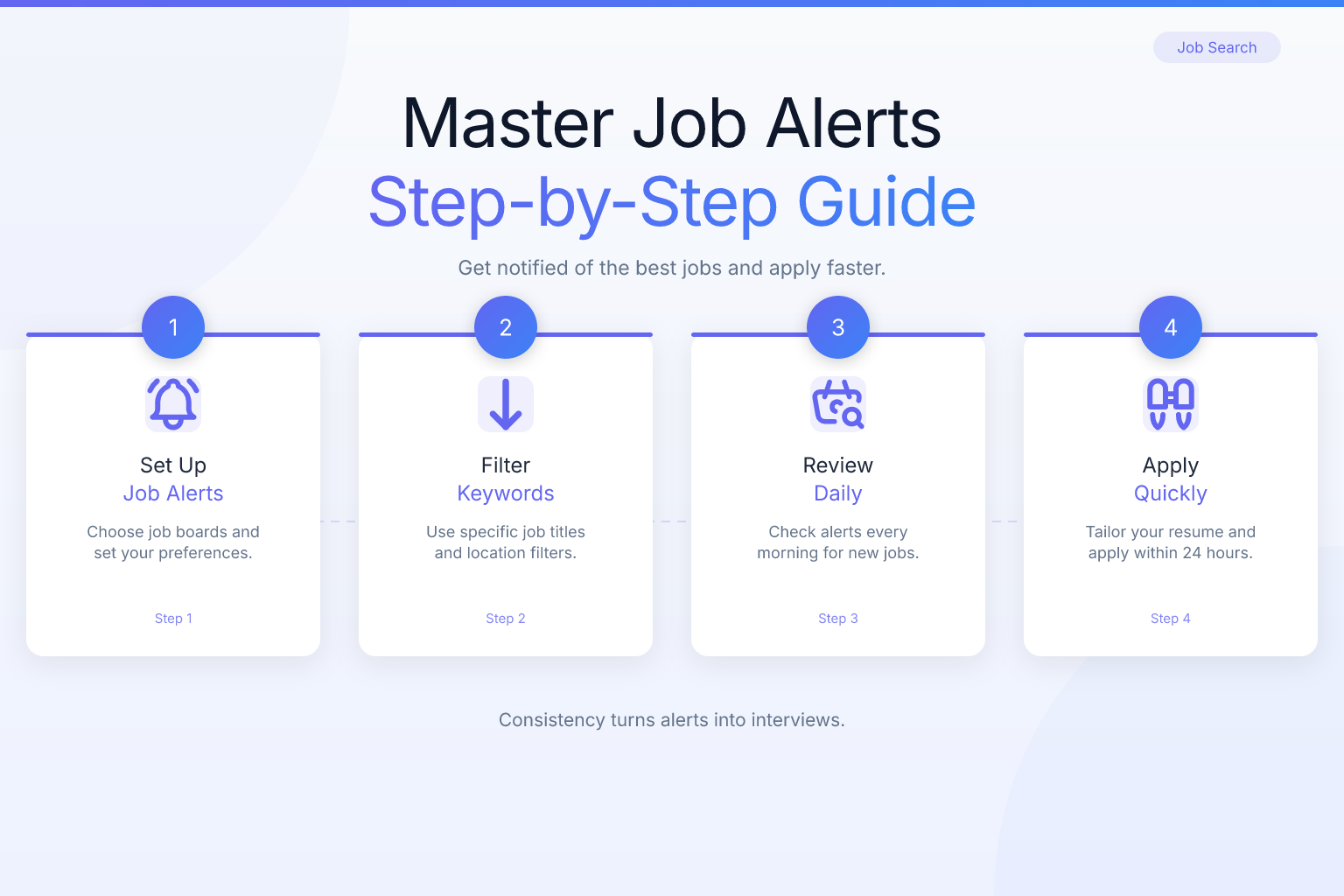
If you’ve ever felt like you’re spending more time scrolling job boards than actually applying, learning how to use job alerts effectively is the single fastest way to flip that ratio. Job alerts put new openings in your inbox the moment they’re posted, but most people set them up once, get flooded with irrelevant emails, and then ignore them. This guide walks you through a system that turns alerts into a reliable interview pipeline — without the noise.
Key Takeaways
- Set up job alerts on 3–5 platforms (e.g., LinkedIn, Indeed, a niche board, and company career pages) to cover diverse opportunities without inbox overload.
- Craft Boolean search strings like
"UX designer" AND remote NOT seniorto filter out irrelevant postings and receive only highly relevant alerts. - Process alerts once daily at a fixed time in a dedicated email folder to stay responsive without constant interruptions.
- Log every application’s source, date, and status in a tracker to identify which platforms generate interviews and adjust your alert settings weekly.
- Customize your resume for each job by mirroring the top requirements and keywords, then check ATS compatibility before applying to boost callback rates.
Quick Reference
| What to Do | Why It Matters | Time |
|---|---|---|
| Set up alerts on 3–5 targeted platforms | Covers niche and broad opportunities without duplication | 15 minutes |
| Use Boolean search strings in keywords | Filters out irrelevant postings, saving hours of manual scanning | 10 minutes |
| Check alerts once daily at a set time | Prevents inbox fatigue and ensures you don’t miss fresh listings | 5 minutes daily |
| Track every application from alert to follow-up | Keeps you organized and shows which sources deliver results | 2 minutes per application |
| Tailor your resume before applying | Increases interview chances by matching the job description | 20–30 minutes per application |
What Are Job Alerts and How to Use Them Effectively
A job alert is an automated email or push notification that sends you new job postings matching criteria you define — keywords, location, salary range, company, and more. Nearly every major job board (LinkedIn, Indeed, Glassdoor, ZipRecruiter) and many company career pages offer them. The problem isn’t the technology; it’s that most people treat alerts as a passive “set and forget” tool. When you use job alerts effectively, you treat them as a curated feed that you actively manage, refine, and act on with a system. This approach transforms job alerts from a passive notification into an active job search tool.
Effective use means three things:
- Precision over volume: You’d rather get three highly relevant alerts a day than 30 that make you scroll past the good ones.
- Speed with quality: You apply quickly, but you never sacrifice a tailored resume and cover letter.
- Closed-loop tracking: You know exactly which alert led to which application, interview, and offer — so you can double down on what works.
In the sections that follow, you’ll build a repeatable workflow that takes less than 30 minutes a day once it’s set up.
Setting Up Smart Job Alerts: Platforms and Keywords
Start by choosing three to five platforms that match your industry, role, and location. General-purpose boards like LinkedIn Jobs (best for professional roles), Indeed (largest aggregator), and Glassdoor (strong for company research) are a solid foundation. Add one or two niche sites — Stack Overflow for tech, Dribbble for design, Idealist for nonprofits — and set up alerts directly on the career pages of 10–20 target companies. Limit yourself to five platforms max to avoid inbox chaos.
The real power comes from your search strings. Instead of a single job title, use Boolean operators to filter out noise. Build strings like ("UX designer" OR "product designer") AND (remote OR hybrid) NOT (senior OR lead) NOT (gaming). Add location and salary filters where possible. Test your search manually first, identify irrelevant postings, and add negative keywords. Spend 10 minutes per platform crafting these strings, and refresh them every two weeks as you learn what slips through.
Managing Alert Frequency and Tracking Applications
Choose your alert frequency based on how quickly you can act. Real-time alerts work for highly competitive fields if you can apply within hours; a daily digest is the sweet spot for most job seekers, letting you batch applications without constant interruptions. Route all alert emails into a dedicated folder so you process them in one focused session.
Every application needs a tracking system. Log the job title, company, alert source, date applied, and status. A simple spreadsheet works, but the free ResumeMate Job Tracker Chrome extension automatically captures these details as you apply. Review your tracker weekly: double down on platforms that generate interviews, tweak or pause alerts that produce only noise, and follow up on applications older than a week.
Act Fast on Alerts Without Sacrificing Quality
Speed matters — interview chances drop sharply after the first week — but a generic application wastes that advantage. Pre-build a master resume and 2–3 base resumes tailored to your target roles. When an alert arrives, skim the job description in 60 seconds. If it’s a strong match, open the relevant base resume and spend 15–20 minutes customizing: mirror the top requirement in your summary, reorder bullet points, and weave in keywords. Run the result through a free ATS checker like ResumeMate’s score checker to catch missing terms or formatting issues, then apply and log it immediately. This process takes under 30 minutes per application and dramatically lifts your callback rate.
Avoiding Common Mistakes and Pairing Alerts with Strong Applications
Even a good setup fails if you fall into these traps: using only one platform, setting overly broad keywords, ignoring location settings, letting alerts pile up unread, applying without vetting, and forgetting to update keywords as your search evolves. Process alerts daily, skip roles where you don’t meet 60% of must-haves, and revisit your settings every two weeks.
To convert alerts into interviews, tailor every resume and cover letter to the job description. Use the posting as a checklist and include measurable results for each required skill. For a step-by-step process, read our guide on how to tailor a resume to a job description. Also check your ATS compatibility — most companies filter resumes before a human sees them. A free tool like the ResumeMate score checker flags missing keywords and formatting issues. For a deeper dive, see our ATS resume optimization guide. Keep your LinkedIn profile aligned with your resume, and follow up politely after 5–7 business days if you haven’t heard back.
Automate and Refine Your Alert System Over Time
Spend 15 minutes each week optimizing. Review your tracker to see which platforms deliver interviews. Scan your alert folder — if you’re deleting more than half without opening, tighten your keywords. Add new job title variations as you discover them, and pause alerts that haven’t produced a quality lead in two weeks. Use AI tools like ChatGPT to quickly rephrase bullet points or draft cover letters (always edit the output). For more on this, see our guide on using AI tools to speed up your job search. Once a month, step back: if you’re getting interviews but no offers, work on your interview skills; if you’re getting few interviews, refine your resume or targeting. Let data drive your adjustments.
FAQ
Q: How often should I check job alerts?
A: For most active job seekers, checking once a day — ideally at the same time each morning — is the most effective rhythm. It keeps you responsive to new postings without letting alerts interrupt your workflow. If you’re in a field where jobs fill within hours (like certain tech or creative roles), consider real-time alerts and check them within 2–3 hours of receiving them.
Q: Can I set up job alerts on multiple platforms without getting duplicates?
A: Yes, but you’ll need to accept some overlap. The best approach is to use 3–5 platforms that each serve a different purpose: one aggregator (Indeed), one professional network (LinkedIn), one niche board, and direct alerts from your top 5–10 target companies. Duplicates are easy to spot and ignore; the real danger is missing a role because you only used one source.
Q: What keywords should I use for job alerts?
A: Start with the exact job title you want in quotes, then add Boolean operators to include synonyms and exclude irrelevant terms. For example: "project manager" AND (remote OR hybrid) NOT (senior OR construction). Add industry-specific terms, required skills, or certifications if they’re non-negotiable. Refine every two weeks based on the results you’re seeing.
Q: How do I stop job alert emails from overwhelming my inbox?
A: Create a dedicated email folder or label and set up a filter that automatically routes all job alert emails there. Then, process that folder once a day at a set time. If you’re still getting too many, switch from real-time alerts to a daily digest, and tighten your keywords to reduce volume.
Q: Do job alerts really help you get hired faster?
A: They can, but only if you act on them quickly with a tailored application. Job alerts give you a time advantage by surfacing roles the moment they’re posted, often before they appear in manual searches. However, that advantage disappears if you apply with a generic resume or let alerts pile up unread.
Q: Should I apply to every job alert I receive?
A: No. Applying to every alert dilutes your effort and leads to burnout. Vet each posting against your must-have criteria (role, salary, location, required experience). If you don’t meet at least 60% of the hard requirements, skip it. Use the “no” to refine your alert keywords so similar postings don’t appear again.
Q: How do I track which job alert led to an interview?
A: Use a simple tracking system — a spreadsheet or a tool like the ResumeMate Job Tracker Chrome extension. For every application, log the source platform and the date you received the alert. When you get an interview, note it in the same row. After a few weeks, you’ll see which platforms are worth your time.
Related articles:
- What to Do If a Job Offer Is Rescinded: Step-by-Step Guide
- Fix Background Check Errors: Step-by-Step Guide
- How to Use LinkedIn Open to Work Feature Effectively
- How to Find a Job After Being Fired: A Step-by-Step Guide
Track Every Application While You Job Hunt
Stop losing track of where you’ve applied. The ResumeMate Job Tracker is a free Chrome extension that tracks every application, deadline, and follow-up in one place — right from your browser.
