
How to Write a Resume Summary for a Tech Career Pivot (2026)
A resume summary for a career pivot to tech is the single most important paragraph you’ll write — it’s where you connect your past experience to the tech role you want, before a recruiter skims past your non-traditional background. When you’re moving from teaching, healthcare, finance, or the military into software engineering, data science, product management, or UX, your summary has to do three things at once: show you understand the tech domain, prove you’ve already built relevant skills, and make the reader curious enough to keep going. This guide gives you a repeatable formula, real examples, and the mistakes that send pivot resumes straight to the rejection pile.
Key Takeaways
- Lead your resume summary with the specific tech role you are targeting and immediately connect your past experience to tech-relevant outcomes, not generic soft skills.
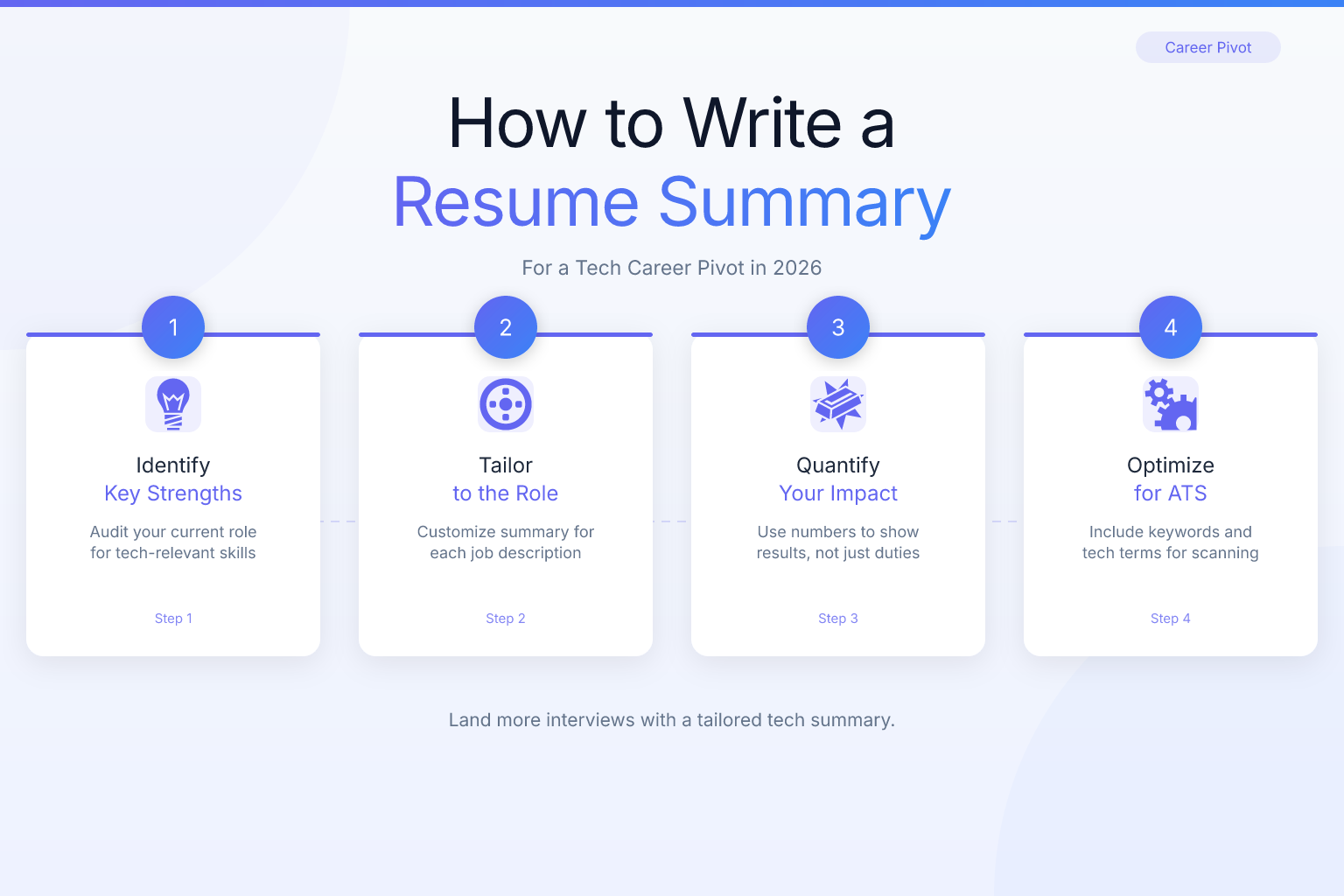
- Follow a 4-part structure: state your target role, map 2-3 transferable skills to tech value, include a concrete tech project with tools and measurable results, and end with the impact you will bring.
- Tailor your summary for each job application by swapping in keywords from the job description and adjusting the project example to match the role’s technical focus.
- Avoid common mistakes such as starting with your old job title, using vague buzzwords like ‘passionate about technology,’ or apologizing for a non-tech background; instead frame your past as a unique asset.
- Incorporate specific technical keywords and quantified project outcomes to pass applicant tracking system filters and demonstrate hands-on competence in under 7 seconds of recruiter scanning.
Key Takeaways and Summary Table
Here are the most important points to remember when crafting your resume summary for a tech career pivot, along with a quick-reference table of actions.
- A strong career-pivot summary leads with the target role and immediately connects your past experience to tech-specific value — not generic soft skills.
- The most effective summaries follow a 4-part structure: target role, transferable strengths, a concrete tech project or skill, and the impact you want to make.
- Recruiters scan summaries in under 7 seconds; include keywords from the job description and avoid vague phrases like “passionate about technology.”
- Self-taught skills and side projects belong in your summary if they demonstrate real technical ability — but only if you can describe them with specific tools and outcomes.
- Tailoring your summary to each application (not just the headline) is the fastest way to improve callback rates when pivoting into tech.
| What to Do | Why It Matters | Time |
|---|---|---|
| Lead with your target role and tech stack | Recruiters need to know immediately what you’re aiming for | 1 minute |
| Map 2-3 transferable skills to tech outcomes | Shows you understand how your background adds value in a tech context | 10 minutes |
| Include one concrete tech project or certification | Proves you’ve already started building relevant skills | 5 minutes |
| Tailor the summary to each job description | Beats generic summaries that get filtered out by ATS and human skimmers | 5-10 minutes per application |
| Run your summary through an ATS score checker | Ensures keywords and formatting won’t get your resume rejected before a human sees it | 2 minutes |
Why Your Resume Summary Is the Most Important Section for a Career Pivot into Tech
When you’re applying for a tech role with a non-tech background, your resume summary is the first — and sometimes only — chance to control the narrative. Recruiters and hiring managers spend an average of 6-7 seconds on an initial resume scan, according to an eye-tracking study by TheLadders. If your most recent job title is “High School Math Teacher” or “Retail Store Manager,” and the role you’re applying for is “Frontend Developer,” the reader’s brain will immediately flag a mismatch — unless your summary reframes your story.
A well-written summary does three things:
- Declares your pivot clearly — “Math teacher transitioning to data analytics” is direct and honest.
- Bridges your past to the tech role — you explain how your experience analyzing student performance data, managing budgets, or leading teams translates into tech-ready skills.
- Proves you’ve already started — mentioning a completed bootcamp, a deployed web app, or a certification shows you’re not just hoping to break in; you’ve already done the work.
Without this bridge, the reader sees a non-tech resume and assumes you’re applying to the wrong job. With it, you become a candidate with a unique perspective and demonstrated initiative.
The 4-Part Formula and How to Identify Transferable & Self-Taught Skills
Every strong career-change summary follows a simple, repeatable structure. You don’t need to be a professional writer — just fill in the blanks with your own details.
Part 1: Target role and relevant background
Start with the job title you’re pursuing and a quick nod to your previous experience. This immediately tells the reader you’re a career changer, not someone who accidentally applied.
Example opening: “Former financial analyst transitioning to data engineering…”
Part 2: Transferable skills mapped to tech
Pick two or three skills from your past career that directly apply to the tech role. Don’t just list soft skills — connect them to technical outcomes. For instance, “analyzed large datasets to identify fraud patterns” is better than “detail-oriented.”
Part 3: Concrete tech project or skill
Show you’ve already started building technical competence. Mention a specific project, tool, or certification. Use numbers if possible.
Example: “Built a full-stack MERN app that processes 10,000+ records and deployed it on AWS.”
Part 4: The value you’ll bring
End with a forward-looking statement that ties your unique background to the company’s needs. This is where you show you understand the role, not just the tech.
Example: “Eager to apply analytical rigor and cross-functional communication skills to build reliable data pipelines at a fast-growing SaaS company.”
Put together, a complete summary might look like this:
Former financial analyst transitioning to data engineering, with 5+ years of experience cleaning and modeling large datasets in SQL and Python. Built an ETL pipeline that automated monthly reporting, reducing manual work by 20 hours. AWS Certified Cloud Practitioner. Ready to bring a detail-oriented, business-savvy approach to data infrastructure at a fintech startup.
How to Identify Transferable Skills That Tech Employers Value
Most career changers underestimate how many skills they already have that tech teams need. The key is to translate them into the language of the target role.
Start by listing every responsibility from your past jobs — even the ones that seem unrelated. Then, for each, ask: “What did I actually do that resembles a task in this tech role?”
Here’s how common non-tech roles map to tech skills:
- Teacher → Software Engineer: Breaking down complex topics (technical documentation), managing classroom workflows (agile project management), analyzing student data (data analysis).
- Retail Manager → Product Manager: Inventory forecasting (data-driven decision making), staff scheduling (resource allocation), customer feedback analysis (user research).
- Nurse → UX Designer: Patient intake interviews (user interviews), observing workflow inefficiencies (usability testing), documenting care plans (information architecture).
- Military Veteran → IT Support/DevOps: Following standard operating procedures (runbooks), troubleshooting under pressure (incident response), leading cross-functional teams (stakeholder management).
Once you’ve identified the skill, phrase it using the tech role’s terminology. Instead of “managed a team of 10,” write “led a cross-functional team of 10, coordinating sprints and removing blockers” if you’re targeting a Scrum Master or engineering manager role.
If you’re struggling to map your background, our guide on how to write a resume for a new industry walks through a full translation exercise.
How to Showcase Self-Taught Tech Skills and Projects
When you don’t have professional tech experience, your projects and self-directed learning become your proof of competence. But simply listing “self-taught Python” isn’t enough — you need to show what you built and why it matters.
In your summary, mention one standout project that demonstrates technical depth. Follow this mini-formula:
Tool + Action + Result
- “Built a React dashboard that visualizes COVID-19 data from a public API, used by 200+ classmates.”
- “Automated expense tracking with Python and Google Sheets, saving my team 5 hours per week.”
- “Designed and coded a personal portfolio site with HTML, CSS, and JavaScript, achieving a 98 Lighthouse performance score.”
If you’ve completed a bootcamp or certification, name it — but only if it’s recognized. “Completed General Assembly’s Software Engineering Immersive” carries weight; “Completed an online Python course” is too vague. Be specific about the credential and the skills you gained.
For data science pivots, our post on how to write a resume for a data scientist role includes more examples of how to present projects effectively.
Resume Summary Examples for Different Tech Roles
Here are five examples you can adapt. Each follows the 4-part formula and targets a specific tech role.
Software Engineering (from Teaching)
Former high school math teacher pivoting to full-stack development. Built a classroom management app using React, Node.js, and MongoDB that streamlined grading for 150 students. Completed a 12-week coding bootcamp with 500+ hours of hands-on project work. Excited to apply systematic problem-solving and clear communication skills to build maintainable, user-focused software.
Data Analytics (from Finance)
CPA with 6 years of experience in financial modeling and data reconciliation, transitioning to data analytics. Proficient in SQL, Tableau, and Python (pandas, matplotlib). Built a dashboard that reduced month-end close time by 30%. Eager to leverage forensic attention to detail and business acumen to deliver actionable insights at a growth-stage company.
Product Management (from Marketing)
Digital marketing manager with a track record of launching campaigns that generated $2M+ in revenue, now pivoting to product management. Led cross-functional teams of designers, copywriters, and developers to ship 15+ landing pages. Certified Scrum Product Owner. Ready to apply user research, A/B testing, and stakeholder management skills to drive product strategy.
UX Design (from Healthcare)
Registered nurse with 8 years of patient care experience, transitioning to UX design. Conducted hundreds of user interviews (patient intake) and identified workflow pain points that reduced medication errors by 15%. Completed Google UX Design Certificate and designed a mobile app prototype for medication tracking. Passionate about creating intuitive, accessible digital experiences grounded in real human needs.
IT Support / Help Desk (from Retail)
Retail store manager with 5+ years of experience troubleshooting POS systems and training staff on new software, now pursuing IT support. CompTIA A+ certified. Built a home lab to practice Active Directory, network configuration, and ticketing systems. Known for resolving customer issues with patience and clarity — ready to bring that same service mindset to a help desk team.
If you’re targeting a software engineering role specifically, you might also want to check out our guide on how to write a LinkedIn summary for a software engineer — the same principles apply to your resume summary.
Common Mistakes and How to Tailor Your Summary
Common Mistakes to Avoid in a Career Change Resume Summary
Even a well-intentioned summary can backfire if it falls into these traps.
1. Starting with your old job title
“Experienced retail manager seeking a new challenge in tech” makes the reader think you’re a retail manager first. Lead with the target role.
2. Using vague, buzzword-filled language
Phrases like “passionate about technology,” “fast learner,” and “team player” take up space without proving anything. Replace them with specific tools, projects, or outcomes.
3. Apologizing for your background
Never say “Although I don’t have direct tech experience…” or “Despite my non-traditional background…” Your summary should frame your background as an asset, not a weakness.
4. Writing a summary that’s too long
Aim for 3-5 sentences, or about 50-100 words. Anything longer loses the reader’s attention. If you need more space, put details in a “Projects” or “Skills” section.
5. Using the same summary for every application
A generic summary signals that you didn’t read the job description. Tailoring your summary to each role is the single highest-impact change you can make — and it only takes a few minutes.
6. Ignoring ATS keywords
If the job description asks for “React,” “REST APIs,” and “Agile,” those terms need to appear in your summary (naturally). Otherwise, an applicant tracking system may rank your resume lower before a human ever sees it. You can check your resume’s ATS score free with ResumeMate’s score checker to see exactly which keywords you’re missing.
How to Tailor Your Summary for Each Tech Job Application
Tailoring doesn’t mean rewriting from scratch. It means swapping in the right keywords and adjusting your emphasis to match the job description.
Here’s a 3-step process:
- Highlight the top 3-5 technical skills in the job posting. If the role emphasizes “Python, SQL, and data visualization,” make sure those words appear in your summary — ideally connected to a project or past task.
- Identify the company’s pain point. A startup might value “shipping fast” and “ownership,” while a large enterprise might emphasize “scalability” and “cross-team collaboration.” Adjust your final sentence to reflect that.
- Swap your project example if you have multiple. If one role is frontend-heavy, lead with your React project. If another is backend-focused, lead with your API or database project.
For example, here’s the same candidate’s summary tailored for two different roles:
For a frontend role: “Former teacher turned frontend developer. Built a React-based classroom app with responsive design and accessibility features. Proficient in JavaScript, HTML, CSS, and Git. Excited to craft intuitive user interfaces that make complex tasks simple.”
For a backend role: “Former teacher pivoting to backend development. Built a REST API with Node.js and Express that served 1,000+ requests per day for a classroom management tool. Skilled in MongoDB, authentication, and server-side logic. Ready to build reliable, scalable systems that power great user experiences.”
Same person, same background — but the emphasis shifts to match the role.
Using a Resume Builder to Optimize Your Summary for ATS
Once you’ve written a strong summary, the next step is making sure it actually gets read. Many career changers format their resumes in ways that confuse applicant tracking systems — using columns, tables, or graphics that cause parsing errors. Even a perfect summary won’t help if the ATS can’t extract it.
ResumeMate’s free AI resume builder uses single-column templates that are ATS-safe by default. You can paste your tailored summary into the builder, and it will export a clean, text-based PDF that modern ATS platforms (Workday, Greenhouse, Lever, iCIMS) parse reliably. The builder also helps you structure the rest of your resume — skills, projects, and experience — so your entire document supports the story your summary starts.
After you’ve built your resume, run it through the resume score checker to get section-by-section feedback on ATS readiness, keyword usage, and formatting. It’s free and takes under two minutes.
Related articles:
- How to Write a Resume for a Site Reliability Engineer
- How to Write a Resume for a DevOps Engineer (2026 Guide)
- How to Format a Resume for a Career Break Due to Travel
- H1B Transfer Resume Tips for Tech Workers
- How to Explain a Resume Gap for Elderly Parents
- Resume Summary Examples for Multiple Jobs: How to Write One
- How to Pivot from Academia to Industry: A Resume Guide
- How to Write a Resume for a Government Job Outside USAJOBS
- Resume Summary After Incarceration: How to Write One
Track Every Application While You Job Hunt
Stop losing track of where you’ve applied. The ResumeMate Job Tracker is a free Chrome extension that tracks every application, deadline, and follow-up in one place — right from your browser.
