
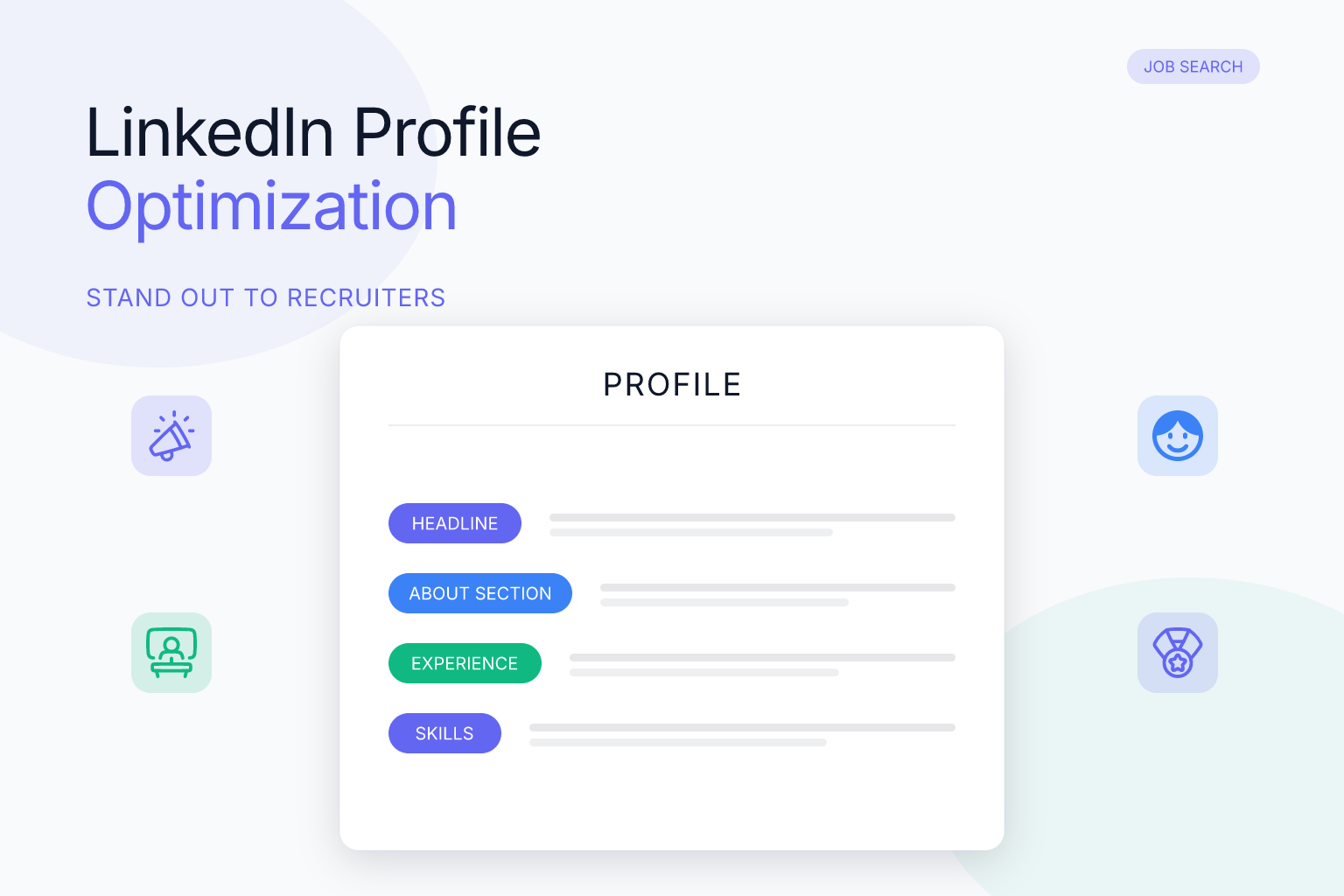
LinkedIn Profile Optimization for Job Search 2026: A Complete Guide
LinkedIn profile optimization for job search 2026 is no longer optional — it’s the single most important step you can take to get noticed by recruiters and hiring managers. With over 1 billion users on the platform, your profile is competing against millions of other professionals. But a fully optimized profile doesn’t just help you stand out; it actively pulls opportunities toward you through LinkedIn’s search algorithm, recruiter tools, and networking features. This guide walks you through every section of your profile, showing you exactly what to update, why it matters, and how long it takes — so you can turn your LinkedIn presence into a job-offer magnet.
| What to Do | Why It Matters | Time |
|---|---|---|
| Rewrite your headline with target job title and 2–3 key skills | Recruiters search by job title and skills; a keyword-rich headline puts you at the top of their results | 15 minutes |
| Transform your About section into a compelling career story | The first 3 lines determine whether someone clicks “see more”; a strong summary hooks readers and showcases your value | 30–45 minutes |
| Add measurable achievements to every experience entry | Numbers and results prove your impact, not just your responsibilities | 20–30 minutes per role |
| Curate your skills list and get endorsements | LinkedIn’s algorithm ranks you higher for skills that are endorsed and match recruiter searches | 10 minutes + ongoing |
| Request 3–5 recommendations from managers and peers | Social proof builds trust and can be the tiebreaker between you and another candidate | 15 minutes to request; follow up over a week |
Why LinkedIn Profile Optimization for Job Search 2026 Is Non-Negotiable
LinkedIn is where recruiters go first. According to LinkedIn’s own data, 87% of recruiters use the platform regularly to source candidates, and profiles with a professional photo get 14 times more profile views. But in 2026, simply having a profile isn’t enough. The platform’s search algorithm has become more sophisticated, prioritizing profiles that are complete, active, and keyword-optimized. If your profile is missing key sections or uses vague language, you’re invisible to the very people you want to reach.
Recruiters use LinkedIn Recruiter to search for candidates by job title, skills, location, and industry. They also filter by “open to work” signals and activity level. A profile that’s fully filled out — with a custom headline, detailed About section, skills, and recent activity — appears higher in those search results. In fact, LinkedIn reports that users with 5 or more skills listed are up to 27 times more likely to be discovered in searches. That’s not a small edge; it’s the difference between getting a message from a recruiter and being passed over.
Beyond search visibility, your profile serves as your digital first impression. When a recruiter sees your application, they’ll almost certainly look you up on LinkedIn. If your profile is sparse, outdated, or inconsistent with your resume, you lose credibility instantly. On the flip side, a polished, story-driven profile reinforces your application and can even compensate for a less-than-perfect resume. So let’s break down exactly how to optimize each section.
Craft a Headline That Gets You Found (and Clicked)
Your headline is the first thing people see after your name. It appears in search results, connection requests, and at the top of your profile. The default headline is your current job title, but that’s a wasted opportunity. Instead, treat your headline like a mini-pitch: include your target job title, 2–3 core skills, and a hint of your value proposition.
For example, instead of “Marketing Manager,” write: “Marketing Manager | Content Strategy & SEO | Driving 3x Organic Growth for B2B SaaS.” This tells recruiters exactly what you do and what you’ve achieved. If you’re unemployed or switching careers, don’t use “Unemployed” or “Seeking Opportunities.” Instead, use a headline that reflects the role you want: “Aspiring Data Analyst | SQL, Python, Tableau | Turning Complex Data into Actionable Insights.” For more examples, check out our guide on LinkedIn headline examples for unemployed job seekers.
Key tips for 2026:
- Use the 220-character limit fully, but front-load the most important keywords (job title and top skills) because only the first 80–100 characters show in most views.
- Avoid buzzwords like “guru,” “ninja,” or “passionate” — they don’t help with search and can sound dated.
- If you’re targeting a specific industry, include that industry term (e.g., “FinTech,” “HealthTech”).
- Update your headline whenever your job search focus shifts. A static headline can cost you relevant views.
Write an About Section That Sells Your Story
The About section (formerly Summary) is your chance to tell a compelling career story. Recruiters see the first 3 lines before they have to click “see more,” so those lines must hook them immediately. Don’t start with “I am a dedicated professional with X years of experience.” Instead, lead with a problem you solve, a result you’ve delivered, or a unique perspective you bring.
Structure your About section in 4 parts:
- Hook (1–2 sentences): State your professional identity and the value you create. Example: “I help SaaS companies turn underperforming blogs into organic traffic engines that generate qualified leads.”
- Your expertise (2–3 sentences): List your key skills, industries, and the types of challenges you tackle. Use bullet points or short paragraphs for readability.
- Proof points (2–3 sentences): Mention 1–2 measurable achievements. “At Company X, I grew organic traffic by 210% in 12 months, resulting in a 40% increase in demo requests.”
- Call to action (1 sentence): Tell readers what you’re looking for and how to reach you. “I’m open to senior content strategy roles at B2B tech companies. Let’s connect: [email] or DM me here.”
For dozens of real-world examples you can adapt, see our post on LinkedIn About section summary examples for job seekers.
2026 optimization tips:
- Weave in keywords naturally — job titles, skills, tools, certifications — because LinkedIn’s search indexes the About section.
- Keep paragraphs short (2–3 lines max) for mobile readers. Over 60% of LinkedIn traffic is mobile.
- Use first-person (“I”) to sound authentic, not third-person.
- Add a line about being “open to work” if you’re actively searching, but avoid the green #OpenToWork banner if you’re concerned about perception (you can set it to be visible only to recruiters).
Optimize Your Experience Section for Keywords and Impact
Your experience section isn’t just a list of past jobs — it’s a keyword-rich portfolio of your career. Recruiters search for specific job titles, companies, and skills, so make sure each entry is complete and packed with relevant terms.
For each position, include:
- Job title: Use the standard industry title, even if your official title was quirky. If you were a “Customer Happiness Hero,” list it as “Customer Success Manager (Customer Happiness Hero)” to capture both.
- Company name and description: Add a 1–2 sentence description of what the company does, especially if it’s not a household name. This gives context to your achievements.
- Employment dates: Month and year. Gaps are fine; don’t try to hide them.
- Description: Use bullet points, not paragraphs. Each bullet should start with a strong action verb and include a measurable result when possible.
Bullet point formula: Action Verb + Task + Result (with numbers). Example: “Redesigned the onboarding email sequence, increasing trial-to-paid conversion by 18% in 3 months.”
Common mistakes to avoid:
- Writing a job description instead of your accomplishments. Recruiters know what a marketing manager does; they want to know what you achieved.
- Using vague language like “responsible for” or “helped with.” Be specific.
- Leaving out numbers. Even estimates are better than nothing. “Managed a team of 5” is stronger than “Managed a team.”
If you’re struggling to quantify your impact, think about scale (how many customers, how much revenue), frequency (how often you did something), and comparisons (before vs. after).
Skills and Endorsements: The Algorithm’s Secret Weapon
LinkedIn allows up to 50 skills, and the ones you list directly influence where you appear in recruiter searches. But not all skills are equal. The platform prioritizes skills that are endorsed by your connections and that match the keywords recruiters use.
How to choose the right skills:
- Start with the top 3 skills that appear in job descriptions for your target role. If you’re aiming for a project manager role, those might be “Project Management,” “Agile Methodologies,” and “Stakeholder Management.”
- Add technical skills (software, programming languages, tools) and soft skills (leadership, communication) — but prioritize hard skills because recruiters search for them more often.
- Reorder your top 3 skills to appear first; these are the ones that show up on your profile preview.
Endorsements matter more than you think. LinkedIn’s algorithm gives extra weight to skills with 10+ endorsements. To get them:
- Endorse your connections’ skills first; many will reciprocate.
- Politely ask colleagues, managers, and clients to endorse you for specific skills. A quick message like “If you have a moment, I’d appreciate an endorsement for my Project Management skill on LinkedIn” works well.
- Remove irrelevant endorsements. If someone endorses you for a skill you don’t want to highlight, you can hide it.
Take the skills assessment tests that LinkedIn offers for certain technical skills (e.g., Excel, Python, Photoshop). Passing these adds a “Verified Skill” badge, which can boost your credibility and search ranking.
Leverage Recommendations and Social Proof
Recommendations are written testimonials from people you’ve worked with. They appear on your profile and serve as powerful social proof. A profile with 3–5 strong recommendations can be the deciding factor when a recruiter is comparing you to another candidate.
Who to ask:
- Former managers or supervisors (most impactful)
- Colleagues or teammates who can speak to your collaboration and skills
- Clients or vendors if you’re in a client-facing role
- Professors or mentors if you’re early in your career
How to request a recommendation that actually helps:
- Personalize your message. Remind them of a specific project you worked on together and what you’d like them to highlight.
- Make it easy. You can even draft a few bullet points they can use as a starting point.
- Offer to reciprocate. Writing a recommendation for them can strengthen your relationship and prompt them to write one for you.
What a good recommendation includes:
- Your relationship to the person (e.g., “I managed Sarah for 2 years at Acme Corp”)
- Specific skills or traits they observed (e.g., “Her ability to turn complex data into clear presentations”)
- A concrete result or anecdote (e.g., “She led a project that saved the company $200K annually”)
Aim for at least one recommendation for each role you’ve held in the past 5 years. If you’re a recent graduate, a recommendation from a professor or internship supervisor can fill the gap.
Use the Featured Section to Showcase Your Best Work
The Featured section sits right below your About section and is prime real estate. You can add posts, articles, links, and media. Use it to direct attention to the things that prove your expertise.
What to feature:
- A link to your portfolio, personal website, or GitHub
- A case study or project write-up you’ve published
- A presentation or slide deck you’ve delivered
- A video introduction or a clip of you speaking at an event
- A link to your optimized resume (you can upload a PDF or link to a Google Doc)
Pro tip: If you’ve written any LinkedIn articles or posts that performed well, feature them. This shows you’re active and knowledgeable. If you don’t have any yet, write a short article about a trend in your industry or a lesson you learned from a project. It doesn’t need to be long — 500 words is plenty.
How to add items:
- Click “Add profile section” → “Recommended” → “Add featured”
- Choose the type of content (post, article, link, or media)
- Write a short, descriptive title for each item so viewers know what they’re clicking on
Stay Active: Posting, Engaging, and Networking in 2026
A static profile is a dead profile. LinkedIn’s algorithm favors users who post, comment, and engage regularly. Activity signals that you’re an active professional, and it keeps you visible in your network’s feeds.
What to post:
- Share industry news with your take (1–2 sentences of commentary)
- Write about a challenge you solved at work (anonymize if needed)
- Celebrate a colleague’s achievement or share a lesson from a recent project
- Repost a company’s job opening if it’s relevant to your network
How often to post: Aim for 2–3 times per week. Consistency matters more than frequency. A post every Tuesday and Thursday is better than five posts one week and none the next.
Engagement that counts:
- Comment thoughtfully on posts from people in your target industry. A few sentences that add value can get you noticed by their network.
- Send personalized connection requests to recruiters, hiring managers, and peers. Always include a note: “Hi [Name], I’m a [your role] exploring opportunities in [industry]. I’d love to connect and learn from your experience.”
- Join LinkedIn groups related to your field and participate in discussions. This can surface your profile to group members and recruiters who monitor those groups.
The “Open to Work” feature: You can signal to recruiters that you’re open to opportunities without broadcasting it to your entire network. Go to your profile, click “Open to,” and select “Finding a new job.” Choose job titles, locations, and start date preferences. Then select “Recruiters only” so only people using LinkedIn Recruiter can see the signal. This keeps your job search discreet while still getting you in front of the right people.
Turn Your Optimized LinkedIn Profile into a Job-Winning Resume
Once your LinkedIn profile is fully optimized, you’ve already done 80% of the work for your resume. The two should be consistent — same job titles, dates, and achievements. Inconsistencies can raise red flags during background checks or recruiter reviews.
ResumeMate’s free tool lets you import your LinkedIn profile and turn it into a clean, ATS-friendly resume in minutes. It pulls your experience, education, and skills directly from LinkedIn, so you don’t have to retype everything. Then you can use the AI resume builder to choose a template, tweak the content, and export a PDF that’s ready to submit.
Before you apply anywhere, run your resume through the free resume score checker. It analyzes your resume for ATS compatibility, keyword relevance, and section completeness — giving you a score and actionable feedback. This extra step can mean the difference between your resume being seen or filtered out.
Frequently Asked Questions
Q: How long does it take to fully optimize a LinkedIn profile?
A: A complete optimization — headline, About section, experience bullets, skills, and recommendations — can take 2–4 hours if you’re starting from scratch. But you can break it into smaller chunks: 15 minutes for the headline, 30 minutes for the About section, and so on. The key is to update it once and then maintain it with minor tweaks as your job search evolves.
Q: Do I need a premium LinkedIn account to get noticed by recruiters?
A: No. A free account is enough to appear in recruiter searches if your profile is fully optimized. Premium features like InMail and seeing who viewed your profile can be helpful, but they won’t compensate for a weak profile. Focus on optimizing your free profile first, then consider Premium if you want to reach out to recruiters directly.
Q: Should I use the #OpenToWork photo frame?
A: It’s a personal choice. The green frame can increase visibility and signal to recruiters that you’re actively looking, but some hiring managers may perceive it as desperate. A safer approach is to use the “Open to Work” setting visible only to recruiters, which still puts you in their candidate searches without the public banner.
Q: How many skills should I list on my LinkedIn profile?
A: List at least 10–15 skills, but you can go up to 50. Focus on the skills that are most relevant to your target role and that recruiters are likely to search for. Having more skills doesn’t hurt, but make sure your top 3 are the most important ones because they appear on your profile preview.
Q: Can I use the same content from my LinkedIn profile on my resume?
A: Yes, and you should. Consistency between your LinkedIn and resume builds trust. However, your resume should be tailored to each job application, while your LinkedIn profile can be broader. Use your LinkedIn as the master version and customize your resume for each role using a tool like ResumeMate’s AI builder.
Q: How often should I update my LinkedIn profile?
A: Review your profile every quarter, even if you’re not job searching. Update your headline if your focus shifts, add new skills or certifications, and refresh your About section if you’ve taken on new responsibilities. Regular updates signal to the algorithm that you’re an active user, which can improve your visibility.
Related articles:
Track Every Application While You Job Hunt
Stop losing track of where you’ve applied. The ResumeMate Job Tracker is a free Chrome extension that tracks every application, deadline, and follow-up in one place — right from your browser.
