
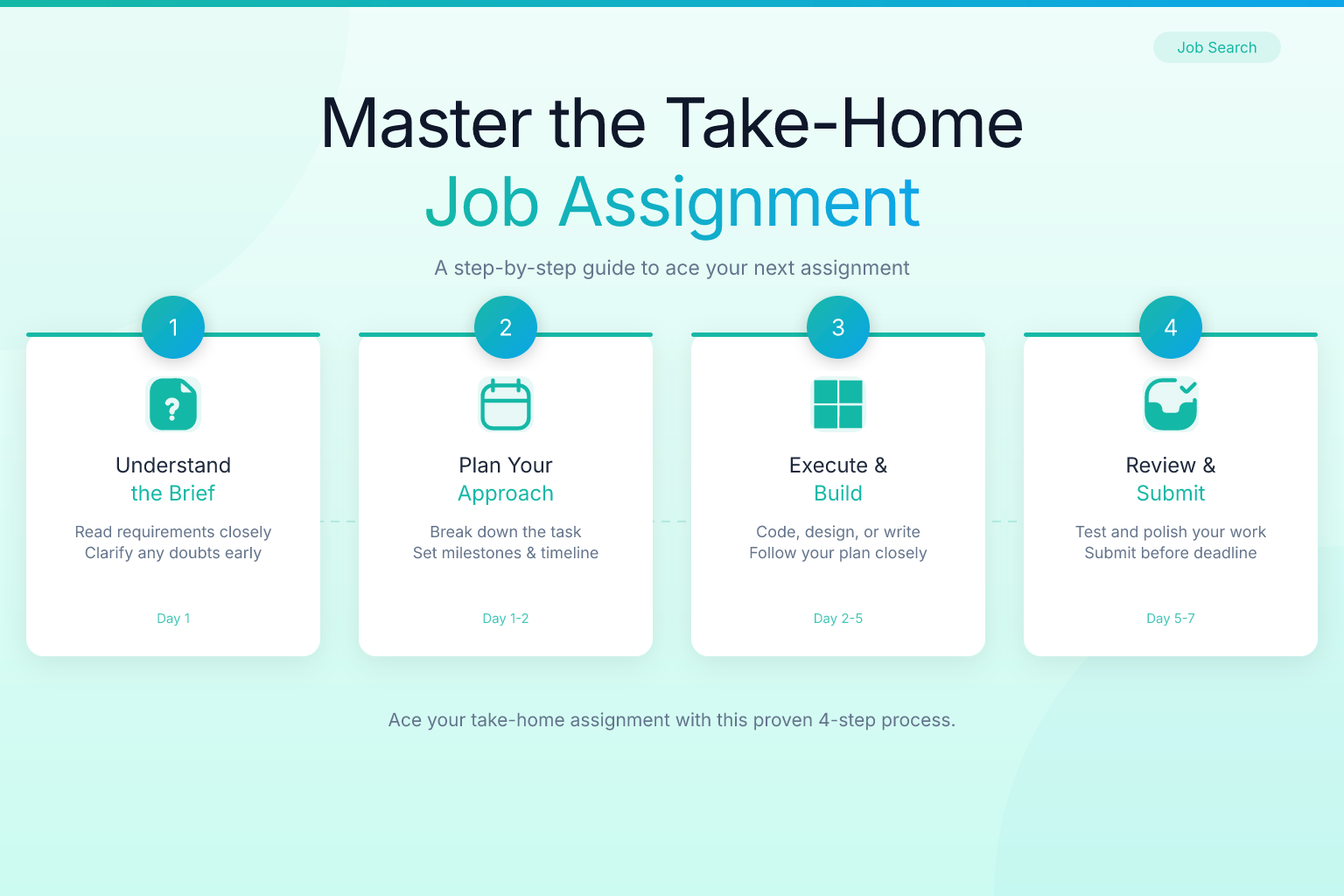
How to Prepare for a Take-Home Job Assignment
A take-home job assignment is your chance to show a hiring team how you think, solve problems, and deliver real work — not just how you answer interview questions. Unlike a live coding test or a panel interview, a take-home project gives you time and space to produce your best work. But that same freedom can backfire if you don’t prepare properly. This guide walks you through exactly how to plan, execute, and present a take-home assignment that moves you to the next round.
Key Takeaways
- Clarify every requirement and constraint before you start — ask the hiring manager if anything is ambiguous.
- Time-box the project ruthlessly; most employers expect you to spend 3–8 hours, not an entire weekend.
- Structure your deliverable so a reviewer can assess your work in under 10 minutes, with a clear summary, well-organized code or document, and a brief walkthrough.
- Align your approach with the company’s actual problems and the role’s responsibilities to show you understand the business, not just the task.
- Always include a short retrospective or “next steps” section to demonstrate self-awareness and a growth mindset.
Summary Table: What to Do, Why It Matters, and How Long to Spend
| What to Do | Why It Matters | Suggested Time |
|---|---|---|
| Read the brief 3 times and list all explicit and implicit requirements | Prevents you from missing a key deliverable that could disqualify you | 15–30 minutes |
| Research the company’s product, recent news, and the team’s challenges | Shows you can connect the assignment to real business impact | 30–60 minutes |
| Outline your solution and get feedback early if possible | Catches misalignment before you invest hours in the wrong direction | 20–30 minutes |
| Build the core deliverable, then iterate | Ensures you have a complete submission even if you run out of time | 60–70% of total time |
| Polish, test, and prepare a walkthrough | A clean, well-explained submission stands out among rushed work | 20–30% of total time |
1. Decode the Brief Before You Write a Single Line
Most candidates jump straight into building. That’s a mistake. The first hour of a take-home assignment should be spent understanding exactly what’s being asked — and what’s not.
Start by reading the brief three times. On the first pass, absorb the big picture. On the second, highlight every explicit requirement: format, length, tools, submission method, and deadline. On the third, look for what’s implied. If the assignment asks you to “analyze a dataset and present findings,” does that mean a slide deck, a written report, or both? If it says “build a small web app,” does it expect tests, documentation, or deployment?
List every question that comes up. Then decide which ones you can answer yourself and which require clarification from the hiring team. Most employers would rather you ask a smart question early than submit something that misses the mark. A short, polite email that says, “I want to make sure I’m solving the right problem — could you confirm whether you’d like the analysis delivered as a slide deck or a written memo?” shows initiative, not weakness.
If the brief includes a dataset or a codebase, spend time exploring it before you start. Look for quirks, missing values, or outdated dependencies. The sooner you spot a problem, the more time you have to address it — or to ask whether it’s intentional.
2. Plan Your Time and Set Hard Deadlines
Take-home assignments often come with a suggested time frame, like “should take 4–6 hours.” Treat that as a hard limit. Employers use it to gauge how you prioritize and whether you can deliver a solid result without over-engineering.
Break the total time into blocks:
- Research and planning: 10–15% of total time
- Core work: 50–60%
- Testing, polishing, and documentation: 20–25%
- Buffer: 5–10% for unexpected issues
If the assignment is open-ended, define your own scope. Write a one-paragraph scope statement: “I will build a REST API with two endpoints, include unit tests, and provide a README with setup instructions. I will not implement authentication or a frontend.” This keeps you from spiraling into nice-to-have features that eat up hours.
Use a timer. When the core-work block ends, stop adding features and move to polish. A complete, well-tested submission beats an ambitious, half-finished one every time.
3. Research the Company and the Role — Then Connect the Dots
A take-home assignment isn’t just about technical skill. It’s a test of whether you understand the business context. Before you start building, spend 30 minutes researching:
- The company’s product and recent launches
- The team you’d join (check LinkedIn, the company blog, or the job description)
- The problems the role is meant to solve
Then, as you work, look for ways to tie your solution back to that context. If you’re applying to a fintech startup and the assignment asks you to design a data pipeline, mention how your design would handle real-time transaction data or regulatory requirements. If you’re doing a marketing assignment for a B2B SaaS company, frame your campaign around lead generation metrics they care about.
This is also the moment to revisit the job description. The same keywords and priorities that appear there should show up in your deliverable. If the role emphasizes “scalability” or “cross-functional collaboration,” make sure your write-up addresses those themes. For more on aligning your materials with a job description, see our guide on how to tailor a resume to a job description for ATS success.
4. Structure Your Deliverable for a Busy Reviewer
Hiring managers review take-home assignments in 10–15 minutes. If they can’t find your best work quickly, they’ll move on. Structure your submission so the most important information hits them first.
For a written report or slide deck:
- Executive summary (1 paragraph or slide): What you did, why, and the key result.
- Approach and assumptions: What choices you made and why.
- Results: Data, screenshots, or code snippets that prove your work.
- Limitations and next steps: What you’d improve with more time.
For a code project:
- A README that explains the problem, your solution, how to run it, and trade-offs.
- Clean, commented code with consistent formatting.
- Tests that demonstrate correctness.
- A short video walkthrough (optional but powerful).
If the assignment asks for a presentation, design slides that tell a story. Start with the problem, walk through your process, and end with the impact. Avoid walls of text — use visuals, charts, and bullet points.
5. Test, Polish, and Get a Second Pair of Eyes
You’ve built the thing. Now make it bulletproof.
For code assignments:
- Run your code on a fresh environment to catch missing dependencies.
- Write edge-case tests. If the brief mentions a CSV file, test with an empty file, a malformed row, and a huge file.
- Check for security basics: no hardcoded keys, no SQL injection risks.
For written assignments:
- Read it aloud to catch awkward phrasing.
- Run a spell-check and grammar check.
- Verify every claim with a source or a logical argument.
Then, if you can, ask a friend or mentor to review it. A fresh set of eyes will spot gaps you’ve become blind to. Even a 15-minute review can catch a missing requirement or an unclear explanation.
6. Prepare a Walkthrough (Even If They Don’t Ask for One)
Many companies will ask you to present your work in a follow-up interview. Even if they don’t, including a short walkthrough — a 3–5 minute video or a well-structured README — makes your submission stand out.
Your walkthrough should answer three questions:
- What problem did you solve?
- How did you approach it?
- What would you do differently with more time?
Record your screen and narrate as you click through your deliverable. Keep it casual but professional. You don’t need a script, but you should practice once so you don’t ramble. Upload the video as an unlisted YouTube link or a Loom and include it in your submission email.
This small extra step shows confidence and communication skills — two things every hiring manager values.
7. Avoid Common Pitfalls That Sink Good Work
Even strong candidates sabotage their take-home assignments with avoidable mistakes. Here are the most common ones and how to dodge them.
Over-delivering. Adding extra features or a 20-page report when the brief asked for a 2-page memo signals poor judgment. Respect the scope.
Ignoring the format. If they ask for a PDF, don’t send a Google Doc link that requires permissions. If they ask for a GitHub repo, don’t send a zip file. Follow instructions exactly.
Skipping the “why.” A solution without explanation is just a black box. Always include your reasoning, assumptions, and trade-offs.
Submitting late. A take-home assignment is a test of reliability. If you need an extension, ask at least 24 hours before the deadline — not after.
Forgetting to connect to the role. Your work should make it obvious why you’re the right person for this specific job. Reference the company’s tech stack, customer base, or mission where relevant.
8. Follow Up After Submission
Once you’ve submitted, send a brief thank-you email. Reiterate your interest in the role and offer to walk through your work if they’d find it helpful. This keeps the conversation moving and shows professionalism. For more on crafting effective follow-ups, see our guide on how to follow up after a job interview.
If you don’t hear back within the timeline they gave, wait a few extra days, then send a polite follow-up. Something like: “Hi [Name], I wanted to check in on the take-home assignment I submitted on [date]. I’m still very interested in the role and happy to provide any additional context. Thanks again for the opportunity.”
While you wait, update your resume with the skills you demonstrated. If you built a project, add it to your portfolio. The free ResumeMate AI resume builder can help you quickly incorporate new accomplishments and tailor your resume for future applications.
Frequently Asked Questions
Q: How long should I spend on a take-home assignment?
A: Most employers suggest 3–8 hours. If no time frame is given, cap yourself at 8 hours. Spending an entire weekend rarely leads to a proportionally better result and can signal poor time management.
Q: Is it okay to ask clarifying questions about the assignment?
A: Yes — and you should. Asking one or two focused questions shows you’re thoughtful and want to solve the right problem. Avoid asking questions that are already answered in the brief.
Q: What if I can’t finish the entire assignment?
A: Submit what you have, along with a clear explanation of what’s missing and how you’d complete it. A well-executed partial submission with honest reflection often beats a rushed, sloppy “complete” one.
Q: Should I include tests in a coding take-home?
A: Almost always yes. Tests prove your code works and show you care about quality. Even a few unit tests for critical functions make a strong impression.
Q: How do I present a take-home assignment in a follow-up interview?
A: Prepare a 5–10 minute walkthrough that covers the problem, your approach, key decisions, and results. Practice once, and be ready to answer questions about trade-offs and what you’d improve.
Q: Can I use AI tools like ChatGPT to help with the assignment?
A: Many employers are fine with AI assistance as long as you disclose it and can explain every line of code or every argument. Using AI to generate a solution you don’t understand will backfire in the review discussion. Check the company’s policy if it’s not stated.
Q: What if the assignment seems unrelated to the job?
A: Look for the underlying skills being tested — problem-solving, communication, data analysis, or system design. Frame your submission to highlight those skills, and in your write-up, connect the task back to the role’s actual responsibilities.
Track Every Application While You Job Hunt
Stop losing track of where you’ve applied. The ResumeMate Job Tracker is a free Chrome extension that tracks every application, deadline, and follow-up in one place — right from your browser.
