
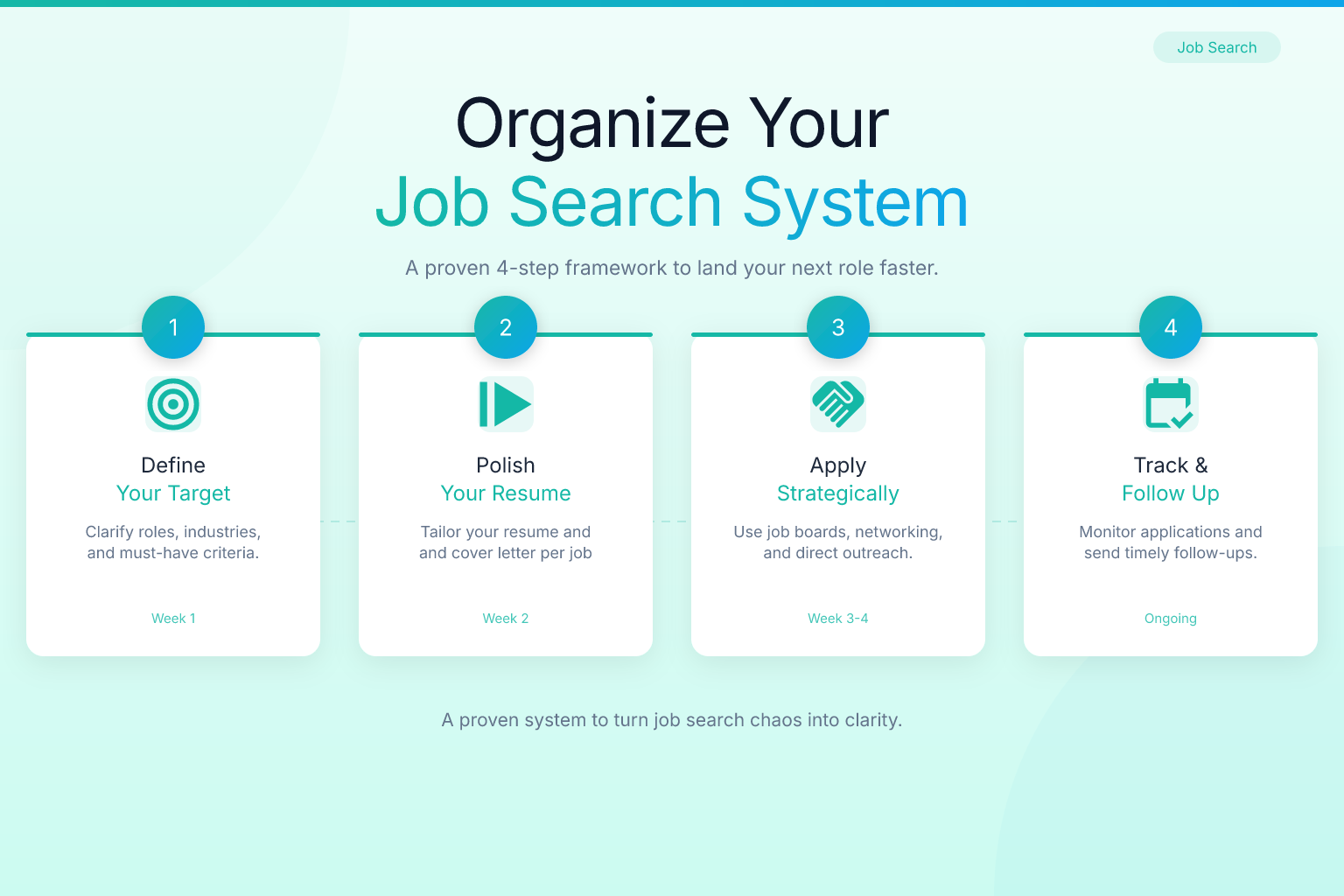
Organize Your Job Search: A Step-by-Step System That Works
If you want to organize your job search without losing track of applications, deadlines, and follow-ups, you need a system that works as hard as you do. Most job seekers start with good intentions — a few saved jobs, a half-filled spreadsheet, maybe a folder of bookmarks — but within weeks, the process turns into chaos. A structured approach reduces stress and directly increases your chances of landing interviews because you can respond faster, tailor your materials better, and never let an opportunity slip through the cracks.
Key Takeaways
- A central tracking system — whether a spreadsheet, a dedicated app, or a free Chrome extension — is the single most important tool for organizing your job search.
- Blocking time on your calendar for job search activities and treating the hunt like a part-time job prevents procrastination and burnout.
- Keeping a master list of target companies and roles helps you prioritize outreach and avoid spraying applications randomly.
- Organizing your resume versions and cover letters by job type makes tailoring faster and reduces errors.
- Reviewing your progress weekly lets you spot what’s working, drop dead-end leads, and adjust your strategy before weeks slip by.
| What to Do | Why It Matters | Time |
|---|---|---|
| Create a single application tracker | Stops duplicate applications and missed follow-ups | 30 minutes to set up |
| Build a target company list | Focuses your energy on roles that fit your goals | 1 hour initially, then 15 minutes/week |
| Schedule job search blocks | Protects your time and keeps momentum | 5 minutes to block your calendar |
| Version-control your resumes | Ensures you always send the right document | 10 minutes per job type |
| Audit your progress weekly | Reveals what’s working and what to change | 30 minutes every Friday |
Why You Need a System Before You Apply
A scattered job search wastes your most valuable resource: time. Without a system, you’ll double-apply, forget follow-ups, or miss deadlines. Recruiters notice disorganization — a candidate who can’t remember which role they applied for loses credibility fast. Beyond chaos, disorganization skews your data. You can’t tell which industries respond, which resume versions get interviews, or how long your cycle takes. A structured job search turns a guessing game into a repeatable process you can improve every week. Treat your job hunt as a project, not a series of random tasks.
Build a Central Tracking System for Every Application
Your tracker is the single place where every application lives. It can be a spreadsheet, a dedicated app, or a browser extension — but it must be one place, not scattered across sticky notes and bookmarks.
Spreadsheet or Extension?
A spreadsheet gives you total control. Create columns for company, role, date applied, status, contact info, follow-up dates, resume version, and notes. Use conditional formatting to highlight overdue follow-ups. But manual entry is tedious, and many job seekers abandon spreadsheets within two weeks. A browser extension that captures job details automatically saves hours. The ResumeMate Job Tracker logs the company, role, date, and link as you apply, then organizes everything in a dashboard with status tracking and follow-up reminders — free and synced across sessions.
The Application-to-Follow-Up Workflow
- Log the application immediately. Record the date, role, company, and resume version. With an extension, this step is automatic.
- Set a follow-up reminder for 5–7 business days later. If no response, send a polite check-in email.
- Update the status after every interaction. Phone screen, interview, offer — note it all.
- Close out dead leads. Mark rejections or three-week silences as closed so your active pipeline stays clean.
This workflow keeps you from applying to 50 jobs and forgetting which are alive. You’ll know exactly how many active applications you have and what action to take today.
Prioritize with a Target Company List
Before you fire off applications, define where you actually want to work. A target list prevents the “spray and pray” approach that burns you out.
- Identify 20–30 companies that align with your values, industry, and location. Mix reach companies, solid fits, and safe bets.
- Research each company’s career page and note matching roles. Join talent communities for future openings.
- Find internal contacts on LinkedIn. A warm referral multiplies your chances. Note names to mention in applications.
- Prioritize into three tiers: Tier 1 (dream roles, apply immediately), Tier 2 (strong fits, apply within a week), Tier 3 (backups, apply as time allows).
Store this list in your tracker. When a new role opens at a Tier 1 company, you’ll spot it instantly.
Schedule Your Job Search Like a Work Project
Treating your job search as something you do “when you have time” guarantees it will get pushed aside. Block dedicated time on your calendar and protect it like a meeting with your boss.
A Sample Weekly Schedule
- Monday, 9–11 AM: Research and add new roles to your target list.
- Tuesday, 10 AM–12 PM: Tailor resumes and cover letters. Use a free ATS resume checker to ensure each version passes automated screens.
- Wednesday, 2–3 PM: Submit applications and log them.
- Thursday, 11 AM–12 PM: Networking — LinkedIn connections, follow-ups, informational interviews.
- Friday, 3–3:30 PM: Weekly review. Update statuses, send follow-ups, plan next week.
Even 90 minutes a day, five days a week, adds up to 7.5 hours of focused job search activity. During these blocks, close social media and silence your phone. Guard the time fiercely.
Organize Your Resume and Cover Letter Versions
Sending the same generic resume to every job is a fast track to rejection. But creating a brand-new document for each application is unsustainable. Maintain a set of base resumes tailored to different job types, then customize per application.
- Create 2–4 base resumes for the distinct roles you’re targeting (e.g., content marketing, product marketing, analytics).
- Name your files clearly. Use a consistent format like
Resume_ContentMarketing_YourName_2026.pdf. Avoid vague names. (Read our guide on how to name your resume file for ATS and recruiters.) - Store cover letter templates alongside each base resume. Customize in 10 minutes by swapping the company name, role, and one specific paragraph.
- Use a resume builder that saves your versions. With ResumeMate’s free resume builder, you can create and store multiple resumes, then export clean, ATS-safe PDFs in one click.
When you tailor a resume for a specific job, save it with the company name in the file and log which version you used in your tracker. Maintain one “master resume” with every role and achievement — pull relevant bullets from it instead of rewriting from memory.
Automate and Streamline with Technology
A few well-chosen tools cut your administrative work in half.
- Job alerts: Set up email alerts on LinkedIn, Indeed, and niche boards, but route them to a dedicated folder. Review only during research blocks.
- Browser extension: The ResumeMate Job Tracker automatically logs applications from job boards and company career pages, eliminating manual data entry.
- ATS score checkers: Before submitting, run your tailored resume through a checker. ResumeMate’s free score checker gives a section-by-section breakdown and actionable fixes in under a minute.
- Calendar and task management: Use Google Calendar or Outlook to block job search time, and a simple to-do list for weekly action items.
Review and Adjust Your Strategy Weekly
An organized job search isn’t static. A 30-minute Friday audit keeps you agile and protects your mental health by giving you a sense of progress.
Your Friday Audit Checklist
- Update all application statuses. Move rejected or stale applications to a “closed” tab.
- Count your metrics. Applications submitted, responses, interviews scheduled. Track trends.
- Identify best-performing channels. Are referrals, LinkedIn Easy Apply, or company websites yielding more interviews? Double down on what works.
- Review resume performance. If a base resume isn’t generating callbacks, use the ATS score checker to diagnose issues or compare it against target job descriptions.
- Plan next week’s priorities. Decide which applications need follow-ups, which new roles to target, and how much time to allocate to networking versus applying.
When to Pivot
If you’ve submitted 30+ applications with zero interview requests, something is off. Common culprits: your resume isn’t passing ATS screens (run it through a checker and learn how to tailor it to job descriptions), you’re applying to roles you’re underqualified for, or your applications are too generic. Data from your tracker will tell you which problem to solve. Rejections become diagnostic tools — log them, note any feedback, and adjust. For more on handling rejection constructively, read our guide on how to handle job rejection and ask for feedback.
FAQ
Q: How do I organize my job search from scratch?
A: Start with a single tracking system — a spreadsheet or the free ResumeMate Job Tracker extension. Build a target list of 20–30 companies, block dedicated time on your calendar, and version-control your resumes by job type. Log every application and review your progress weekly.
Q: How do I organize a job search spreadsheet?
A: Create columns for company name, job title, date applied, status, contact info, follow-up dates, resume version, and notes. Use conditional formatting to highlight overdue follow-ups. Keep the spreadsheet in the cloud and update it immediately after every application.
Q: What’s the best way to organize job applications according to Reddit users?
A: Many Reddit users recommend a combination of a spreadsheet for detailed tracking and a browser extension for automatic logging. Popular advice includes using a Kanban board view, setting calendar reminders for follow-ups, and keeping a separate folder for each company. Consistency matters more than complexity.
Q: How do I organize my job search when I’m targeting multiple industries?
A: Create separate base resumes for each industry, and label applications by industry in your tracker. During weekly reviews, compare response rates across industries to decide where to focus. Maintain separate target company lists for each industry to keep research organized.
Q: How do I organize job applications when I’m applying to 10+ jobs a day?
A: High-volume applying demands automation. Use a browser extension that logs applications automatically, and set aside a specific time block each day for submissions. After the block, spend 10 minutes updating manual entries and setting follow-up reminders to avoid errors like duplicate applications.
Related articles:
Track Every Application While You Job Hunt
Stop losing track of where you’ve applied. The ResumeMate Job Tracker is a free Chrome extension that tracks every application, deadline, and follow-up in one place — right from your browser.
