
Academic Projects on Resume: 2026 Examples & Tips for Students and Career Changers
Including projects on resume student is a powerful way for students and career changers to demonstrate skills, initiative, and relevant experience when professional work history is limited. Well-presented projects can showcase your practical knowledge and problem-solving capabilities in 2025 job markets.
| What to Do (Short Checklist) |
|---|
| List relevant academic, personal, or freelance projects |
| Highlight your role, skills demonstrated, and outcomes |
| Use measurable results or achievements wherever possible |
| Tailor projects to match job descriptions or industries |
| Format clearly for ATS and recruiter readability |
Who This Guide Is For
This guide supports students, self-taught learners, recent graduates, and professionals transitioning careers who want to leverage project experience to bolster their resumes. Whether you lack formal work history or want to highlight hands-on skills, these examples and tips are tailored for you.
If you’re a bootcamp graduate, a career pivoter with no direct industry experience, or a student with only part-time jobs, projects can be the centerpiece of your resume. Even experienced professionals can use a projects section to showcase side work that aligns with a new target role. The strategies here work for anyone who needs to prove they can do the job before they’ve held the title.
Projects on a Resume (Student & Career-Change Examples) — Definition & Purpose
Projects on a resume refer to detailed descriptions of specific tasks or initiatives you have managed or contributed to, highlighting applied skills, results, and learning. They provide evidence of abilities in real-world or simulated contexts, making them especially valuable for those with limited professional experience.
Unlike a job where you list responsibilities, a project entry tells a story of a discrete piece of work you owned or contributed to. It can be an academic assignment, a freelance gig, a personal coding project, a volunteer initiative, or a capstone. The key is that it demonstrates skills in action — exactly what employers want to see when traditional work history is thin.
Academic projects vs. personal projects: Academic projects are completed as part of a course, degree, or bootcamp and often have a structured scope and grading criteria. Personal projects are self-initiated and show initiative and passion. Both are valid; the difference is in how you frame them. Academic projects can be labeled with the course name or institution, while personal projects should be labeled as “Personal Project” or “Self-Directed Learning.” For high school students, academic projects and awards often go hand-in-hand — see our guide on awards to put on a resume for high school students for complementary ideas.
Best-Practice Rules (Do / Don’t)
Before diving into examples, internalize these do’s and don’ts. They’ll keep your project section focused and recruiter-friendly.
| Do | Don’t |
|---|---|
| Select projects that showcase relevant skills | Include unrelated projects without explanation |
| Use action verbs and quantify impact | Use vague descriptions like “worked on project” |
| Describe your specific role and contributions | List projects just by title with no detail |
| Tailor project descriptions to the job | Overload resume with too many projects |
| Keep formatting simple and ATS-friendly | Use graphics or complex layouts in this section |
Examples by Level & Industry
Below are three project entries written for different scenarios. Notice how each bullet uses a strong action verb, names the tools, and includes a measurable result. Use these as models for your own projects.
Student Example: Software Engineering
Mobile App Development | University Project | Jan 2025 - May 2025
- Led a team of 4 to design and build a cross-platform mobile app using React Native, improving user engagement by 25%.
- Implemented RESTful API integration to streamline data retrieval and enhance app responsiveness.
Career-Changer Example: Marketing
Social Media Campaign | Freelance Project | June 2024 - Aug 2024
- Developed and executed a content strategy for a small business, resulting in a 40% increase in Instagram followers over 3 months.
- Analyzed campaign data using Google Analytics to optimize content posting schedule and engagement.
Data Science
Predictive Analytics Model | Online Course Project | Sept 2024 - Dec 2024
- Built a predictive model using Python and scikit-learn to forecast sales trends with 85% accuracy.
- Presented findings in a detailed report, highlighting actionable insights for business decision-making.
How to Customize Projects to a Job Description
Customizing projects is the single highest-ROI activity you can do before submitting an application. Here’s how to do it in five minutes:
- Analyze the job posting for required skills and tools. Highlight every hard skill (Python, Figma, SQL) and soft skill (leadership, collaboration) mentioned.
- Choose projects that demonstrate those skills clearly. If the job asks for “data visualization,” pick the project where you used Tableau, not the one where you built a website.
- Use keywords and phrases found in the job description where appropriate. If the posting says “cross-functional collaboration,” use that exact phrase if it fits your project.
- Emphasize measurable results and relevant technologies. Swap out generic terms for the specific tools the employer uses.
- Remove or de-emphasize less relevant projects. A resume is a curated document, not an autobiography.
After tailoring, run your resume through a free ATS resume checker to see how well your project section scores and get section-by-section feedback.
How to Add Projects to Your Resume (Step-by-Step)
If you’re wondering how to add projects in resume or how to list projects on a resume, follow this end-to-end process. It works whether you’re starting from scratch or adding a projects section to an existing resume.
Step 1: Choose the Right Projects
Select 2–4 projects that are most relevant to the job you’re targeting. Prioritize projects that:
- Use skills or tools mentioned in the job description
- Have a measurable outcome or clear impact
- You can discuss confidently in an interview
- Are recent (within the last 2–3 years, unless older projects are highly relevant)
If you have many projects, create a master list and pick the best matches for each application. You can swap projects in and out depending on the role.
Step 2: Decide Where to Place the Section
- Students and recent graduates: Place Projects immediately after your Education section. This puts your most relevant experience near the top.
- Career changers with significant work history: Place Projects after your Experience section but before Skills or Certifications. This shows your new direction without burying your past.
- Freelancers or project-based workers: Consider a project-based resume format where projects are the main body, with a brief work history summary below.
Step 3: Format Each Project Entry
Use this consistent structure for every project:
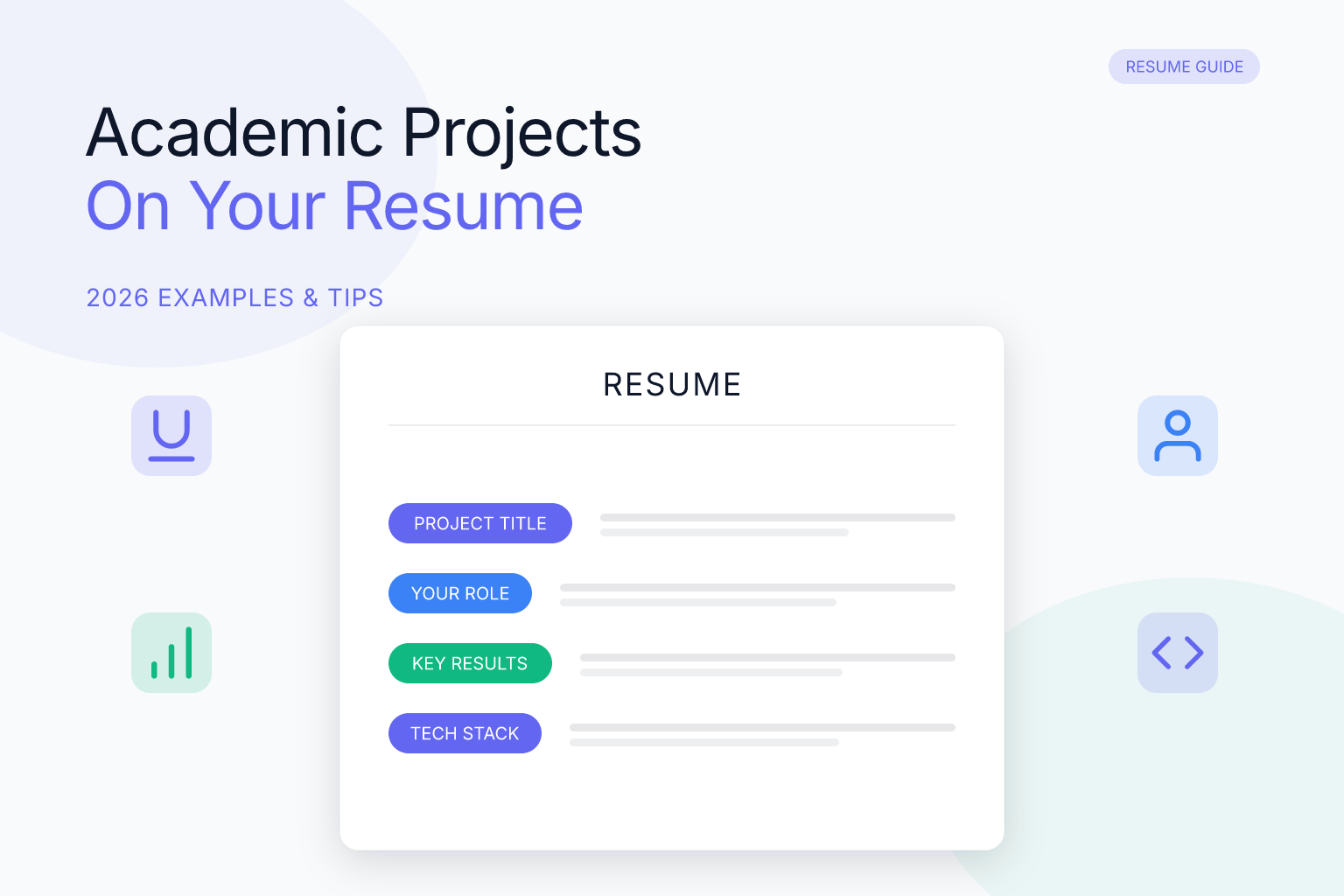
Project Title | Your Role | Date Range
- Bullet 1: Action verb + task + tools + result
- Bullet 2: Additional contribution or outcome (optional)
Keep each bullet to one or two lines. Recruiters scan quickly, so make every word count.
Step 4: Write Strong Bullets
Follow the five-step bullet-writing process in the next section. Use action verbs, name specific tools, and quantify results whenever possible.
Step 5: Tailor and Proofread
Before submitting, check that your project section matches the job description. Remove any project that doesn’t support your candidacy. Proofread for typos and consistency.
Formatting Tips (ATS + Readability)
ATS software parses your resume to extract text and match keywords. A clean, single-column layout with standard headings (like “Projects”) ensures your project section gets read correctly. Avoid embedding project details inside images, text boxes, or complex tables. For a resume that’s guaranteed to be ATS-friendly, use a resume builder that exports clean, single-column PDFs. If you’re unsure which template to choose, our guide on choosing the best resume builder template can help.
- List projects under a separate “Projects” section or integrate into experience if relevant.
- Include project title, role, timeframe, and a brief description.
- Use bullet points starting with strong action verbs.
- Quantify accomplishments when possible (percentages, numbers, time saved).
- Keep the language clear and avoid jargon without explanation.
Checklist & Templates
| Projects Section Checklist |
|---|
| Are projects relevant to the target job? |
| Does each description include role, tools, and outcomes? |
| Are descriptions concise, quantified, and impactful? |
| Is the section formatted simply for easy parsing? |
| Have you tailored projects to reflect job requirements? |
Fill-in-the-Blank Template:
“[Project Title] | [Role] | [Date Range]
- [Action verb] [task or responsibility] using [tools/technologies] resulting in [measurable result or impact].”
Project Title Examples (Good vs. Bad)
Your project title is the first thing a recruiter sees. A good title tells them what the project does and its scope. A bad title forces them to guess. Here are examples of project title in resume and project title in CV that work:
| Bad Title | Good Title |
|---|---|
| Python Project | Customer Churn Prediction Model |
| School Assignment | Inventory Management System for Local Retailer |
| Website | E-commerce Site Redesign (React + Node.js) |
| Data Analysis | Sales Forecasting Dashboard in Tableau |
| Group Project | Mobile App for Campus Event Discovery (Team of 4) |
| Capstone | Machine Learning Model for Fraud Detection |
Rules for naming projects:
- Use a functional, descriptive name that states what the project does.
- Include the main technology or domain if it adds clarity (e.g., “React Native Expense Tracker”).
- Avoid generic words like “Project,” “Assignment,” or “Final.”
- If the project was for a specific client or course, you can add that context in the role or date line, not the title.
FAQ
Q: Should I list projects if I have work experience?
A: Yes, especially if projects showcase skills or achievements not covered in your job history.
Q: How many projects should I include?
A: Typically 2-4 projects that are most relevant and impressive.
Q: Can projects be from coursework or online learning?
A: Absolutely, practical projects from courses or self-study demonstrate applied skills.
Q: Where exactly should the Projects section appear on my resume?
A: For students and recent graduates with limited work history, place Projects immediately after your Education section. For career changers with significant prior experience, place it after your Experience section but before additional skills or certifications.
Q: How do I describe a group project without taking all the credit?
A: Use “I” language for your specific contributions and “we” or “team” language for shared outcomes. For example: “Built the authentication module using Node.js while the team shipped the full app to 500+ beta users.”
Q: Should I include GitHub or live project links?
A: Yes, always. A working link lets a recruiter verify your work in 30 seconds. Make sure the repository has a clear README so a non-technical recruiter can understand what the project does.
Q: What are academic projects on a resume?
A: Academic projects are assignments, capstones, or research work completed as part of a degree or course. They demonstrate applied knowledge in a structured setting and are especially valuable for students and recent graduates who lack professional experience.
Q: How do I list academic projects on my resume?
A: List them under a dedicated “Projects” section with the project title, your role, the course or institution (optional), and 1–2 bullet points describing what you did, the tools used, and the outcome. Treat them exactly like professional projects — focus on skills and results.
Q: What details should I include for each project on my CV?
A: Every project entry should include a clear title, your role (e.g., “Sole Developer” or “Team Lead”), a date range, and bullet points that cover the tools/technologies, your specific actions, and a measurable or qualitative result. Avoid long paragraphs; recruiters scan bullet points.
Q: What is a project-based resume, and when should I use one?
A: A project-based resume organizes your experience around key projects rather than chronological job titles. It’s ideal for freelancers, consultants, career changers, and students who have more relevant project work than traditional employment. You can still include a brief work history section, but the projects take center stage.
Q: Can I include practice projects or personal projects on my résumé?
A: Yes — practice projects, personal side projects, and even tutorial-based work can be included as long as they demonstrate relevant skills and you can speak to them in an interview. Label them honestly (e.g., “Personal Project” or “Self-Directed Learning”) and focus on what you built or learned.
Q: How do I choose a good project title for my resume?
A: Use a descriptive, functional title that tells the reader what the project does — e.g., “Customer Churn Prediction Model” instead of “Python Project.” The title should make the project’s purpose and scope immediately clear, even to a non-technical recruiter.
Q: How should a trainee or intern format their project section?
A: Trainees and interns should list projects under a clear “Projects” heading, using the same bullet-point format as experienced candidates. Include the project title, your role (e.g., “Intern – Data Analysis”), the timeframe, and 1–2 bullets that highlight the tools you used and the impact you made, even if the project was part of the internship itself.
Q: How do I add a project to my resume if I have no work experience?
A: Create a dedicated “Projects” section near the top of your resume (after Education). Choose 2–3 projects that best demonstrate the skills the job requires. Write each entry with a title, your role, date range, and 1–2 bullet points using action verbs and measurable results. This section becomes your primary evidence of capability.
Q: What is the difference between a project and work experience on a resume?
A: Work experience refers to paid or formal employment where you had a job title and ongoing responsibilities. A project is a discrete piece of work with a defined scope, timeline, and outcome — it can be academic, personal, freelance, or volunteer. Projects are often used to fill gaps when formal work experience is limited or to showcase skills not used in your day job.
Q: Can I include group projects from college on my resume?
A: Yes, group projects are excellent for demonstrating collaboration and teamwork. Be clear about your specific role and contributions. Use “I” for your individual work and “we” for team outcomes. If the project was graded, you can mention the grade if it’s impressive (e.g., “Received top marks in class of 40”).
Q: How do I list multiple projects on a resume without making it too long?
A: Limit yourself to 2–4 projects. For each, use only 1–2 bullet points. If you have many projects, create a “Selected Projects” section and choose the most relevant ones for each application. You can also group similar projects under one heading (e.g., “Web Development Projects”) with a brief summary line.
Q: Should I include the project date on my resume?
A: Yes, include a date range (month and year) for each project. It gives recruiters context about how recent your skills are. If a project is ongoing, write “2024 – Present.” For older projects that are still relevant, you can omit the date if it might raise questions about currency, but it’s generally better to be transparent.
Q: How do I write a project description for a resume with no measurable results?
A: If you don’t have hard numbers, describe the qualitative outcome or the scope of the work. For example: “Developed a full-stack web app with user authentication and database integration, serving as the final project for a web development bootcamp.” Focus on what you built, the tools used, and the complexity of the task. Even “completed a 3-month project independently” shows initiative.
Q: What are some examples of project titles for a resume?
A: Good titles are descriptive and specific. Examples: “Customer Churn Prediction Model,” “Mobile Banking App Redesign,” “Network Vulnerability Assessment,” “Personal Finance Dashboard,” “E-commerce Website for Local Bakery,” “Sales Forecasting Model in Python.” Avoid generic titles like “Project 1” or “Final Assignment.”
Industry-Specific Project Examples
Different industries expect different evidence. Here are targeted examples by field to help you match your project to your target role.
UX/Product Design
Mobile Banking App Redesign | Capstone Project | Jan 2025 – Apr 2025
- Conducted 20 user interviews and 3 usability tests to identify friction points in an existing banking app.
- Redesigned 8 core screens in Figma, improving task completion rate in moderated testing from 61% to 89%.
- Delivered a full prototype, style guide, and handoff documentation to a simulated engineering team.
Cybersecurity
Network Vulnerability Assessment | Independent Study | Sept 2024 – Nov 2024
- Scanned a virtual lab environment using Nmap and Nessus, identifying 14 vulnerabilities across 3 simulated servers.
- Produced a prioritized remediation report following CVSS scoring, recommending 6 immediate fixes.
- Reduced simulated attack surface by 70% after applying recommended patches.
Finance / Accounting
Personal Finance Dashboard | Excel & Power BI Project | Feb 2025 – Mar 2025
- Built a personal finance tracking model in Excel with automated categorization of 12 expense types.
- Visualized 6 months of transaction data in Power BI, identifying $340/month in recurring discretionary spending.
- Presented findings in a mock board presentation format, practicing executive communication skills.
Marketing / Content
SEO Content Audit for Local Business | Freelance Project | Oct 2024 – Dec 2024
- Audited 50 pages of a local dental clinic’s website using Screaming Frog and Google Search Console.
- Identified 12 high-priority technical issues and 8 content gaps; implemented fixes that increased organic traffic by 35% in 2 months.
- Created a content calendar with 20 keyword-targeted blog topics, resulting in 5 new patient inquiries.
Data Analytics
Customer Segmentation Analysis | Online Course Project | Jan 2025 – Feb 2025
- Cleaned and analyzed a dataset of 10,000 customer records using Python (pandas) and SQL.
- Applied K-means clustering to segment customers into 4 distinct groups, enabling targeted marketing strategies.
- Visualized findings in Tableau and presented recommendations to a mock stakeholder panel.
Step-by-Step Guide: Writing a Project Bullet from Scratch
Follow this process for every project you include:
Step 1 — State your role clearly.
Were you the sole contributor, team lead, or one of four developers? Clarity here prevents recruiters from guessing. “Solo project” or “Led a 3-person team” takes four words.
Step 2 — Name the tool or technology.
Recruiters and ATS systems scan for specific technologies. Always include the stack or tools: React Native, Python, Figma, SQL, Tableau, HubSpot, etc.
Step 3 — Describe one concrete action.
Pick the most important thing you built, analyzed, or delivered. Keep it to one strong action verb (browse our 200+ action verbs for resumes for the perfect word): “Built,” “Designed,” “Analyzed,” “Automated,” “Deployed.”
Step 4 — Add a measurable result.
If you have a number, use it. If you do not, describe the qualitative outcome: “enabling the client to reduce manual reporting by an estimated 3 hours per week.” Even rough estimates with context are better than no result.
Step 5 — Keep it to two bullets maximum per project.
Two tight bullets with clear evidence beat five loose ones. Recruiters spend seconds per project — make each line count.
Assembled example:
“Led a 2-person team to build a React Native expense tracker app, integrating a REST API for live currency conversion. Deployed to Google Play with 200+ downloads within the first month.”
Common Mistakes Students and Career Changers Make on Their Resume Projects
1. Describing what the project was instead of what you did. “Built a website for a local business” is a project description. “Designed and launched a 5-page WordPress site for a local bakery, increasing their online inquiry rate by 3x” is an achievement.
2. Listing solo projects without scope context. Recruiters cannot tell if a project took a weekend or six months. Include a timeframe and a rough scale (number of users, size of dataset, number of features) to provide context.
3. Leaving out failed or incomplete projects. An abandoned project with a clear explanation of what you learned (“Scoped out of a 3-month timeline due to API deprecation; migrated core logic to GraphQL and documented the pivot”) shows more maturity than a completed toy app with no challenges.
4. Using generic project names. “Python Project” or “School Assignment” tells no one anything. Name the project by what it does: “Sales Forecasting Model,” “Inventory Management System,” “Brand Audit Report.”
5. Not tailoring projects per application. You may have six projects on GitHub. Each application should feature the two or three that best match the job description. Swap projects in and out depending on the role.
6. Forgetting to mention collaboration tools. Mentioning Git, Trello, Slack, or Notion signals professional working habits even in student or independent projects.
7. Overloading with too many projects. Four well-chosen projects beat eight mediocre ones. Recruiters spend 6–10 seconds on a first scan; too many projects dilute your strongest evidence.
8. Ignoring ATS formatting. If your project section uses tables, images, or unusual fonts, an ATS may skip it entirely. Stick to a clean, single-column layout with standard headings.
Related articles:
- Listing Freelance Projects on Resume Without Client Names
- List Study Abroad Experience on Resume (Examples)
- How to Write a Career Change Cover Letter (Examples)
- Proficiency on Resume: Skill Levels & Language Fluency
Build, Score & Track Your Job Search with ResumeMate
Resume Builder → — Create an ATS-ready resume in minutes.
Resume Score Checker → — See how your resume scores against ATS systems instantly.
Job Board → — Browse jobs matched to your resume.
Job Tracker Chrome Extension → — Track every application, deadline, and follow-up in one place — free.
