
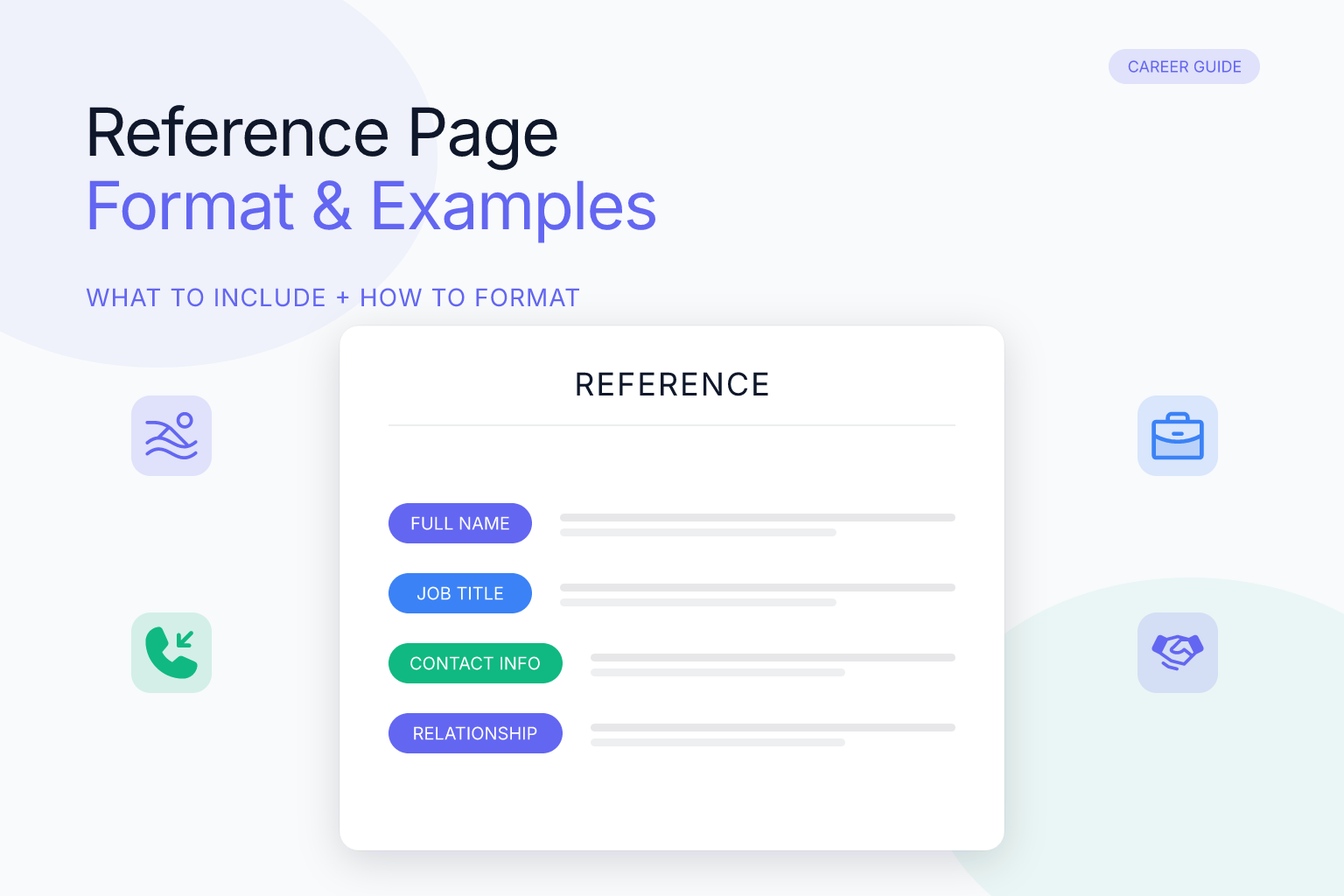
A reference page format for job application is a separate document that lists the professional contacts who can vouch for your skills, work ethic, and character. Unlike your resume, which highlights your own achievements, a reference page gives hiring managers a way to verify those claims through people who have worked with you directly. Most employers request references after an interview or as part of a final screening step, but having a polished page ready before you need it saves time and prevents last-minute scrambling.
This guide walks you through exactly how to format a reference page, what to include, who to ask, and the mistakes that can quietly sink your candidacy. You’ll also see full examples you can copy and adapt — including a standard format and a more compact alternative.
Key Takeaways
- A reference page is a separate document from your resume, listing 3–5 professional contacts who can speak to your work performance and character.
- Use the same header, font, and margins as your resume so your entire application package looks cohesive and intentional.
- For each reference, include their full name, job title, company, phone number, email address, and a one-line description of your relationship to them.
- Always ask permission before listing someone, and tailor your reference list to the specific job you’re applying for.
- Never write “References available upon request” on your resume; provide a separate page only when an employer explicitly asks for it.
| What to Do | Why It Matters | Time |
|---|---|---|
| Ask each reference for permission | Prevents surprises and ensures they’ll speak positively about you | 15 minutes per person |
| Match your resume’s header, font, and margins | Creates a professional, cohesive application package | 10 minutes |
| List 3–5 references with full contact details | Gives employers enough options without overwhelming them | 20 minutes |
| Tailor references to the specific job | Highlights endorsements most relevant to the role | 15 minutes |
| Proofread and save as a clean PDF | Prevents formatting errors and ensures the page opens correctly on any device | 10 minutes |
What Is a Reference Page Format for Job Application?
A reference page format for job application is a structured layout for presenting your professional references on a single, standalone document. It typically includes your name and contact information at the top, followed by a list of three to five references. Each reference entry contains the person’s name, job title, company, phone number, email address, and a brief note about how you know them.
The page is not part of your resume. It’s a separate document you provide only when an employer requests it — usually after a first or second interview, or as part of a background check. Some online application portals have a dedicated section for entering reference details, but many still ask for a separate document you upload or email.
Think of the reference page as a supporting document that backs up everything on your resume. If your resume says you led a team of eight, a reference who managed you can confirm that. If your resume highlights a specific project, a colleague who worked on it with you can add context. The format matters because a messy or inconsistent page makes you look disorganized before anyone even calls your references.
What Does a Reference Page Look Like?
If you’ve never seen one before, a reference page looks a lot like a simplified resume. At the top, you’ll see the candidate’s name and contact information — usually in the same header style as their resume. Below that, a bold title reads “References” or “Professional References.” Under the title, three to five entries are stacked vertically, each separated by a blank line.
Each entry follows a predictable pattern: the reference’s name in bold, followed by their job title and company on the next line, then their phone number and email address, and finally a one-line note explaining the relationship. The text is left-aligned, the font is consistent throughout, and there are no tables, graphics, or images. The entire page fits on a single sheet.
That’s it. No paragraphs, no narrative, no explanations. A reference page is a scannable list, not a document anyone reads top to bottom. Hiring managers want to glance at it, find a phone number, and make a call. The cleaner and more predictable the layout, the easier that is.
When and How to Provide Your Reference Page
When to Send a Reference Page
You don’t need to send a reference page with every application. In fact, sending one unsolicited can clutter your application and annoy recruiters who aren’t ready for it. Most employers follow a standard sequence:
- You submit a resume and cover letter.
- The employer screens your application and invites you to interview.
- After one or more interviews, the employer asks for references.
- You provide the reference page, and the employer contacts your references.
- If references check out, the employer extends an offer — at which point you may want to negotiate terms like salary or a signing bonus.
Some employers ask for references earlier — for example, government jobs, academic positions, or roles in highly regulated industries often require references at the application stage. If a job posting explicitly says “include references with your application,” follow that instruction. Otherwise, wait until you’re asked.
A good rule of thumb: prepare your reference page before you start applying, but only send it when requested. That way you’re never caught off guard, but you also don’t overload the hiring manager. If you’re unsure whether to include it, check the job posting or the application portal. When in doubt, leave it out — you can always provide it later.
If you’re actively applying to multiple roles, keeping a master reference page and tailoring it for each application is smart. You can also use a job application checklist to stay organized and ensure you don’t miss any steps. And if you’re still searching for the right role, the ResumeMate job board lets you filter openings by role, location, and remote status so you can find positions worth applying to.
How to Send Your Reference Page
Once an employer asks for references, you have a few options for delivering the page. The method depends on how the employer requests it.
- Email attachment — If the employer asks you to email references, attach the PDF and write a brief note: “As requested, please find my professional references attached. Let me know if you need any additional information.” Keep the email short and professional.
- Online application portal — Many portals have a dedicated field for references. Enter each reference’s details directly into the form, and upload the PDF if there’s an option. Double-check that the information matches your PDF.
- In person — If you’re asked to bring references to an interview, print a clean copy on the same paper as your resume and bring it in a folder. Hand it over when asked.
Regardless of the method, send the reference page promptly. If an employer asks for references and you take a week to respond, it signals disinterest. Have the page ready to go before you need it.
How to Choose the Right References
Not everyone who likes you is a good reference. The best references are people who have directly supervised your work, collaborated with you on projects, or can speak to your skills in a professional context. Here’s who to consider, in order of preference:
- Current or former managers — They can speak to your performance, reliability, and growth. A direct supervisor carries the most weight because they’ve evaluated your work formally.
- Colleagues or teammates — They can vouch for your collaboration, communication, and day-to-day contributions. Peers are especially valuable for roles that emphasize teamwork.
- Clients or customers — If you work in a client-facing role, a satisfied client can be a powerful reference. They speak to how you perform under real-world expectations.
- Professors or academic advisors — For recent graduates or entry-level candidates, these are often the only professional references available. Choose professors who taught courses relevant to the job you’re targeting.
- Volunteer coordinators or community leaders — If you lack traditional work experience, these can demonstrate your work ethic and character. They’re especially useful for career changers.
Avoid using family members, close friends, or anyone who has never seen you work. A reference from your mom won’t carry the same weight as one from a former boss, and it can make you look like you don’t have professional relationships.
Before you list anyone, ask them directly. A quick email or phone call works: “I’m applying for a [job title] role at [company]. Would you be comfortable serving as a reference?” This gives them a chance to decline if they don’t feel they can speak positively about you. It also lets you confirm their current contact information and preferred method of contact. For more tips on how to ask someone to be a reference, check out our guide on how to ask for a reference.
Once someone agrees, give them context. Tell them what job you’re applying for, what skills you’re highlighting, and why you chose them. This helps them tailor their comments when the employer calls. If you’re applying to multiple jobs, let them know they might receive a few calls. A reference who knows what to expect is far more likely to give a strong, specific endorsement than one who’s caught off guard.
Step-by-Step: How to Write a Reference Page for a Job
Writing a reference page is straightforward once you know the structure. Follow these steps to create a clean, professional page in under 30 minutes.
1. Start with your own header
At the top of the page, include your full name, phone number, email address, and optionally your LinkedIn profile URL. Use the same header style as your resume — same font, same size, same layout. This creates a seamless transition from your resume to your reference page and shows attention to detail. If you built your resume with a template, use the same template for your reference page. If you’re starting from scratch, the ResumeMate resume builder lets you create a clean, ATS-safe resume and export a matching reference page in the same style.
2. Add a clear title
Below your header, add a title like “References” or “Professional References.” Center it or left-align it, but keep it consistent with your resume’s style. Don’t overthink this — a simple, bold title is enough.
3. List each reference in a consistent format
For each reference, include the following information in this order:
- Full name (first and last name, no nicknames)
- Job title (their current title, not a past one unless they’ve retired)
- Company (where they currently work, or where you worked together)
- Phone number (their preferred contact number)
- Email address (their professional email)
- Relationship to you (one line, e.g., “Former direct manager at Acme Corp, 2022–2024”)
Here’s a sample entry:
Jane Smith
Senior Marketing Manager, Acme Corp
(555) 123-4567
jane.smith@acmecorp.com
Former direct manager, 2022–2024
Repeat this format for each reference. Use consistent spacing, punctuation, and capitalization. If one entry uses a period after the company name, all entries should.
4. Order references by relevance
Put your strongest, most relevant reference first. If you’re applying for a marketing role, lead with a former marketing manager rather than a colleague from an unrelated department. If you have a mix of managers and peers, list managers first — they carry more weight.
5. Keep it to one page
Three to five references fit comfortably on one page. If you have more than five, choose the most relevant ones for the specific job. A page with ten references looks like you’re padding your application, and it forces the employer to scroll or flip pages.
6. Save as a PDF
Once your reference page is complete, save it as a PDF. PDFs preserve your formatting across devices and operating systems, so the page looks the same whether the employer opens it on a Mac, PC, or phone. If you’re using a resume builder, you can often export your reference page in the same style as your resume.
Reference Page Example
Below is a complete example of a reference page formatted for a job application. Use it as a template and replace the details with your own. Notice how each entry follows the same structure: name, job title, company, phone number, email address, and a one-line description of the relationship. The header matches a typical resume header, and the page is clean and scannable. This consistency makes it easy for a hiring manager to quickly find the information they need without having to search through a cluttered document. The example also demonstrates proper ordering: the most relevant and senior reference (a former direct manager) is listed first, followed by a colleague, a client, and an academic advisor. This prioritization ensures that the strongest endorsements are seen first. Additionally, the use of a single column, left-aligned text, and bold names only for the references themselves (not the entire entry) keeps the page professional and ATS-friendly. When you create your own reference page, aim for this level of clarity and consistency. Remember to save the final version as a PDF to preserve formatting across devices.
Alex Johnson
(555) 987-6543 | alex.johnson@email.com | linkedin.com/in/alexjohnson
References
Maria Rodriguez
Director of Operations, Northwind Logistics
(555) 234-5678
maria.rodriguez@northwind.com
Former direct manager, 2021–2024
David Chen
Senior Software Engineer, TechFlow Solutions
(555) 345-6789
david.chen@techflow.io
Colleague and project lead, 2022–2024
Sarah Kim
Client Success Manager, BrightPath Consulting
(555) 456-7890
sarah.kim@brightpath.com
Client I supported on a 12-month engagement, 2023
Dr. Emily Watson
Professor of Business Administration, State University
(555) 567-8901
ewatson@stateuniv.edu
Academic advisor and course instructor, 2019–2021
Use this template as a starting point and adjust the details to fit your own references.
Compact Reference Page Example
Some employers prefer a more condensed format, especially if they’re reviewing dozens of candidates. Here’s an alternative layout that puts each reference on two lines instead of five. It’s still clean and scannable, but it takes up less vertical space — useful if you have five references and want to keep everything on one page without shrinking the font.
Alex Johnson
(555) 987-6543 | alex.johnson@email.com | linkedin.com/in/alexjohnson
References
Maria Rodriguez — Director of Operations, Northwind Logistics | (555) 234-5678 | maria.rodriguez@northwind.com | Former direct manager, 2021–2024
David Chen — Senior Software Engineer, TechFlow Solutions | (555) 345-6789 | david.chen@techflow.io | Colleague and project lead, 2022–2024
Sarah Kim — Client Success Manager, BrightPath Consulting | (555) 456-7890 | sarah.kim@brightpath.com | Client I supported on a 12-month engagement, 2023
Dr. Emily Watson — Professor of Business Administration, State University | (555) 567-8901 | ewatson@stateuniv.edu | Academic advisor and course instructor, 2019–2021
Both formats work. The key is consistency: pick one and apply it to every entry. Don’t mix the stacked format for one reference and the compact format for another.
Reference Page Format: Layout and Design Tips
The visual format of your reference page matters as much as the content. A clean, scannable layout makes it easy for a hiring manager to find the information they need quickly. Here are the key design principles:
- Match your resume exactly. Use the same font, font size, margins, and header style. If your resume uses a single-column layout, your reference page should too. This consistency signals professionalism.
- Use white space generously. Don’t cram entries together. Leave a blank line between each reference so the page doesn’t look cluttered.
- Left-align all text. Centered text is harder to scan, especially for phone numbers and email addresses.
- Use bold for names, not for everything. Bold the reference’s name to make it stand out, but keep the rest of the entry in regular weight. Over-bolding makes the page look busy.
- Avoid tables, graphics, or images. Some applicant tracking systems (ATS) struggle to parse tables and images. A simple text-based layout is safest and most professional.
- Stick to one page. If you have more than five references, cut the least relevant ones. A one-page reference list is always better than a two-page one.
- Use a standard, readable font. Stick to fonts like Arial, Calibri, Georgia, or Helvetica at 10–12pt. Fancy or decorative fonts make the page harder to read and can look unprofessional.
Common Mistakes to Avoid on a Reference Page
Even a well-intentioned reference page can hurt your candidacy if it contains avoidable errors. Here are the most common mistakes and how to fix them.
1. Listing someone without asking
This is the biggest mistake. If an employer calls a reference who wasn’t expecting the call, that person may be caught off guard, give a lukewarm response, or even say something negative. Always ask first, and confirm the person is willing to speak positively about you.
2. Using outdated contact information
A reference who changed jobs or phone numbers is useless if the employer can’t reach them. Before you send your reference page, verify each person’s current title, company, phone number, and email. A quick text or email is all it takes.
3. Including too many or too few references
Three to five references is the sweet spot. Fewer than three looks like you don’t have professional relationships. More than five is overkill and forces the employer to sort through irrelevant contacts. Choose the most relevant three to five for each job.
4. Formatting the page differently from your resume
If your resume uses a clean, single-column layout with a specific font, but your reference page uses a different font, different margins, or a two-column layout, it looks sloppy. Match the formatting exactly. If you built your resume with a template, use the same template for your reference page.
5. Including “References available upon request” on your resume
This phrase is outdated and wastes space. Employers know you have references. If they want them, they’ll ask. Leave that line off your resume entirely, and provide a separate reference page only when requested.
6. Forgetting to tailor the list
A reference who is perfect for a marketing role may be irrelevant for a project management role. Review your reference list for each application and swap in people who can speak to the specific skills the job requires. If you’re applying for a role that emphasizes leadership, lead with a former manager. If it emphasizes technical skills, lead with a colleague who worked on technical projects with you. For more resume mistakes to avoid, see our post on common resume mistakes.
7. Including personal or sensitive information
Never include a reference’s home address, personal phone number (if they’ve given you a work number), or any other information they haven’t explicitly approved for sharing. Stick to professional contact details only. If a reference prefers to be reached by email, list only their email and note “prefers email contact.”
FAQ
Q: How many references should I list on a job application?
A: List three to five references. Three is the minimum to show you have professional relationships, and five is the maximum before the list becomes unwieldy. Choose the most relevant people for the specific job, and always ask permission first.
Q: Should I put references on my resume?
A: No. Your resume should focus on your own skills and experience. References belong on a separate page that you provide only when an employer asks. Including “References available upon request” on your resume is outdated and wastes space.
Q: What if I don’t have three professional references?
A: If you’re a recent graduate or changing careers, you can use professors, academic advisors, volunteer coordinators, or clients from freelance work. The key is to choose people who have seen you work in a professional or academic capacity, not family or close friends.
Q: Can I use a friend as a reference?
A: Only if that friend has also been a colleague, client, or supervisor in a professional context. A personal friend who has never seen you work won’t carry weight with an employer. If you’re short on references, look for former teammates, project collaborators, or community leaders instead.
Q: How do I format a reference page in Word or Google Docs?
A: Use the same font, margins, and header as your resume. Start with your name and contact info at the top, add a “References” title, then list each reference with their name, job title, company, phone, email, and relationship to you. Left-align everything, use bold for names only, and save as a PDF.
Q: Do I need to include references if the job posting doesn’t ask?
A: No. Only provide references when an employer explicitly requests them. Sending an unsolicited reference page can clutter your application and annoy recruiters. Prepare the page in advance, but hold onto it until you’re asked.
Q: What information should I include for each reference?
A: Include the reference’s full name, current job title, company, phone number, email address, and a one-line description of your relationship (e.g., “Former direct manager, 2022–2024”). This gives the employer everything they need to contact the person and understand the context.
Q: How does a reference page look?
A: A reference page looks like a simplified resume. It has your name and contact information at the top, a bold “References” title below that, and then three to five entries stacked vertically. Each entry lists the reference’s name in bold, followed by their job title, company, phone number, email address, and a one-line note about your relationship. The text is left-aligned, the font is consistent, and the entire page fits on one sheet with no tables or graphics.
Q: What’s the difference between a reference page and a reference list?
A: The terms are used interchangeably, but a “reference page” typically refers to a standalone document formatted to match your resume, while a “reference list” can be a simpler list of names and contact details — sometimes pasted directly into an email or application form. In practice, both serve the same purpose: giving an employer a way to contact people who can vouch for you. The key is to format whichever version you use cleanly and consistently.
Q: Should I include references on my resume or as a separate page?
A: Always as a separate page. Your resume should focus on your own qualifications, not other people’s contact information. A separate reference page keeps your resume clean and lets you tailor your reference list to each job without reformatting your resume. Provide the reference page only when an employer asks for it.
Q: How do I format references for a job application?
A: Start with your own name and contact information at the top, using the same header style as your resume. Add a bold “References” title, then list each reference with their full name, job title, company, phone number, email address, and a one-line description of your relationship. Left-align all text, use bold for names only, leave a blank line between entries, and save the final document as a PDF.
Track Every Application While You Job Hunt
Stop losing track of where you’ve applied. The ResumeMate Job Tracker is a free Chrome extension that tracks every application, deadline, and follow-up in one place — right from your browser.
