
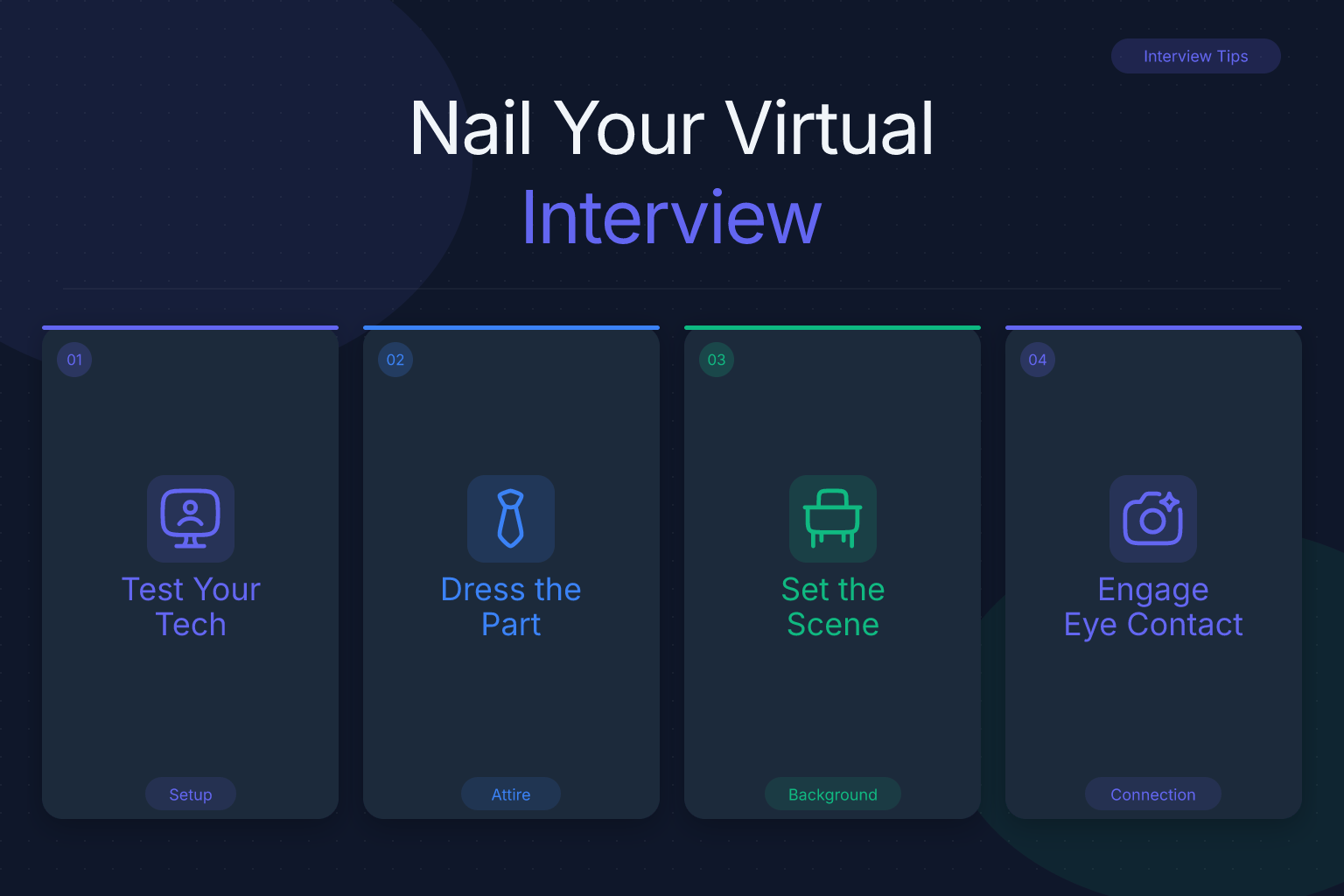
Remote Job Interview: The Complete Guide to Nailing Your Virtual Interview
A remote job interview is your chance to prove you can thrive in a distributed team — not just answer questions. The camera adds a layer of scrutiny that in-person meetings don’t: your environment, your tech fluency, and your ability to communicate through a screen all become part of the evaluation. This guide walks you through every step, from the first click of the video link to the follow-up email that seals the deal.
| What to Do | Why It Matters | Time |
|---|---|---|
| Test your internet, camera, and audio | Avoid technical glitches that kill first impressions | 30 min before |
| Set up a clean, quiet, well-lit space | Shows professionalism and focus | 15 min |
| Practice remote-specific interview answers | Proves you’re ready for remote work challenges | 1–2 hours |
| Dress professionally from head to toe | Looks polished and prevents awkward moments | 5 min |
| Send a tailored thank-you email | Reinforces your interest and attention to detail | 10 min after |
What Is a Remote Job Interview and How Does It Work?
A remote job interview is any interview conducted through video conferencing software — Zoom, Microsoft Teams, Google Meet, or a company’s own platform — instead of in a physical office. It can take several forms:
- Live one-on-one video calls with a recruiter or hiring manager.
- Panel interviews where multiple team members join the same video room.
- Pre-recorded one-way interviews where you record answers to prompts on your own time.
- Technical screens that combine a video call with a shared coding environment or whiteboard tool.
The process mirrors a traditional interview in structure, but the medium changes what interviewers notice. They’re not just listening to your answers; they’re observing how you handle the technology, whether your workspace looks professional, and how clearly you communicate when body language is limited to a small window. Many companies that hire remotely use the interview itself to gauge your remote work skills — so every detail counts.
How to Prepare for a Remote Job Interview
Preparation for a virtual interview goes beyond rehearsing answers. You need to control your environment and your tech stack as carefully as you control your talking points.
1. Lock down your internet and devices.
A wired Ethernet connection is ideal. If you’re on Wi-Fi, sit as close to the router as possible and ask others in your household to avoid streaming or large downloads during the interview. Charge your laptop fully and have your phone nearby as a hotspot backup. Restart your computer an hour before to clear memory-hogging background processes.
2. Test your full setup with a friend.
Do a dry run on the same platform the company will use. Check your webcam framing: your eyes should be roughly one-third from the top of the screen, with your shoulders visible. Test your microphone for echo or background hum. If your voice sounds hollow, a basic USB headset or even your phone’s earbuds with a mic can make a dramatic difference.
3. Build a distraction-free background.
A plain wall or a tidy bookshelf works. Remove anything you wouldn’t want an interviewer to ask about — laundry piles, political posters, family photos that might unintentionally shift focus. If your space is limited, use a subtle virtual background, but test it first; cheaper webcams can create a fuzzy halo around your head that looks unpolished.
4. Have your materials ready on screen, not on paper.
Keep your resume, the job description, and a short list of questions open in separate tabs or a split screen. Rustling paper off-camera is audible and distracting. If you need notes, stick them to the edge of your monitor at eye level so you can glance without turning your head.
5. Check your resume’s ATS compatibility before the interview.
If you haven’t already, run your resume through a free ATS score checker like ResumeMate’s score tool. Many remote-friendly companies use applicant tracking systems that filter resumes before a human ever sees them. Knowing your resume is clean and machine-readable gives you confidence that your qualifications are being evaluated fairly.
For broader interview preparation — researching the company, practicing common questions, and planning your own questions — refer to our complete interview prep guide.
How to Dress for a Remote Job Interview
Dress fully, not just from the waist up. You might need to stand to adjust lighting, grab a cable, or — in a worst-case scenario — chase a pet that wandered into frame. Pajama bottoms and a blazer create a risk you don’t need.
- Match the company’s culture, then go one step sharper. If the team wears hoodies on their website, a clean button-down or a smart blouse is appropriate. For a corporate or client-facing role, add a blazer or a structured jacket.
- Avoid busy patterns and pure white. Small checks or stripes can create a moiré effect on camera. Bright white can blow out the exposure and make your face look dark. Solid, mid-tone colors — navy, teal, soft gray — read best.
- Test your outfit on camera. What looks great in the mirror can look washed out or oddly textured on a webcam. Do a quick recording to check.
- Grooming counts. Hair away from your face, minimal jewelry that clinks against the desk, and glasses cleaned of smudges. These small things signal that you treat the interview seriously.
Dressing the part also puts you in a professional headspace. When you look ready, you feel ready — and that confidence comes through the lens.
Common Remote Job Interview Questions (and How to Answer Them)
Remote interviews often include questions that probe your ability to work independently, communicate asynchronously, and stay productive without direct supervision. Here are the ones you’re most likely to face, with strategies for each.
“Tell me about yourself.”
This opener is your chance to frame your story around remote-relevant strengths. Mention any previous remote or hybrid experience, self-management skills, and comfort with digital tools. Keep it under two minutes. For a full breakdown, see our guide on answering “Tell me about yourself”.
“Why do you want to work remotely?”
Avoid negatives about office life. Instead, talk about how remote work aligns with your peak productivity, your communication style, or your ability to deliver results without geographic constraints. (We’ll expand on this in the next section.)
“How do you stay productive when working from home?”
Give a concrete system. For example: “I time-block my day into deep work sessions and use a Pomodoro timer. I also keep a visible task board in Notion so my manager can see progress without a status meeting.” Mentioning specific tools — Trello, Todoist, Focusmate — adds credibility.
“Describe a time you collaborated remotely on a project.”
Use the STAR method (Situation, Task, Action, Result). Pick an example that highlights asynchronous communication, time zone coordination, or using shared documents effectively. For instance: “When I led a website redesign with a designer in Berlin and a developer in Manila, I set up a Loom video walkthrough for async feedback and a shared Figma file. We shipped two weeks early and cut revision cycles by half.” For more on structuring behavioral answers, read our STAR method guide.
“What’s your home office setup like?”
Describe your workspace briefly: a dedicated desk, a second monitor, an ergonomic chair, reliable internet. Even if your setup is modest, emphasize that it’s functional and distraction-free. This question tests whether you’ve thought seriously about remote work logistics.
“How do you handle communication in a distributed team?”
Talk about over-communicating intentionally, using the right channel for the message (Slack for quick syncs, email for formal updates, video for complex discussions), and documenting decisions in a shared space. Show that you understand the pitfalls of remote miscommunication and have strategies to avoid them.
How to Demonstrate Remote Work Skills During the Interview
Your answers matter, but your behavior on camera can be just as revealing. Interviewers are watching for signs that you’ll be easy to work with remotely.
- Be punctual down to the second. Click the link two minutes early so you’re in the waiting room, not rushing in breathless at the top of the hour.
- Look at the camera, not the screen. When you speak, direct your gaze at the webcam lens. It feels unnatural, but to the other person it looks like eye contact. Glancing at the other person’s video feed on your screen makes you appear to be looking down.
- Use the chat function thoughtfully. If you’re sharing a link or a portfolio piece, drop it in the chat with a brief note. It shows you’re comfortable with the tools of remote collaboration.
- Handle tech hiccups gracefully. If your video freezes, say calmly, “I think my connection dipped — could you repeat the last part?” and continue. If the platform crashes, have the interviewer’s phone number or email ready so you can switch to a call instantly. Poise under minor chaos is a remote work superpower.
- Share your screen smoothly. If asked to walk through a project, have the relevant tab open and clutter-free. Close personal bookmarks, notifications, and anything you wouldn’t want projected. A clean digital desktop mirrors a clean physical one.
These micro-signals add up. A candidate who navigates the video call like a pro is a candidate who will likely navigate Slack, Zoom, and async workflows with the same ease.
Why Do You Want to Work Remotely? Crafting a Strong Answer
This question trips up many candidates because the honest answers — “I hate commuting,” “I want to travel,” “I work better in sweatpants” — sound self-serving. The interviewer wants to hear how remote work benefits the company, not just you.
Frame your answer around three pillars:
- Productivity. Explain that you do your deepest focus work in a controlled environment, free from open-office interruptions. If you have data — “In my last remote role, I shipped 30% more features per quarter” — use it.
- Communication style. Describe how you thrive with written, asynchronous communication. Mention that you document decisions thoroughly and prefer thoughtful, well-structured messages over hallway conversations.
- Flexibility as a business asset. Note that being location-independent means you can overlap with distributed teammates across time zones, or that you’re available during critical hours without geographic constraints.
A sample answer: “I’ve found that I produce my best work when I can structure my day around my energy cycles — deep work in the morning, collaboration in the afternoon. In my last remote role, I used that rhythm to deliver projects consistently ahead of schedule. I also enjoy the clarity that comes with async communication; it forces me to think through problems completely before presenting them, which reduces back-and-forth.”
Avoid mentioning that you want to work remotely to care for family members, pursue side projects, or live in a low-cost area. Those reasons may be true, but they signal divided attention. Keep the focus on your output and your fit with a distributed team.
Post-Interview Follow-Up for Remote Jobs
A thoughtful follow-up can tip a close decision in your favor. For remote roles, it also reinforces that you’re proactive and detail-oriented — two traits every distributed team needs.
Send a thank-you email within 24 hours. Address each interviewer by name if you spoke with multiple people. Reference a specific moment from the conversation: a problem they mentioned, a project you discussed, a shared interest. This proves you were listening, not just reciting.
Reiterate your remote readiness. Weave in a line that connects back to the remote theme. For example: “Hearing about your team’s async standup process reinforced how well my communication style would fit.”
Offer something of value. If a question came up that you couldn’t answer fully, include a link to a relevant article, a sample of your work, or a brief follow-up thought. It shows you’re already thinking like a contributor.
For templates you can adapt in under five minutes, grab our 10 thank-you email templates.
Track your follow-ups. If you’re juggling multiple remote interviews, it’s easy to lose track of who you’ve emailed and when. The ResumeMate Job Tracker — a free Chrome extension — logs every application, interview date, and follow-up action in one place, right from your browser. You’ll never wonder whether you sent that thank-you note.
Avoid These Remote Interview Mistakes
Even strong candidates sabotage themselves with preventable errors. Here are the most common ones and how to dodge them.
- Sitting in the dark or with harsh backlighting. A window behind you turns you into a silhouette. Face a natural light source or place a lamp directly behind your webcam. Your face should be the brightest thing in the frame.
- Relying on your laptop’s built-in mic from across the room. Built-in microphones pick up every keyboard click and room echo. Use earbuds with a mic or a basic USB headset. Clear audio matters more than HD video.
- Reading from a script on screen. Interviewers can see your eyes tracking lines of text. Use bullet-point notes at eye level, not full sentences. Practice enough that you sound conversational, not recited.
- Forgetting to mute when not speaking. Background noise — a delivery truck, a barking dog, a notification ping — instantly breaks the professional atmosphere. Mute yourself whenever the other person is talking, and unmute only when you’re ready to speak.
- Multitasking during the call. Don’t check emails, glance at your phone, or type notes that aren’t directly related to the conversation. Your facial expressions and eye movements give you away. Give the interviewer the same undivided attention you’d give in a conference room.
- Ending the call abruptly. After the interviewer signs off, stay on the line for a few seconds to ensure the recording or connection has fully closed. Then take a breath and review your notes while the details are fresh.
FAQ
Q: What is a remote job interview?
A: A remote job interview is a job interview conducted over video conferencing software instead of in person. It can be a live one-on-one call, a panel interview, or a pre-recorded one-way interview. The format tests not only your qualifications but also your ability to communicate and present yourself professionally through a screen.
Q: How do remote job interviews work?
A: The company sends you a video link (Zoom, Teams, Google Meet, etc.) for a scheduled time. You join the call, and the interview proceeds much like an in-person meeting — introductions, questions, possibly a screen-share exercise. Some companies use one-way interviews where you record answers to preset questions. The key difference is that your environment, tech setup, and on-camera presence all become part of the evaluation.
Q: How should I prepare for a remote job interview?
A: Test your internet, webcam, and microphone with a friend at least 30 minutes before. Set up a quiet, well-lit space with a neutral background. Have your resume, the job description, and a short list of questions open on your screen. Dress professionally from head to toe, and practice answering remote-specific questions like “How do you stay productive at home?”
Q: How should I dress for a remote job interview?
A: Dress as you would for an in-person interview at that company, but avoid busy patterns and pure white. Solid, mid-tone colors work best on camera. Wear professional attire completely — including pants and shoes — in case you need to stand up. Test your outfit on camera beforehand to make sure it looks polished.
Q: What should I wear to a remote job interview?
A: The same rule applies: dress fully, not just from the waist up. For most roles, a button-down shirt or a smart blouse is a safe baseline. Add a blazer for corporate or client-facing positions. Avoid noisy jewelry and ensure your hair is neat and away from your face. The goal is to look like you took the interview seriously.
Q: How do I answer “Why do you want to work remotely?”
A: Focus on productivity, communication style, and flexibility — framed as benefits to the employer. Avoid personal reasons like avoiding a commute or wanting to travel. A strong answer sounds like: “I do my best focused work in a quiet environment, and I’ve found that async communication helps me deliver clearer, more thoughtful work.”
Q: How can I pass a remote job interview?
A: Combine solid answers with strong on-camera presence. Test your tech, dress professionally, look at the camera, and handle any glitches calmly. Prepare specific examples of remote collaboration using the STAR method. Send a personalized thank-you email within 24 hours. Treat the video call as a demonstration of your remote work skills, not just a conversation.
Track Every Application While You Job Hunt
Stop losing track of where you’ve applied. The ResumeMate Job Tracker is a free Chrome extension that tracks every application, deadline, and follow-up in one place — right from your browser.
