
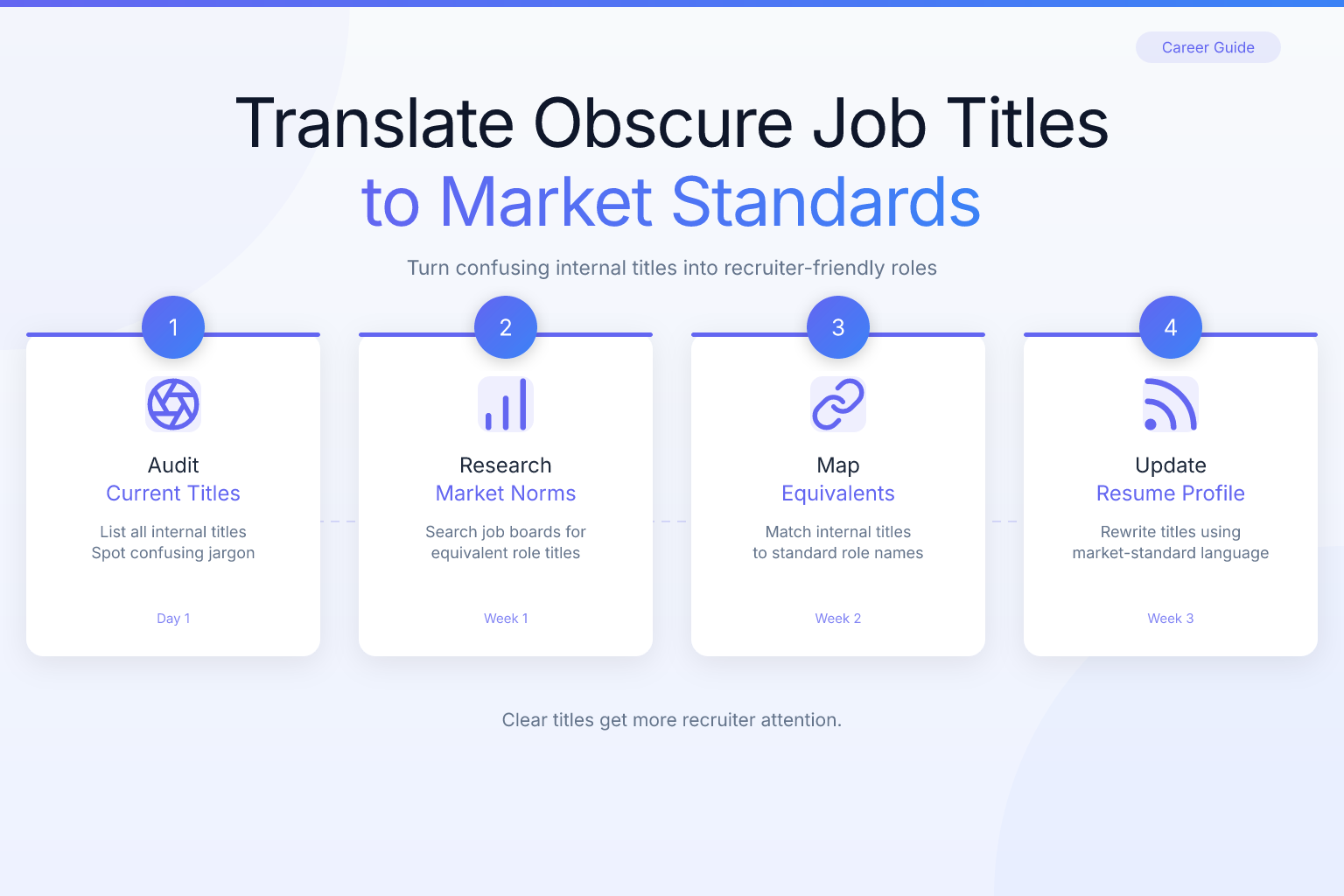
Translating Obscure Internal Job Titles to Market Standards
If you’ve ever held a job with a title like “Customer Delight Wizard,” “Chief Synergy Officer,” or “Level 5 Code Ninja,” you know the challenge of translating obscure internal job titles to market standards when you update your resume or LinkedIn profile. Recruiters and applicant tracking systems (ATS) search for familiar, industry-standard titles — not the creative labels your company invented. This guide shows you how to translate your internal title into language that gets you found, without misrepresenting what you actually did.
Key Takeaways
- Replace creative internal titles with the closest industry-standard equivalent (e.g., “Customer Delight Wizard” becomes “Customer Support Specialist”) so your resume passes ATS filters and recruiter searches.
- Use a dual-title format on your resume and LinkedIn (e.g., “Customer Support Specialist (Internal Title: Customer Delight Wizard)”) to stay honest while remaining searchable.
- Focus on responsibilities, skills, and outcomes in your bullet points — recruiters care about what you did, not what your company called it.
- Research the exact titles used in job postings you’re targeting, then mirror that language in your resume and profile.
- Never inflate your title to a level you didn’t actually perform; translation is about clarity, not exaggeration.
Summary Table
| What to Do | Why It Matters | Time |
|---|---|---|
| Identify the core function of your role | Determines the correct market-standard title | 15–30 min |
| Research equivalent titles on job boards and LinkedIn | Ensures your title matches recruiter search terms | 30–60 min |
| Use a dual-title format on resume and LinkedIn | Balances honesty with searchability | 10 min |
| Rewrite bullet points around outcomes and skills | Shows value regardless of the title | 1–2 hours |
| Test your resume with an ATS score checker | Confirms your title and keywords parse correctly | 10 min |
Why Translating Obscure Internal Job Titles to Market Standards Matters
Internal job titles often serve a cultural purpose inside a company. They can be fun, aspirational, or tied to a specific leveling system that only makes sense internally. But when you apply for a new job, those titles work against you in two ways:
- Recruiters search by standard titles. A recruiter looking for a customer support professional types “customer support specialist,” “customer service representative,” or “support agent” into LinkedIn or an ATS. They will not type “Customer Delight Wizard.” If your title doesn’t match, you won’t appear in their search results.
- ATS software parses titles for relevance. Many ATS platforms score resumes based on keyword matches, including the job title field. An obscure title can lower your match score even if your experience is perfect for the role.
This doesn’t mean you should lie about your title. It means you should present your role in language the market understands. The goal is to make your experience discoverable while remaining truthful about what you did.
Step 1: Identify the Core Function of Your Role
Before you can translate your title, you need to understand what your job actually was. Strip away the creative label and ask yourself:
- What department did you work in? (Sales, marketing, engineering, customer support, operations, etc.)
- What were your primary daily tasks? (Writing code, answering customer emails, managing projects, analyzing data, etc.)
- Who did you report to, and who reported to you?
- What outcomes were you responsible for? (Revenue, customer satisfaction, product delivery, etc.)
Write down the three to five core functions of your role. For example, if your title was “Growth Hacker,” your core functions might be: running paid acquisition campaigns, optimizing landing pages, analyzing funnel metrics, and managing a small marketing budget. Those functions map to a market-standard title like “Digital Marketing Specialist” or “Growth Marketing Manager,” depending on seniority.
If you’re unsure, look at your old job description, performance reviews, or ask a former colleague. The more specific you are about what you did, the easier it is to find the right market title.
Step 2: Research Market-Standard Titles for Your Function
Once you know your core function, find the titles employers actually use for that work. Here’s how:
- Search job boards. Go to a job board like ResumeMate’s job board and type in keywords related to your core tasks (e.g., “customer support,” “data analysis,” “project management”). Look at the job titles that appear most often. Those are your market-standard options.
- Browse LinkedIn profiles. Search for people who do similar work and see what titles they list. Pay attention to the most common title at your level of experience.
- Check salary guides and industry reports. Sites like Glassdoor, Payscale, and the U.S. Bureau of Labor Statistics publish lists of standard occupational titles. For example, the BLS Occupational Outlook Handbook categorizes jobs under titles like “Customer Service Representative,” “Software Developer,” and “Marketing Manager.”
- Look at competitor job postings. Find companies similar to yours and see what they call the same role. If three competitors all call the role “Customer Success Manager,” that’s a strong signal.
Aim to identify two or three possible market-standard titles for your role. You’ll choose the best one based on your target jobs.
The Dual-Title Strategy: How to Present Both Titles
The safest and most effective way to translate an obscure internal title is to use a dual-title format. This means listing the market-standard title first, followed by your internal title in parentheses or after a slash. For example:
- Customer Support Specialist (Internal Title: Customer Delight Wizard)
- Marketing Coordinator / “Brand Storyteller”
- Software Engineer II (Internal Level: Code Ninja L5)
This approach gives you three advantages:
- You pass ATS filters because the market-standard title is present.
- You stay honest because the internal title is still visible for anyone who checks references or asks.
- You avoid awkward explanations in interviews — you can simply say, “My company used creative internal titles, but my role was equivalent to a Customer Support Specialist.”
On your resume, place the dual title in the job header, like this:
Customer Support Specialist (Internal Title: Customer Delight Wizard)
Acme Corp | March 2022 – Present
On LinkedIn, use the same format in the “Title” field of each position. You can also add a brief note in the description: “Internal title was Customer Delight Wizard; market equivalent is Customer Support Specialist.”
If your internal title is not just creative but also misleading (e.g., “Vice President” when you had no direct reports and no strategic authority), you may need to adjust the market title downward to reflect your actual level. The dual-title format still works: “Senior Analyst (Internal Title: VP of Insights).” The key is that the market title accurately reflects your responsibilities, not your company’s inflated label.
Common Internal Title Patterns and Their Market Translations
Here are examples of obscure internal titles and their likely market-standard equivalents. Use this as a starting point, but always verify against current job postings in your industry.
| Internal Title | Core Function | Market-Standard Title |
|---|---|---|
| Customer Delight Wizard | Answering support tickets, resolving complaints | Customer Support Specialist |
| Chief Meme Officer | Creating social media content, managing brand voice | Social Media Manager |
| Growth Hacker | Running acquisition campaigns, optimizing funnels | Digital Marketing Specialist or Growth Marketing Manager |
| Code Ninja / Rockstar Developer | Writing and shipping software | Software Engineer (with appropriate level) |
| People Operations Guru | Recruiting, onboarding, HR administration | HR Generalist or People Operations Coordinator |
| Revenue Rocket | Managing sales pipeline, closing deals | Account Executive or Sales Development Representative |
| Data Wizard | Cleaning data, building dashboards, running analyses | Data Analyst or Business Intelligence Analyst |
| Office Happiness Manager | Managing office logistics, planning events, supporting staff | Office Manager or Administrative Coordinator |
| Storyteller-in-Chief | Writing blog posts, press releases, internal comms | Content Marketing Manager or Communications Specialist |
| Synergy Architect | Leading cross-functional projects, improving processes | Project Manager or Operations Manager |
Notice that the market title often includes a level (e.g., Specialist, Manager, Coordinator) that reflects seniority. If your internal title doesn’t indicate level, infer it from your years of experience, scope of responsibility, and salary band. When in doubt, choose the more conservative title — you can always explain your growth in the bullet points.
Rewriting Your Resume Bullets to Support the Translated Title
Your title is only the first thing a recruiter sees. The bullet points underneath must prove that the market-standard title is accurate. If you call yourself a “Customer Support Specialist” but your bullets describe only party planning, the mismatch will hurt you.
Follow these steps to rewrite your bullets:
- Start each bullet with a strong action verb that matches the market title. For a support role, use verbs like “resolved,” “assisted,” “troubleshoot,” “documented.” For a marketing role, use “launched,” “optimized,” “analyzed,” “managed.”
- Quantify outcomes wherever possible. Instead of “Handled customer inquiries,” write “Resolved 40+ customer inquiries per day with a 95% satisfaction rating.” Numbers make your experience concrete and credible.
- Include keywords from the job postings you’re targeting. If the job description asks for “Zendesk,” “SLA compliance,” or “ticket triage,” and you did those things, use those exact terms.
- Avoid internal jargon. Replace company-specific acronyms and tool names with industry-standard terms. For example, “Used our internal ‘Magic Portal’ to track issues” becomes “Used Jira to track and resolve customer issues.”
- Show progression if relevant. If your internal title changed over time (e.g., from “Junior Wizard” to “Senior Wizard”), list each role separately with the translated market title and dates, so recruiters see your growth.
If you need help structuring your resume after translating your title, check out our guide on how to write an internal promotion resume — the same principles apply when you’re reframing an existing role for an external search.
Updating LinkedIn and Other Professional Profiles
Your LinkedIn profile is often the first place recruiters look, so it must use the same translated titles as your resume. Here’s how to update it consistently:
- Headline: Use your market-standard title, not your internal one. For example, “Customer Support Specialist | SaaS | 5+ Years Experience” instead of “Customer Delight Wizard at Acme Corp.”
- Experience section: For each position, enter the dual title in the “Title” field. In the description, you can add a one-line note: “Internal title: Customer Delight Wizard.”
- Skills section: Add skills that match your market title. If you’re a “Data Wizard” translating to “Data Analyst,” add skills like SQL, Excel, Tableau, and data visualization.
- About section: Write a summary that uses your market title and key responsibilities. Avoid mentioning the internal title here unless it’s necessary for context.
- Other profiles: Update any other professional profiles (GitHub, Behance, personal website) with the same market title for consistency.
If you’re applying to many jobs and want to speed up the process, consider using AI tools to help tailor your resume and profile for each application. Our guide on using AI tools to speed up your job search covers practical ways to do this without losing authenticity.
Common Mistakes to Avoid When Translating Titles
Translating your title is straightforward, but these mistakes can undermine your efforts:
- Inflating your title to a level you didn’t perform. Calling yourself a “Director” when you were an individual contributor with no management responsibilities will backfire in interviews and reference checks.
- Using a title that’s too generic. “Specialist” or “Associate” may be safe, but if your role had significant scope, a more specific title like “Senior Customer Success Manager” better reflects your level.
- Ignoring industry-specific titles. In some fields, the market title varies by industry. A “Project Manager” in construction is different from a “Project Manager” in software. Research your target industry’s conventions.
- Forgetting to update your resume file name and email signature. If your resume file is named “John_Doe_Customer_Delight_Wizard.pdf,” change it to “John_Doe_Customer_Support_Specialist.pdf.” Small details matter.
- Using the internal title only on LinkedIn but not on your resume, or vice versa. Inconsistency confuses recruiters and can make you look careless.
- Over-explaining the translation in your resume. A simple parenthetical is enough. Don’t write a paragraph about why your company used a creative title — save that for the interview if asked.
How to Test Your Translated Title with an ATS Score Checker
After you’ve translated your title and rewritten your bullets, verify that your resume will actually pass ATS filters. The easiest way is to use a free resume score checker that analyzes your resume against common ATS criteria.
ResumeMate’s free resume score checker lets you upload your resume and get an ATS-readiness score with section-by-section feedback. It checks for:
- Whether your job titles are recognized and parseable
- Keyword matches against common job descriptions
- Formatting issues that could confuse ATS software
- Missing sections like skills or education
Run your resume through the checker after translating your title. If the score is low, the feedback will tell you which sections need work — often it’s the title or the bullet points. You can then adjust and re-test until you’re confident your resume will get past the first screen.
If you’re building a new resume from scratch, use ResumeMate’s free AI resume builder. It offers clean, single-column templates that are ATS-safe and lets you enter your translated title directly. The builder exports your resume as a PDF, which modern ATS systems parse reliably.
FAQ
Q: Can I just use my internal title on my resume if it’s unique and memorable?
A: You can, but it will likely hurt your chances. Recruiters and ATS search for standard titles, so a unique title means you won’t appear in searches. Use the dual-title format to keep the memorable title while adding the market-standard equivalent.
Q: What if my internal title is a level like “L5” or “Band 7”?
A: Translate the level to a market-standard seniority indicator. For example, “L5 Software Engineer” at a large tech company often maps to “Senior Software Engineer” or “Software Engineer II” depending on the company’s leveling. Research how your company’s levels compare to industry norms, or use a title like “Software Engineer (L5)” and let your bullet points show your seniority.
Q: Is it okay to change my title on LinkedIn even if my company still lists the internal title on my profile?
A: Yes. LinkedIn is your professional marketing tool, not an official employment record. As long as the market title accurately reflects your responsibilities, you can use it. If a recruiter asks about the discrepancy, explain that your company used a creative internal title.
Q: How do I translate a title for a role that doesn’t have a clear market equivalent?
A: Break the role down into its core functions and find the closest standard title for the primary function. For example, a “Community Wizard” who moderates forums, answers questions, and creates engagement content might map to “Community Manager” or “Customer Support Specialist,” depending on the main focus. If no single title fits, use a compound title like “Community Manager / Customer Support Specialist.”
Q: Should I translate my title differently for different job applications?
A: Yes, within reason. If you’re applying for a customer support role, use “Customer Support Specialist.” If you’re applying for a community management role, use “Community Manager.” The core responsibilities stay the same, but the title should match the job you’re targeting. Just make sure you’re not misrepresenting your experience.
Q: What if my internal title was actually a demotion or a lateral move that looks bad on paper?
A: Focus on the market-standard title that reflects your actual responsibilities, not the internal label. If your company called you “Associate” but you were doing senior-level work, use “Senior [Title]” and back it up with bullet points showing scope and impact. If the internal title was inflated (e.g., “VP” with no authority), use a more accurate market title like “Senior Analyst.”
Track Every Application While You Job Hunt
Stop losing track of where you’ve applied. The ResumeMate Job Tracker is a free Chrome extension that tracks every application, deadline, and follow-up in one place — right from your browser.
