
Contact Info on Resume: What to Include and What to Leave Off (2026 Guide)
Your resume’s contact information is the first thing a recruiter sees — and the easiest place to make a mistake that costs you an interview. A missing phone number, an unprofessional email address, or a full street address can send your application straight to the rejection pile. This guide covers exactly what to include, what to skip, and how to format your contact details so both hiring managers and applicant tracking systems (ATS) can reach you without friction.
Key Takeaways
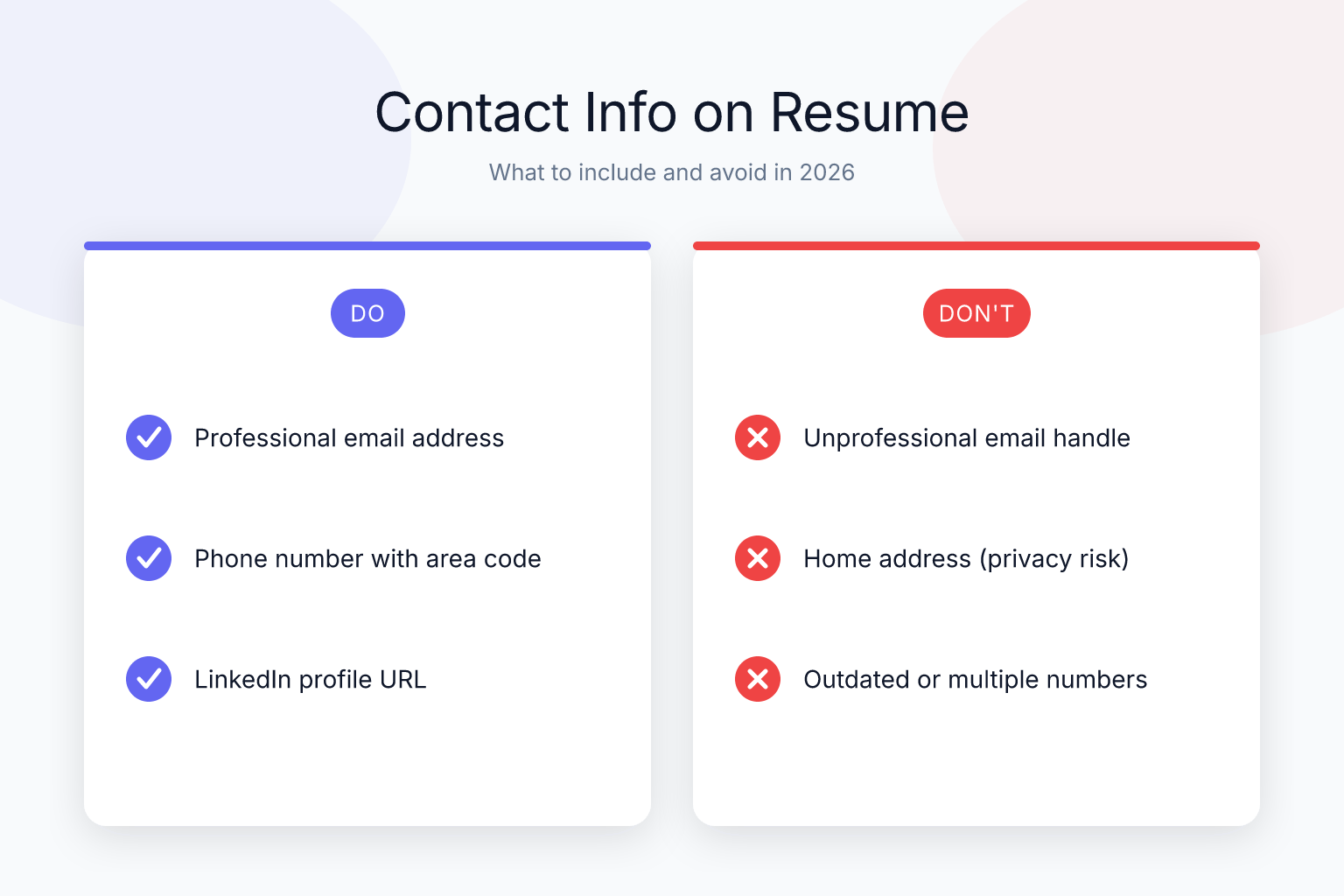
- Include your full name, phone number, a professional email address, and your city/state — nothing more.
- Skip your full street address, date of birth, marital status, and photo (unless specifically requested).
- Add a LinkedIn profile URL and a portfolio link only if they’re polished and directly relevant to the job.
- Place your contact information in a clean, single-line header or a compact block at the top of your resume.
- Run your resume through an ATS checker to confirm your contact details aren’t getting mangled by parsing software.
Summary Table
| What to Do | Why It Matters | Time |
|---|---|---|
| Use a professional email address (firstname.lastname@domain.com) | Avoids spam filters and negative bias from recruiters | 5 minutes |
| Include city and state only, not full street address | Protects privacy and prevents location-based bias | 1 minute |
| Add a clean LinkedIn URL and relevant portfolio link | Shows recruiters your professional brand and work samples | 10 minutes |
| Remove outdated fields (fax, second phone number, etc.) | Keeps resume modern and scannable | 5 minutes |
| Test all links and phone numbers before submitting | Ensures recruiters can actually reach you | 2 minutes |
Essential Contact Details to Include
Your contact information section is small but mighty. It sits at the very top of your resume and tells a recruiter who you are and how to reach you — instantly. In 2025, the rules are simpler than ever: include only what’s necessary, make it easy to find, and ensure every detail works.
Here’s the exact list of what belongs in your resume header:
- Full Name — Use the name you go by professionally.
- Phone Number — One number only, with a professional voicemail.
- Email Address — A simple, professional address.
- Location (City and State) — Just your city and state, no street address.
- LinkedIn Profile — A customized URL that matches your resume.
- Portfolio or Personal Website (Optional) — Include only if relevant and up-to-date.
That’s it. No photo, no date of birth, no marital status, no full street address. Keep it clean and professional.
Name and Professional Title
Your name should be the largest text on the page — typically 20–24 point font — and placed at the very top. If you have a relevant professional designation (e.g., CPA, PMP, RN), include it after your name: “Maria Santos, PMP.” Avoid adding multiple titles or degrees in the name line; save those for a dedicated certifications or education section. For guidance on where to place your degree, see our post on education on a resume: what to include by experience level.
If you’re a recent graduate or career changer, you can add a brief professional headline directly below your name — for example, “Aspiring Data Analyst | SQL, Python, Tableau.” This gives context before the recruiter even reaches your summary. Just keep it to one line. A well-crafted headline can also include a key certification or a notable achievement, like “AWS Certified Solutions Architect | Cloud Infrastructure.” The goal is to signal your focus immediately, not to cram in every keyword.
Phone Number
List a single phone number where you can be reached reliably. A mobile number is standard. Before you apply anywhere, do these three things:
- Check your voicemail greeting. Record a simple message: “You’ve reached [Your Name]. Please leave a message and I’ll return your call as soon as possible.” Avoid music, jokes, or long-winded greetings.
- Remove any call-blocking apps that might screen unknown numbers. Recruiters often call from blocked or private lines.
- Test the number. Call yourself from another phone to confirm it rings through and your voicemail works.
If you’re job searching while based in another country, include your country code. For example: +1 (555) 123-4567. Don’t list multiple numbers — it creates confusion about which one to use. If you’re applying across time zones, consider adding a note like “(PST)” after your number so recruiters know the best time to reach you. And never use a work phone number; it’s a confidentiality risk and signals you’re job searching on company time.
Email Address
Your email address is often the first point of contact. An unprofessional address like “beachbum99@domain.com” or “partygirl@domain.com” can get your resume discarded before a human even reads it. Create a free Gmail account using some variation of your first and last name. If your name is common and taken, add a middle initial, a relevant number (like graduation year), or your profession — e.g., “john.smith.engineer@gmail.com.”
Avoid:
- Email addresses from your current employer (you may lose access, and it looks like you’re job searching on company time).
- School email addresses if you graduated more than a year ago (they often expire).
- Cutesy or hobby-based handles.
If you’re concerned about spam, create a dedicated job-search email. Just check it daily. A professional email also helps with ATS parsing: some systems flag addresses from disposable domains, so stick with Gmail, Outlook, or your own domain if you have one.
Location
In 2025, your full street address is unnecessary and can even hurt your chances. Recruiters may make assumptions about your commute, relocation willingness, or neighborhood. Instead, list only your city and state — for example, “Denver, CO” or “Remote — Austin, TX.”
If you’re applying for remote roles and are open to working across time zones, you can add “Remote” or “Open to Relocation” in parentheses. For example: “Chicago, IL (Open to Remote).” This clarifies your situation without oversharing. If a job posting specifically asks for your full address (rare, but some government or security-clearance roles do), you can include it — otherwise, city and state is the modern standard.
Never include:
- Your full street address
- Your ZIP code
- “Currently living with parents” or similar personal notes
How to Format Your Address on a Resume
If you’re wondering exactly how to write your location, here’s the simple breakdown:
- Standard format: “City, State” — e.g., “Austin, TX” or “Portland, OR.”
- For major metro areas: You can use just the city name if it’s unambiguous — e.g., “Chicago” or “Seattle.” But adding the state abbreviation is always safer, especially for ATS parsing.
- For remote roles: “City, State (Remote)” or “Remote — City, State.”
- For relocation: “Relocating to [City, State] in [Month Year]” — e.g., “Relocating to Denver, CO in March 2025.”
- For international applications: Include your country — e.g., “Toronto, ON, Canada” or “London, UK.”
Use standard two-letter state abbreviations (CA, NY, TX) rather than full state names. ATS systems are trained to recognize these abbreviations, and they keep your header compact. Avoid writing “California” when “CA” works just as well.
Email or Phone Number First: Does the Order Matter?
A common question job seekers ask is whether to list their email or phone number first in the contact section. The short answer: it doesn’t matter for ATS parsing, and recruiters don’t have a strong preference. What matters is consistency and readability.
That said, here are a few practical considerations:
- Phone-first works well if you’re in a field where recruiters typically call first (sales, customer service, trades, healthcare).
- Email-first is slightly more common in tech, marketing, and remote-heavy industries where initial outreach happens via email or LinkedIn.
- LinkedIn-first is rare but acceptable if your profile is your strongest asset and you’re in a networking-heavy field.
The safest approach: pick one order and use it consistently across your resume, cover letter, and LinkedIn profile. A common pattern is Name → Location → Phone → Email → LinkedIn, but Name → Location → Email → Phone → LinkedIn works equally well. Don’t overthink it — just make sure every element is present and correct.
Online Presence: LinkedIn and Portfolio
Beyond the basics, your digital footprint can strengthen your application — but only if it’s polished and relevant. Here’s how to handle LinkedIn and portfolio links.
LinkedIn Profile
Most recruiters will look you up on LinkedIn before or after reading your resume. Make it easy for them by including a clean, customized URL. To customize your LinkedIn URL:
- Go to your LinkedIn profile.
- Click “Edit public profile & URL” on the right.
- Change it to linkedin.com/in/yourname (or as close as possible).
Before adding the link to your resume, ensure your LinkedIn profile is consistent with your resume. Discrepancies in job titles, dates, or responsibilities can raise red flags. If you’re actively job searching, set your LinkedIn status to “Open to Work” (you can control who sees it).
If you don’t have a LinkedIn profile, create one. In many industries, not having a LinkedIn presence is a bigger red flag than a poorly formatted resume. A 2024 Jobvite survey found that 87% of recruiters use LinkedIn to vet candidates, so a missing profile can make you look out of touch.
Portfolio or Personal Website
A portfolio or personal website is a powerful addition — but only if it’s relevant and well-maintained. Include it if:
- You’re in a creative field (design, writing, photography, video).
- You’re in tech and want to showcase projects, GitHub, or case studies.
- You have a professional blog or published work relevant to the role.
If your website is outdated, broken, or contains personal content unrelated to your career, leave it off. A bad portfolio hurts more than no portfolio. Test the link on multiple devices before submitting.
For technical roles, a GitHub profile or a personal site with project descriptions can replace a traditional portfolio. Just make sure the link is prominent and the content is current. If you use a personal website, consider adding a custom domain (e.g., yourname.com) — it looks more professional than a free subdomain.
What NOT to Include in Your Contact Information
Many outdated resume practices still circulate online. Here’s what to leave off your resume in 2025:
- Photo — Unless you’re applying for a modeling or acting role, a photo can introduce unconscious bias and is often rejected by ATS. In the U.S., Canada, and UK, it’s standard to omit it.
- Date of Birth or Age — Not relevant and can lead to age discrimination.
- Marital Status, Number of Children, Religion, or Nationality — These are protected characteristics and have no place on a resume.
- Full Street Address — Privacy risk and unnecessary.
- Multiple Phone Numbers — One is enough.
- Fax Number — It’s 2025. No one faxes a job offer.
- Personal Social Media Handles — Unless your Twitter, Instagram, or TikTok is a professional portfolio, keep it off. Recruiters will find it if they want to.
- References — The phrase “References available upon request” is outdated. If an employer wants references, they’ll ask. For more on this, read our guide on references on a resume: do you need them in 2025?
- Salary expectations or current salary — Never put this in your contact section; it belongs in a cover letter or negotiation stage, if at all.
- Personal website that isn’t professional — A blog about your cat or a dormant Tumblr page can hurt your image. Only link to sites that reinforce your candidacy.
Formatting for Humans and ATS
Your contact information must be readable by both people and parsing software. Follow these guidelines to get it right.
Formatting Basics
- Placement: Top of the page, centered or left-aligned. Centered is classic; left-aligned works well for modern, single-column layouts.
- Font size: Name in 20–24 pt, contact details in 10–12 pt. Use the same font as the rest of your resume.
- Layout: Stack the details in a compact block or use a single line separated by pipes (|) or bullet points. Example:
John Smith Austin, TX | (555) 123-4567 | john.smith@email.com | linkedin.com/in/johnsmith - Hyperlinks: Make your email, LinkedIn, and portfolio clickable in the digital version. In a PDF, ensure the links are embedded. Test them.
- No headers/footers for contact info: Some ATS can’t read text placed in headers or footers. Keep everything in the main body.
If you’re using a resume builder, choose a template that places contact information in a clean, ATS-friendly header. Most modern templates handle this well, but always double-check. For a deeper dive into template selection, see our guide on choosing the best resume builder template for job search. You can also check your resume’s ATS score free to see if your contact details are being parsed correctly.
How to List Contact Information: Examples
There’s no single “correct” way, but these three formats work for both humans and ATS:
Classic centered block:
JANE DOE
San Francisco, CA | (415) 555-0123 | jane.doe@email.com | linkedin.com/in/janedoe
Left-aligned stacked:
Jane Doe
San Francisco, CA
(415) 555-0123
jane.doe@email.com
linkedin.com/in/janedoe
Compact with professional headline:
JANE DOE
Digital Marketing Specialist | SEO, Content Strategy
San Francisco, CA • (415) 555-0123 • jane.doe@email.com • linkedin.com/in/janedoe
Choose the one that fits your resume’s design. The key is consistency: use the same separator (pipe, bullet, or line break) throughout.
ATS-Specific Tips
Applicant tracking systems parse your resume and extract contact information automatically. If the ATS can’t read your phone number or email, you’ll never get a call — even if you’re the perfect candidate.
Common ATS issues with contact information:
- Icons or images used for phone/email — ATS can’t read icons. Use plain text.
- Contact info in a text box or graphic — Some templates place details in design elements that ATS skip. Stick to simple text.
- Unconventional labels — Don’t write “Call me:” or “Drop a line:” before your phone number. Just list the number.
- Multiple columns — While many modern ATS can parse two-column resumes, single-column layouts are the safest bet. If your contact info is in a side column, it might get jumbled.
After you’ve built your resume, upload it to an ATS resume checker. The ResumeMate score checker analyzes your resume section by section and flags any contact information that might not parse correctly. It’s free and takes less than a minute. For a full breakdown of what an ATS sees and how to fix issues, read our guide on free ATS resume checker: what it sees & how to fix issues.
Avoid Mistakes and Test Your Info
Even small errors can tank your chances. Here’s what to watch out for and how to verify everything before you apply.
Common Mistakes
- Typos in your email or phone number. Double-check every character. One wrong digit and you’ll never hear back.
- Using an unprofessional email address. If you’re still using the one you created in high school, it’s time for an upgrade.
- Including a work phone number or work email. This signals to recruiters that you’re job searching on your current employer’s time — and it’s a confidentiality risk.
- Listing a location that doesn’t match the job’s requirements. If the job requires you to be in a specific city and you’re not, address it proactively (e.g., “Relocating to Denver in March 2025”).
- Forgetting to update your LinkedIn URL after customizing it. The default URL with random numbers looks sloppy.
- Using a voicemail that’s full or not set up. If a recruiter can’t leave a message, they’ll move on.
- Including a link that’s broken or leads to a 404 page. Test every link before you apply.
- Putting contact info in a header or footer that ATS can’t read. Always place it in the main document body.
Pre-Application Checklist
Before you send out a single application, run through this quick checklist:
- Call your phone number from another device. Does it ring? Is your voicemail professional?
- Send a test email to the address on your resume. Does it arrive? Check spam folder settings.
- Click every hyperlink in your resume (email, LinkedIn, portfolio). Do they open correctly?
- View your resume on a mobile device. Is the contact info readable? Are links tappable?
- Upload your resume to an ATS checker. Does it extract your name, phone, and email correctly?
Taking five minutes to test can save you from missing interview invitations.
Frequently Asked Questions
Q: Should I include my full street address on my resume in 2025?
A: No. Listing your full street address is outdated and can lead to privacy concerns or location-based bias. Include only your city and state — for example, “Seattle, WA.” If you’re applying for remote roles, you can add “Remote” or “Open to Relocation.”
Q: Is it necessary to put my LinkedIn profile on my resume?
A: It’s not strictly required, but it’s strongly recommended. Most recruiters will search for you on LinkedIn anyway. Including a customized URL makes it easy for them and shows you’re professionally engaged. Just make sure your LinkedIn profile matches your resume.
Q: Can I use a school email address on my resume?
A: If you’re a current student or recent graduate, a .edu email is acceptable for a short time. However, school emails often expire after graduation. Create a professional Gmail address for your long-term job search.
Q: Should I include my photo on my resume?
A: In the U.S., Canada, and UK, no. Photos can introduce unconscious bias and are often rejected by ATS. Exceptions exist for acting, modeling, or certain international markets where a photo is standard. When in doubt, leave it off.
Q: What if I don’t have a portfolio or personal website?
A: That’s fine. A portfolio is only necessary for roles where work samples are expected (design, writing, development). If you don’t have one, simply omit it. Never include a link to an empty or outdated site.
Q: How do I format my contact information for ATS compatibility?
A: Use plain text, avoid icons or graphics, and keep your contact details in the main body of the resume (not in headers or footers). A single-line format with pipes or bullet points works well. After building your resume, run it through an ATS checker to confirm everything parses correctly.
Q: Should I include multiple phone numbers?
A: No. List only one phone number — the one where you’re most reachable. Multiple numbers create confusion. If you’re job searching internationally, include your country code.
Q: How should I list my contact information on my resume?
A: Place your name at the top in a larger font, then list your city/state, phone number, email, and LinkedIn on one line or stacked neatly. Use separators like pipes (|) or bullets. For example: “Jane Doe | Austin, TX | (555) 123-4567 | jane@email.com | linkedin.com/in/janedoe.” Keep it clean and avoid labels like “Phone:” or “Email:” — the format makes it obvious.
Q: Should I include additional personal details like hobbies or references in my contact information?
A: No. Your contact section is strictly for reaching you. Hobbies, references, marital status, or other personal details belong elsewhere (if at all). References, for instance, should be provided only when requested, not listed on the resume. Keep the header focused on name, phone, email, location, and professional links.
Q: Should I put my email or phone number first on my resume?
A: Either order works — recruiters and ATS systems don’t have a strong preference. The most common patterns are phone-first (Name → Location → Phone → Email → LinkedIn) or email-first (Name → Location → Email → Phone → LinkedIn). Pick one and use it consistently across your resume, cover letter, and LinkedIn profile.
Q: How do I format my address on a resume?
A: Use “City, State” with the standard two-letter state abbreviation — e.g., “Austin, TX” or “Portland, OR.” Skip the street address and ZIP code. For remote roles, add “(Remote)” or “Remote —” before your city. For relocation, write “Relocating to [City, State] in [Month Year].”
Q: What contact details should I include on a CV vs. a resume?
A: The contact information is essentially the same for both documents: full name, phone number, professional email, city/state, and LinkedIn. The main difference is that CVs (common in academia, research, and international markets) may also include a professional title, department, or institutional affiliation. In some countries, a photo and date of birth are standard on a CV — but in the U.S., Canada, and UK, omit them.
Q: Can I use “Contact” or “Contact Information” as a heading on my resume?
A: You can, but it’s unnecessary. Recruiters know that the block at the top of your resume is your contact information. Adding a “Contact” heading takes up space and can sometimes confuse ATS parsing. Just list your details directly under your name.
Related articles:
- Medical Assistant Resume Examples (2026 Guide)
- QR Code on Resume: Good Idea or Gimmick?
- Content Writer Portfolio: What to Include (Complete Guide)
- Remote Work Skills to Put on Resume 2026: A Complete Guide
- Board Membership on Resume: Non-Profit Guide
- Google Docs Resume to PDF: Zero Formatting Errors
- How to Include Security Clearance on Resume: 2025 Guide
- When to Include GPA on a Resume: A Clear Guide for 2025
- Resume for Returning to Work After Raising Children: A Guide
- 200+ Action Verbs for Resumes (Grouped by Impact)
- Awards to Put on Resume for High School Students
Track Every Application While You Job Hunt
Stop losing track of where you’ve applied. The ResumeMate Job Tracker is a free Chrome extension that tracks every application, deadline, and follow-up in one place — right from your browser.
